> ## Documentation Index
> Fetch the complete documentation index at: https://docs.metrifox.com/llms.txt
> Use this file to discover all available pages before exploring further.
# Discounts
## **Overview**
Discounts let you reduce the amount a customer pays for products, plans, or purchase items.
You can use discounts to:
* Run promotions and seasonal campaigns
* Offer partner or enterprise pricing
* Reward loyal customers
* Apply special pricing for selected customer groups
## **Creating a Discount**
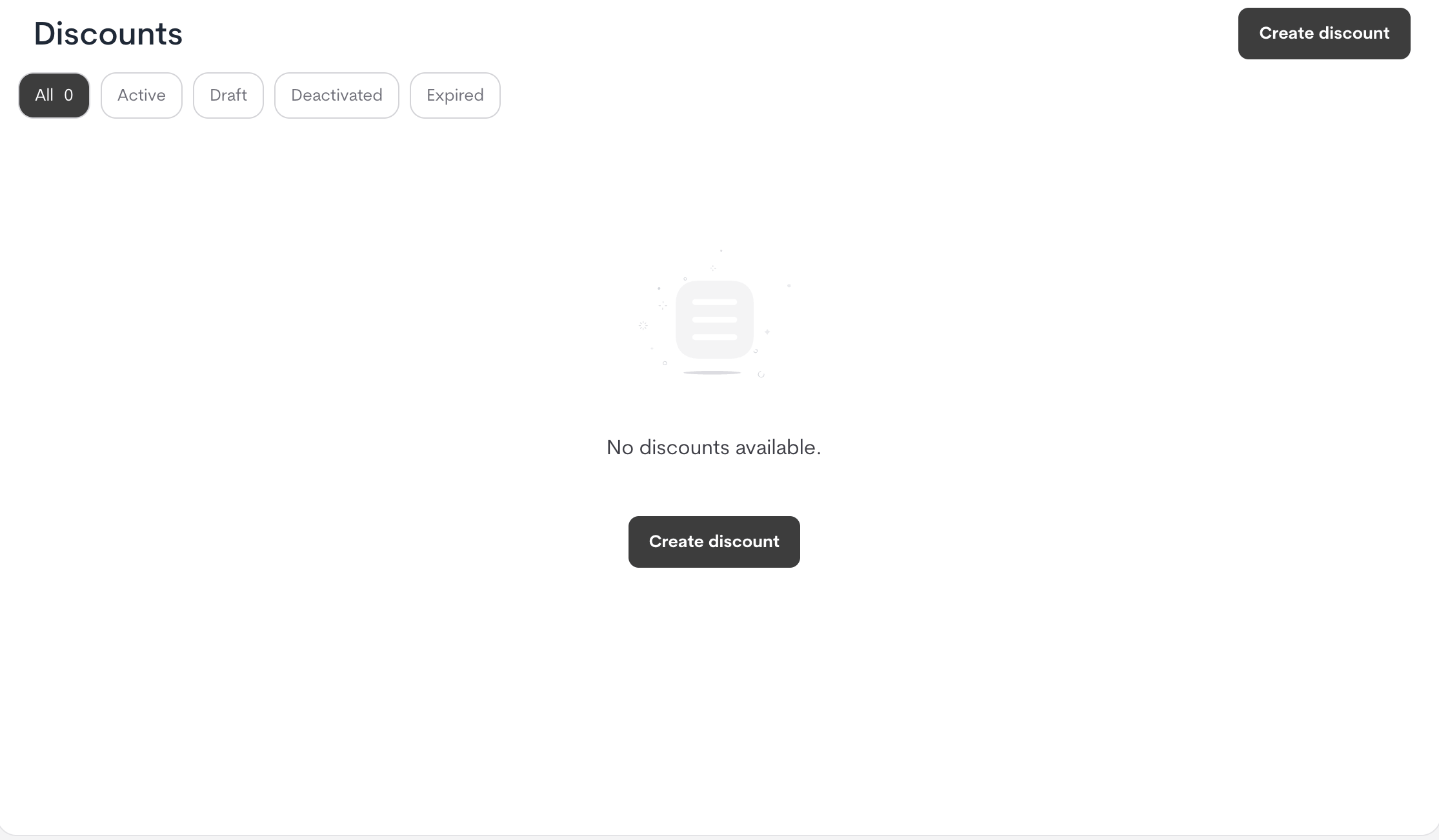
1. Navigate to **Offers → Discounts**.
2. Click **Create discount**.
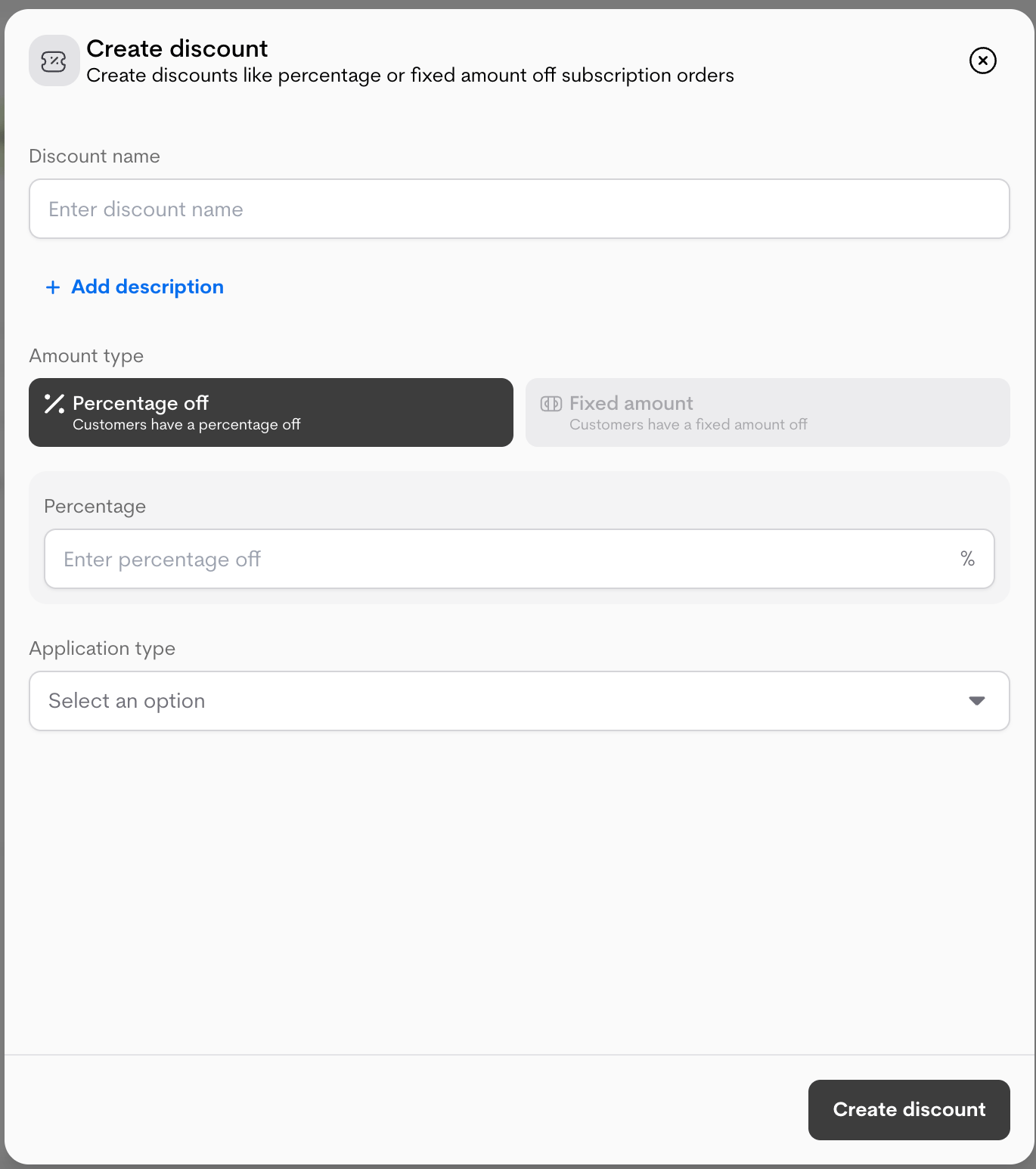
 3. Fill in the basic details:
* **Discount name**
* **Description (Optional)**
* **Amount type** (currently percentage)
* **Percentage (%)**
3. Fill in the basic details:
* **Discount name**
* **Description (Optional)**
* **Amount type** (currently percentage)
* **Percentage (%)**
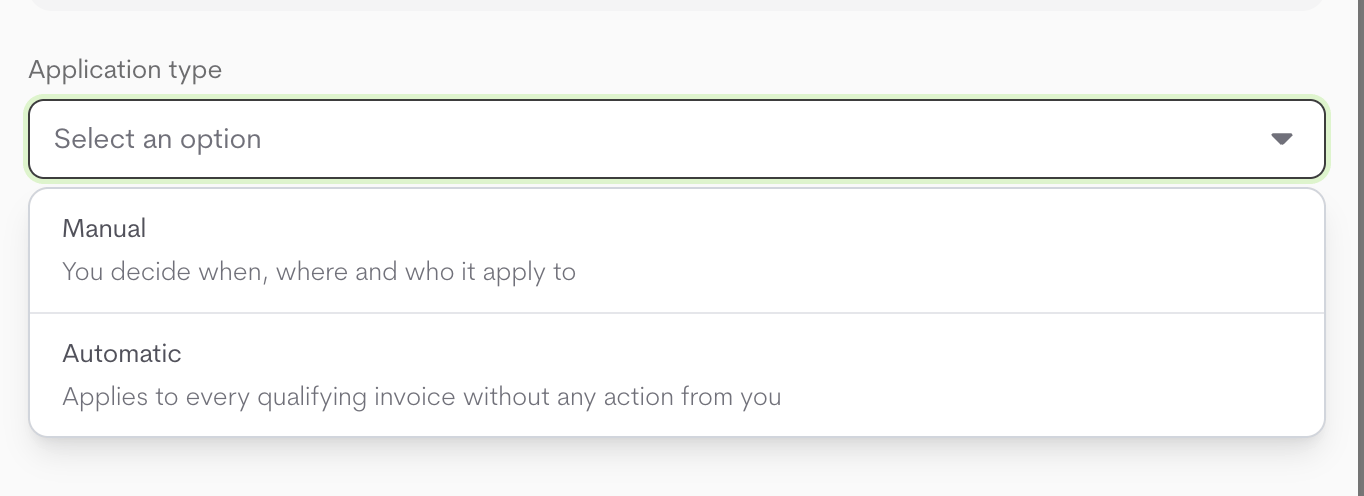
 4. Choose **Application type**:
* **Manual**: Applied when selected during manual subscription/invoice flows.
* **Automatic**: Applied automatically to eligible invoices based on configuration rules.
**Activation behavior**
* **Manual discounts**: active immediately after creation.
* **Automatic discounts**: created in **Draft**. You can activate them manually, or have them activate automatically on the date you set.
4. Choose **Application type**:
* **Manual**: Applied when selected during manual subscription/invoice flows.
* **Automatic**: Applied automatically to eligible invoices based on configuration rules.
**Activation behavior**
* **Manual discounts**: active immediately after creation.
* **Automatic discounts**: created in **Draft**. You can activate them manually, or have them activate automatically on the date you set.
 ### **Automatic discount**
When **Application type is Automatic**, configure lifecycle, limits, scope, and eligibility.
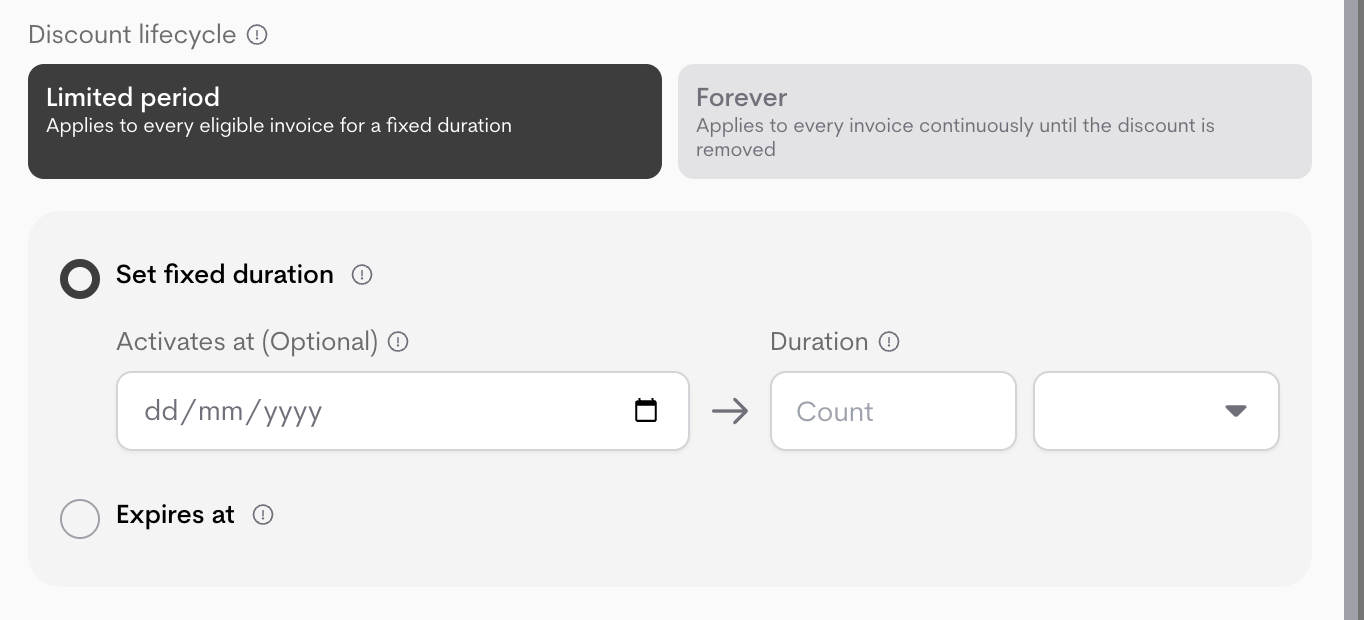
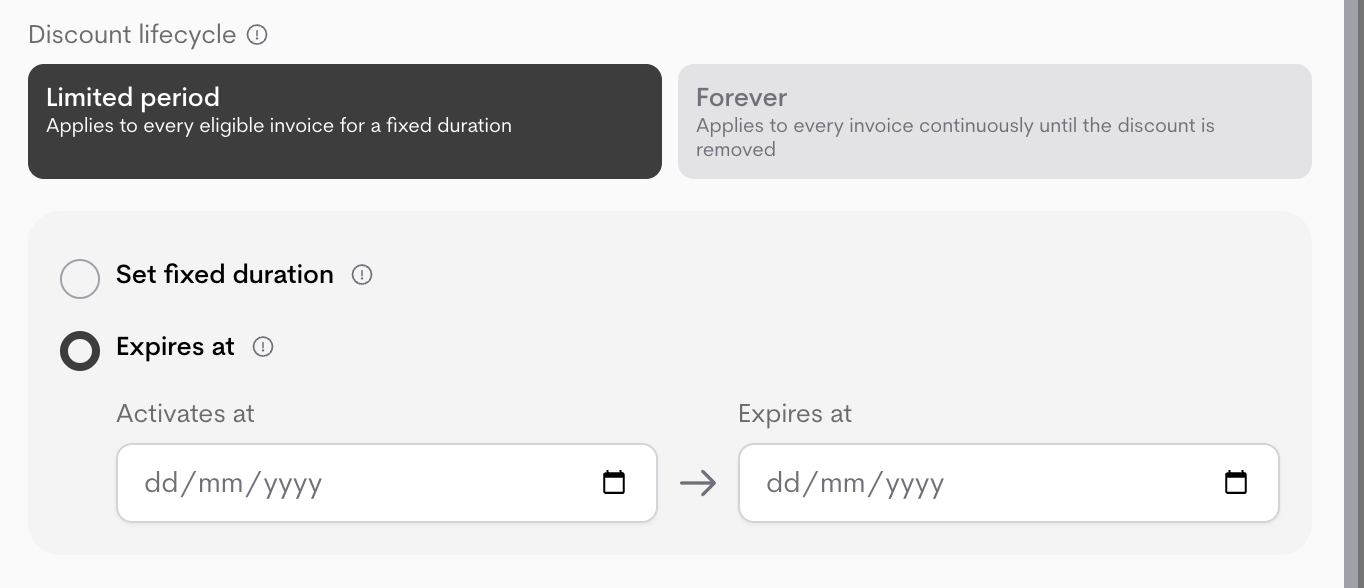
#### **Discount lifecycle**
Choose how long the discount remains active:
* **Forever**: Applies to every eligible invoice continuously until deactivated.
* **Limited period**:
* **Set fixed duration** (optionally set activation date, then duration + unit)
* **Expires at** (set activation and end dates)
### **Automatic discount**
When **Application type is Automatic**, configure lifecycle, limits, scope, and eligibility.
#### **Discount lifecycle**
Choose how long the discount remains active:
* **Forever**: Applies to every eligible invoice continuously until deactivated.
* **Limited period**:
* **Set fixed duration** (optionally set activation date, then duration + unit)
* **Expires at** (set activation and end dates)
 #### **Redemption limits**
* **Per customer usage limit**: Set how many times each customer can redeem the discount.
#### **Redemption limits**
* **Per customer usage limit**: Set how many times each customer can redeem the discount.
 #### **Scope**
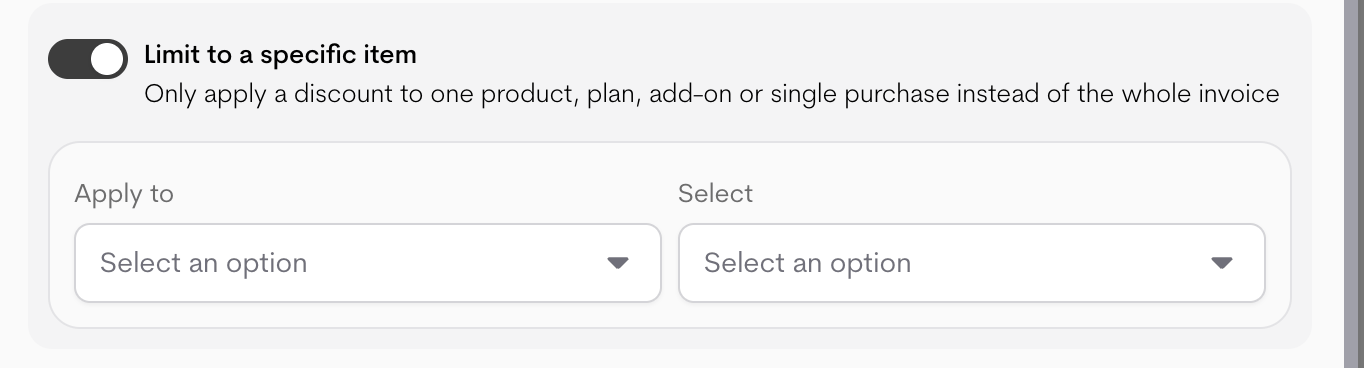
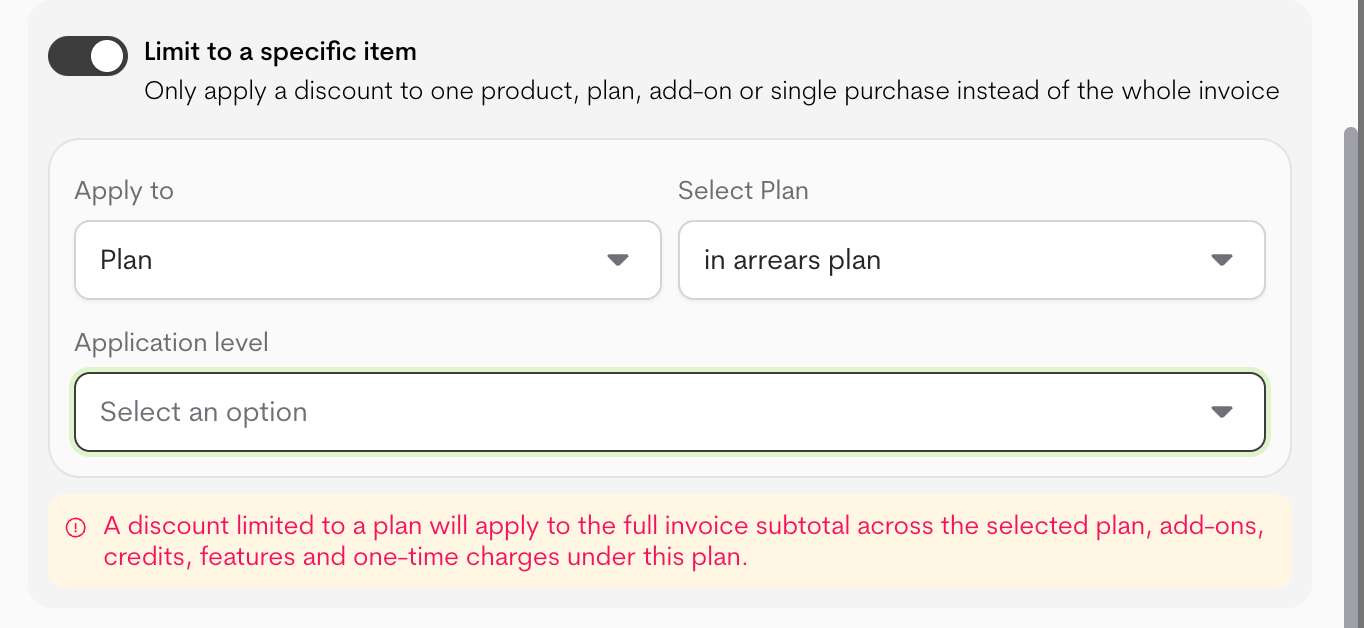
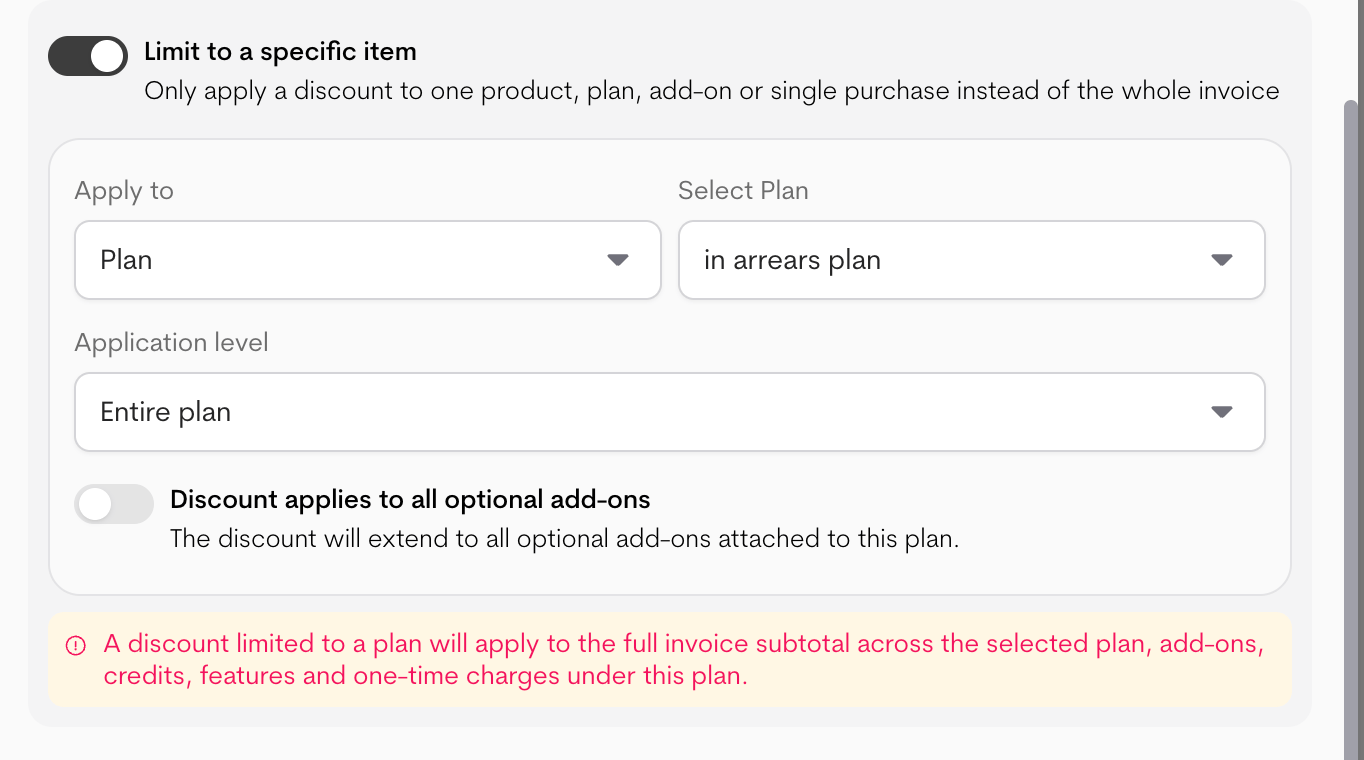
Apply the discount to a specific scope instead of the full invoice.
When limiting to a specific item, set:
* **Apply to**: Product, Plan, Add-on, Single purchase, One-time charge, Feature, or Credit.
* **Select item**: Choose the specific item the discount should apply to.
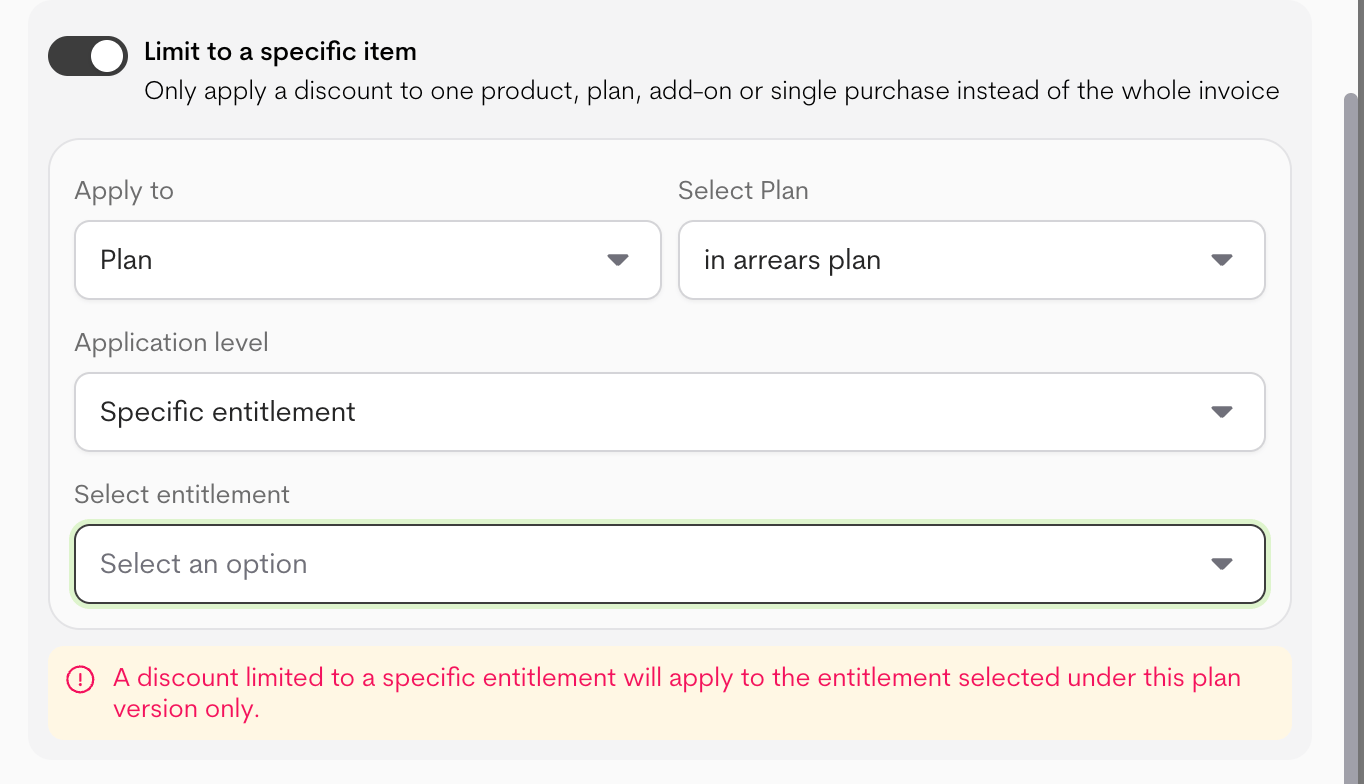
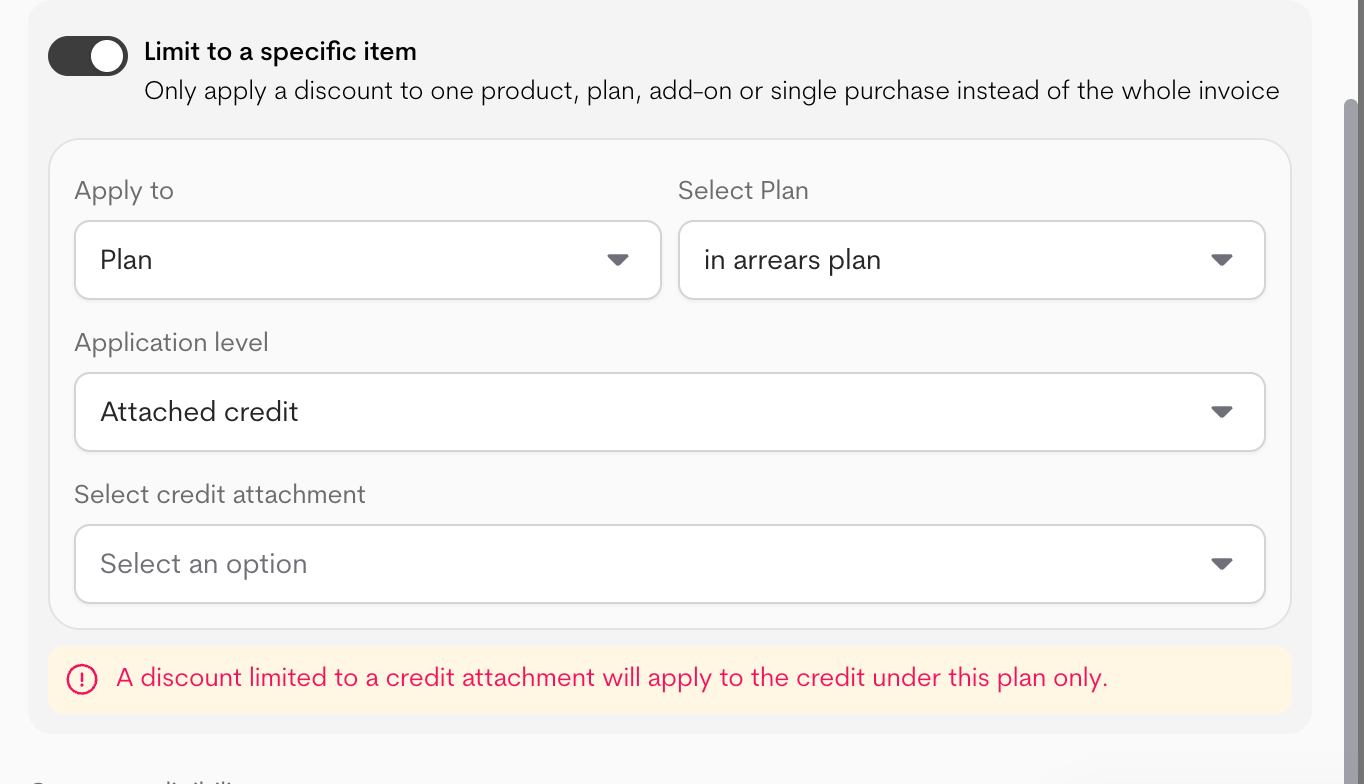
* **Application level (Plan only)**: Entire plan, specific entitlement, or attached credit.
* If **Entire plan** is selected, you can optionally toggle **Discount applies to all optional add-ons**.
* If **Specific entitlement** or **Attached credit** is selected, choose the entitlement/credit under that plan.
#### **Scope**
Apply the discount to a specific scope instead of the full invoice.
When limiting to a specific item, set:
* **Apply to**: Product, Plan, Add-on, Single purchase, One-time charge, Feature, or Credit.
* **Select item**: Choose the specific item the discount should apply to.
* **Application level (Plan only)**: Entire plan, specific entitlement, or attached credit.
* If **Entire plan** is selected, you can optionally toggle **Discount applies to all optional add-ons**.
* If **Specific entitlement** or **Attached credit** is selected, choose the entitlement/credit under that plan.
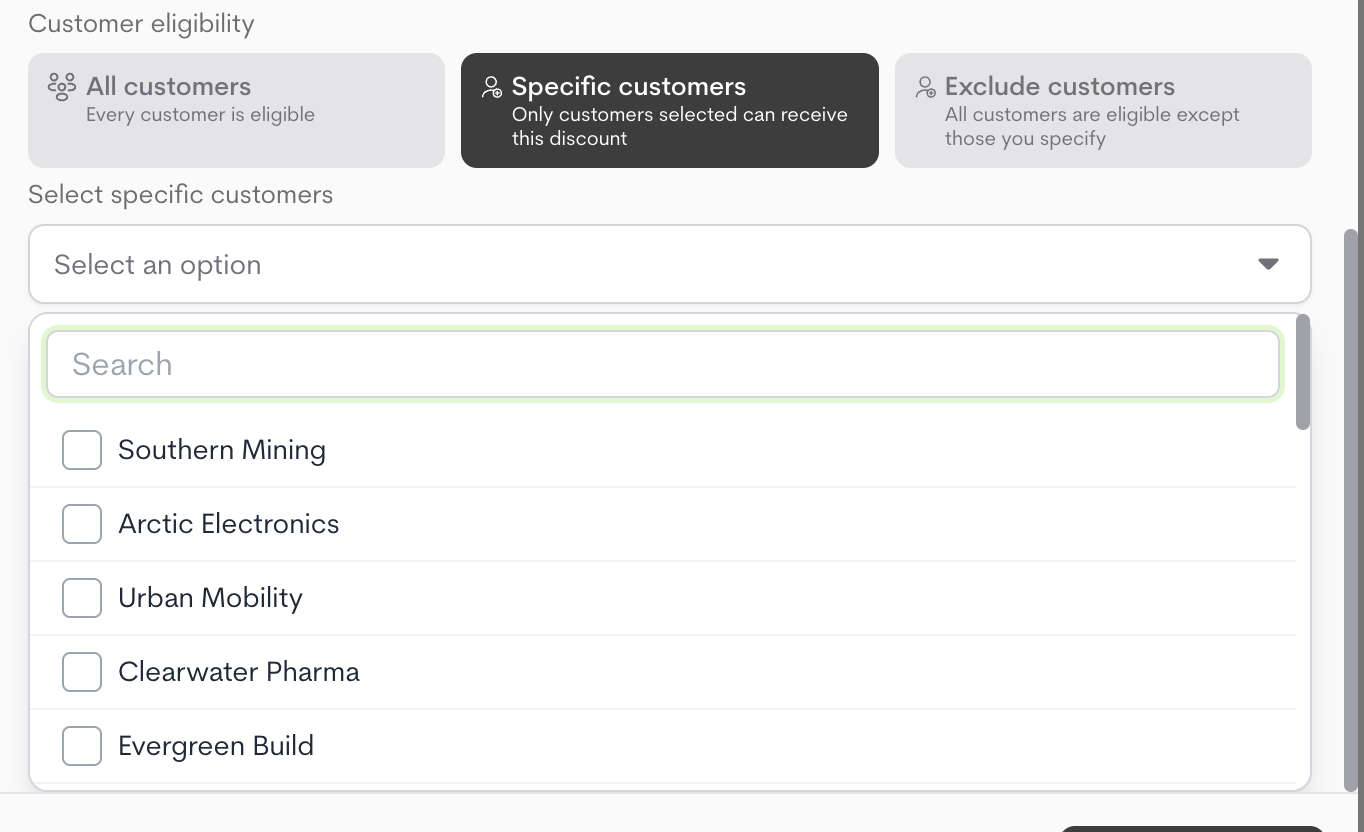
 #### **Customer eligibility**
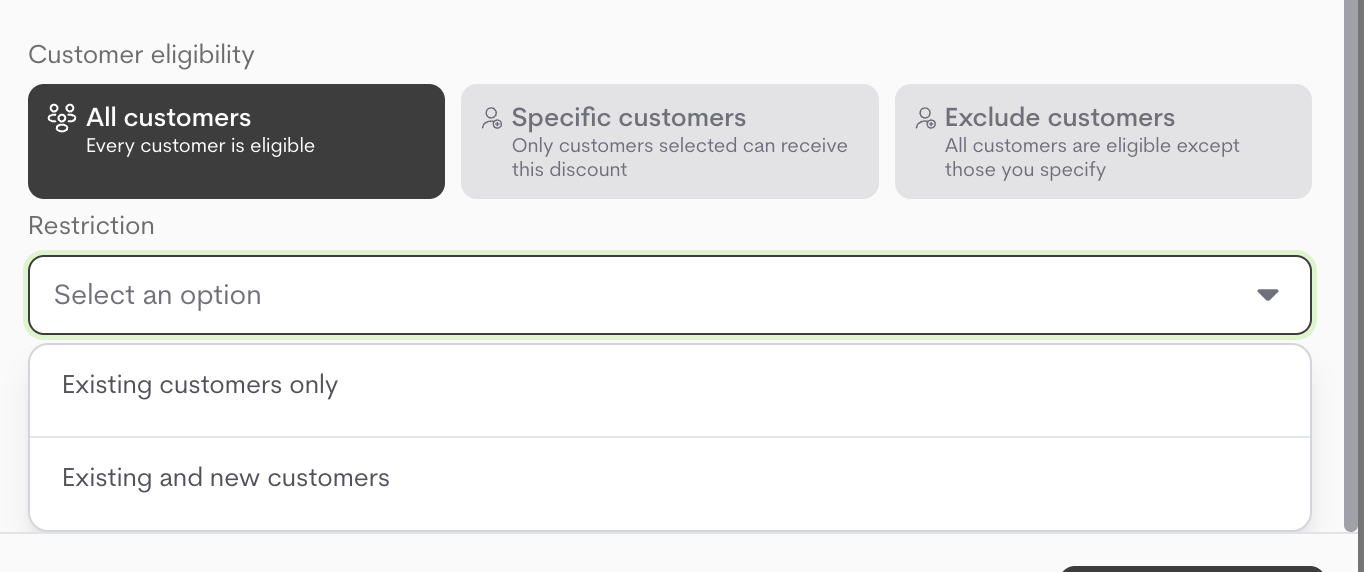
Choose who can receive the discount:
* **All customers**
* **Specific customers**
* **Exclude customers**
Then configure **Restriction** (**Existing customers only** vs **Existing and new customers**) when **All customers** is selected.
For **Specific customers** and **Exclude customers**, select the customers to include or exclude.
#### **Customer eligibility**
Choose who can receive the discount:
* **All customers**
* **Specific customers**
* **Exclude customers**
Then configure **Restriction** (**Existing customers only** vs **Existing and new customers**) when **All customers** is selected.
For **Specific customers** and **Exclude customers**, select the customers to include or exclude.
 5. Click **Create discount** to save.
## **Managing Discounts**
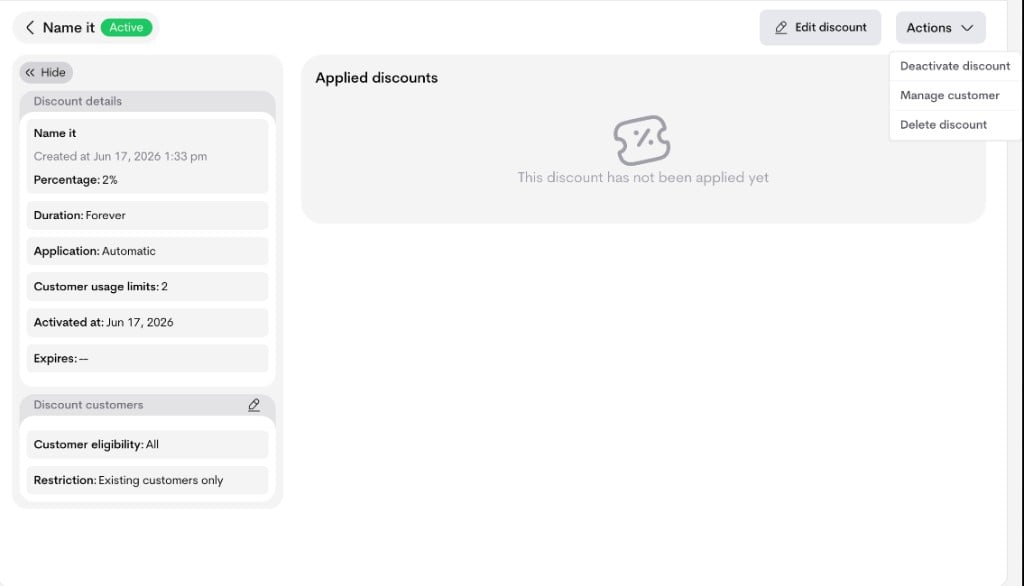
From **Offers → Discounts → Discount details page**, you can:
* **Edit discount**: Click **Edit discount** to update configuration fields.
* **Activate discount**: Use **Actions → Activate discount** (for draft/inactive discounts).
* **Deactivate discount**: Use **Actions → Deactivate discount** to stop applying it.
* **Manage customer eligibility**: Use **Actions → Manage customer** to update included/excluded customers and restrictions.
* **Delete discount**: Use **Actions → Delete discount** to permanently remove it.
5. Click **Create discount** to save.
## **Managing Discounts**
From **Offers → Discounts → Discount details page**, you can:
* **Edit discount**: Click **Edit discount** to update configuration fields.
* **Activate discount**: Use **Actions → Activate discount** (for draft/inactive discounts).
* **Deactivate discount**: Use **Actions → Deactivate discount** to stop applying it.
* **Manage customer eligibility**: Use **Actions → Manage customer** to update included/excluded customers and restrictions.
* **Delete discount**: Use **Actions → Delete discount** to permanently remove it.
 ## **Applying Discounts**
### **Automatic discounts**
Automatic discounts are applied by Metrifox whenever an invoice or checkout matches the discount rules (lifecycle, scope, and eligibility).
You can see applied automatic discounts in:
* Checkout or subscription order summary
* Subscription or invoice details (Eligible discounts / applied discount sections)
### **Manual discounts**
Manual discounts are applied explicitly at runtime from one of these entry points:
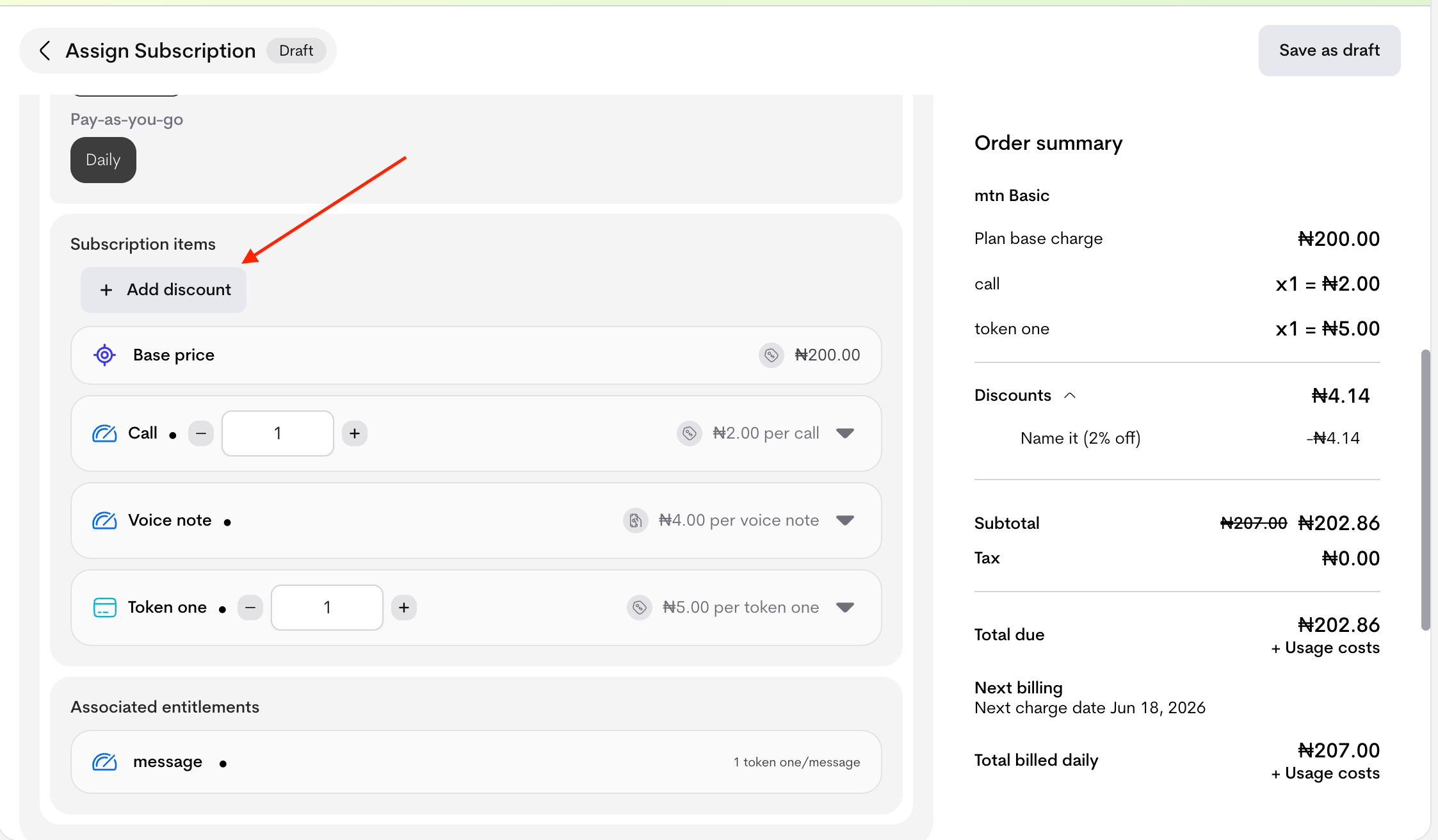
* **Manual subscription flow**: Click **+ Add discount** in the Assign Subscription page.
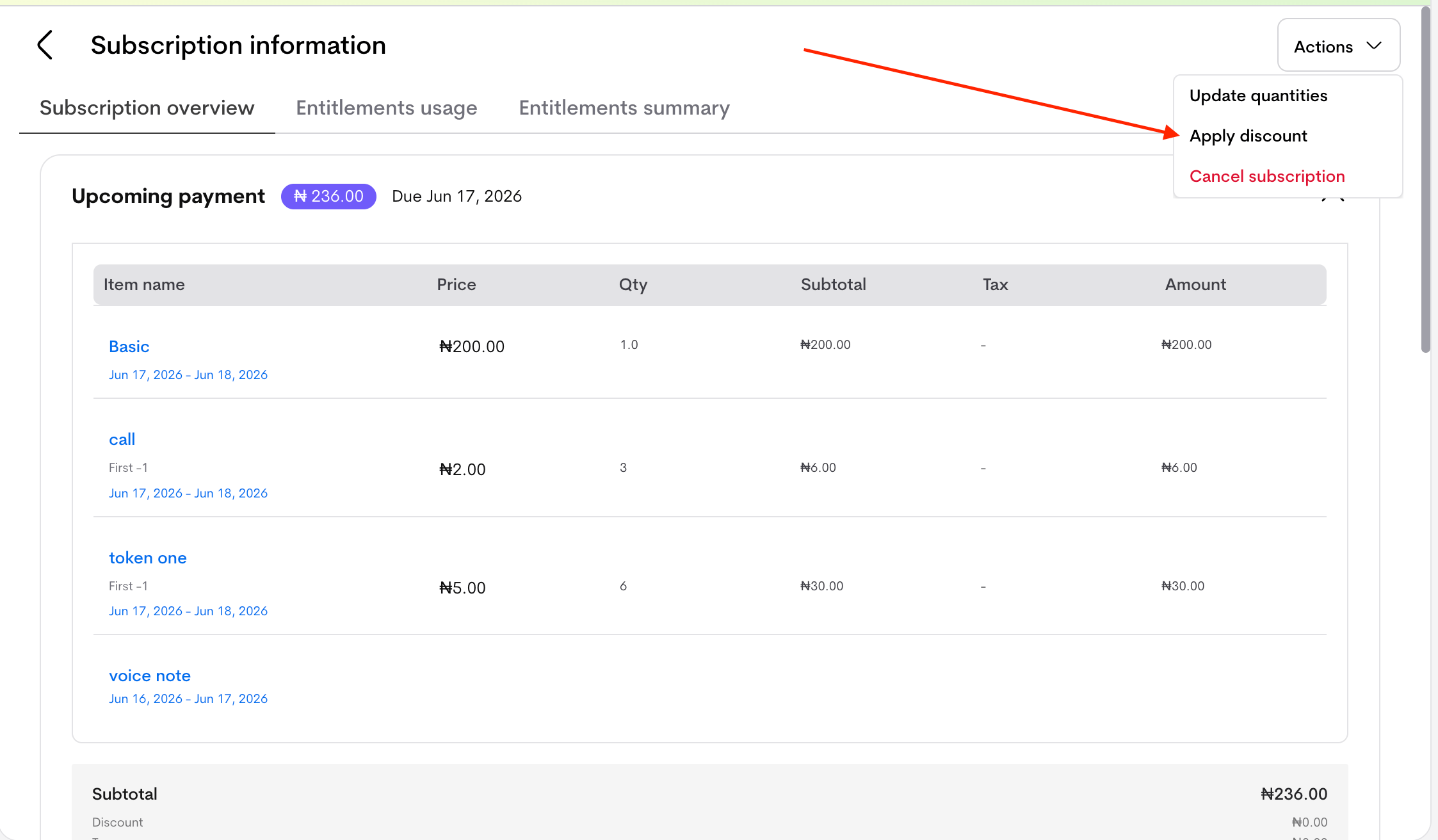
* **Subscription details flow**: Open a subscription and use **Actions → Apply discount**. This affects the **upcoming invoice only**.
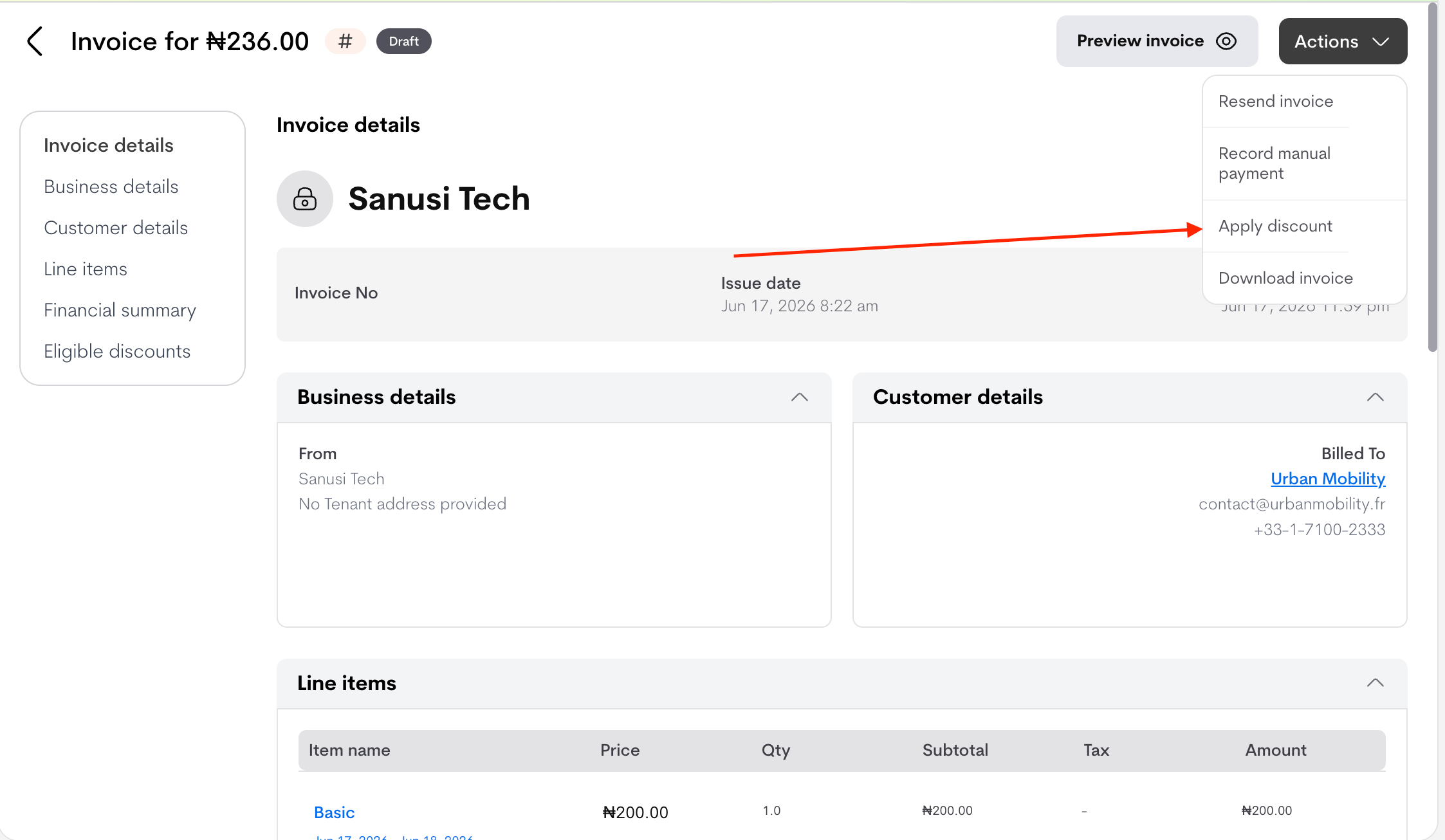
* **Invoice details flow**: Open a **draft invoice** and use **Actions → Apply discount** (manual discounts can only be added to draft invoices).
## **Applying Discounts**
### **Automatic discounts**
Automatic discounts are applied by Metrifox whenever an invoice or checkout matches the discount rules (lifecycle, scope, and eligibility).
You can see applied automatic discounts in:
* Checkout or subscription order summary
* Subscription or invoice details (Eligible discounts / applied discount sections)
### **Manual discounts**
Manual discounts are applied explicitly at runtime from one of these entry points:
* **Manual subscription flow**: Click **+ Add discount** in the Assign Subscription page.
* **Subscription details flow**: Open a subscription and use **Actions → Apply discount**. This affects the **upcoming invoice only**.
* **Invoice details flow**: Open a **draft invoice** and use **Actions → Apply discount** (manual discounts can only be added to draft invoices).
 #### **Steps**
1. Open the **Add discount** modal.
2. Select the discount.
3. Choose scope:
* **Apply on entire plan**, or
* **Apply on specific items**
4. If **Apply on specific items** is selected, choose the items to include.
5. Click **Add discount**.
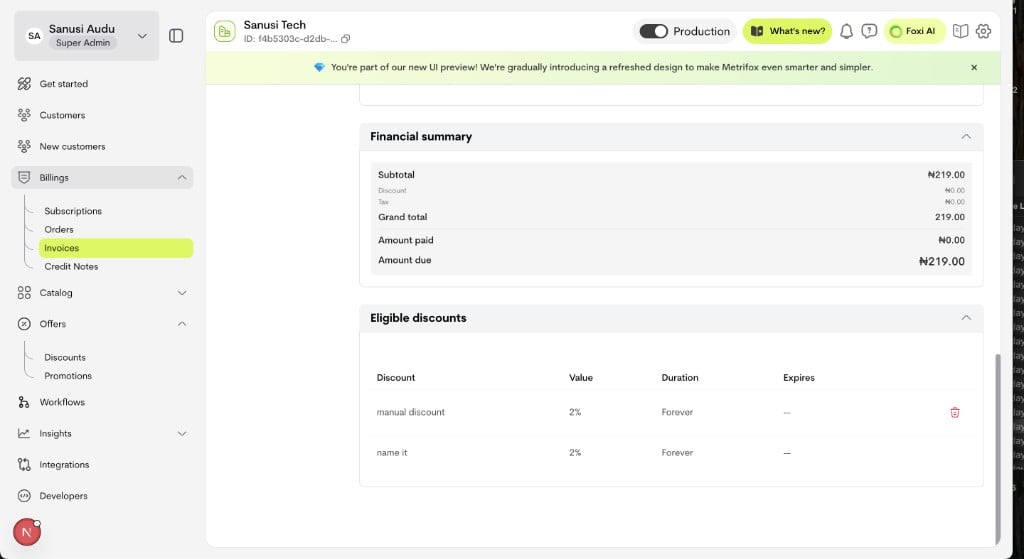
After applying, use the **Eligible discounts** section to view all possible discounts that can affect the next invoice. The discount can be either **automatic** or **manual**.
* **Subscription details** → **Eligible discounts** section
* **Invoice details** → **Eligible discounts** section
#### **Steps**
1. Open the **Add discount** modal.
2. Select the discount.
3. Choose scope:
* **Apply on entire plan**, or
* **Apply on specific items**
4. If **Apply on specific items** is selected, choose the items to include.
5. Click **Add discount**.
After applying, use the **Eligible discounts** section to view all possible discounts that can affect the next invoice. The discount can be either **automatic** or **manual**.
* **Subscription details** → **Eligible discounts** section
* **Invoice details** → **Eligible discounts** section