> ## Documentation Index
> Fetch the complete documentation index at: https://docs.metrifox.com/llms.txt
> Use this file to discover all available pages before exploring further.
# Dunning
## **Overview**
Dunning is the process of recovering failed subscription payments. When a recurring payment fails (for example, due to an expired card, insufficient funds, or a temporary bank issue), dunning automatically retries the charge and notifies the customer so they can update their payment method before access is interrupted.
Metrifox ships with a **default dunning preset** that:
* Automatically retries failed auto-collect payments up to 3 times over a 7-day window.
* Pauses the subscription during retries attempts.
* If recovery is unsuccessful, leaves the invoice overdue and cancels the subscription.
You can use the default preset as-is, or create your own presets and apply them per product.
## **Creating a Dunning Preset**
Dunning presets are managed globally and can be reused across products.
1. Navigate to **Settings → Dunning management**.
2. Click **New dunning preset**.
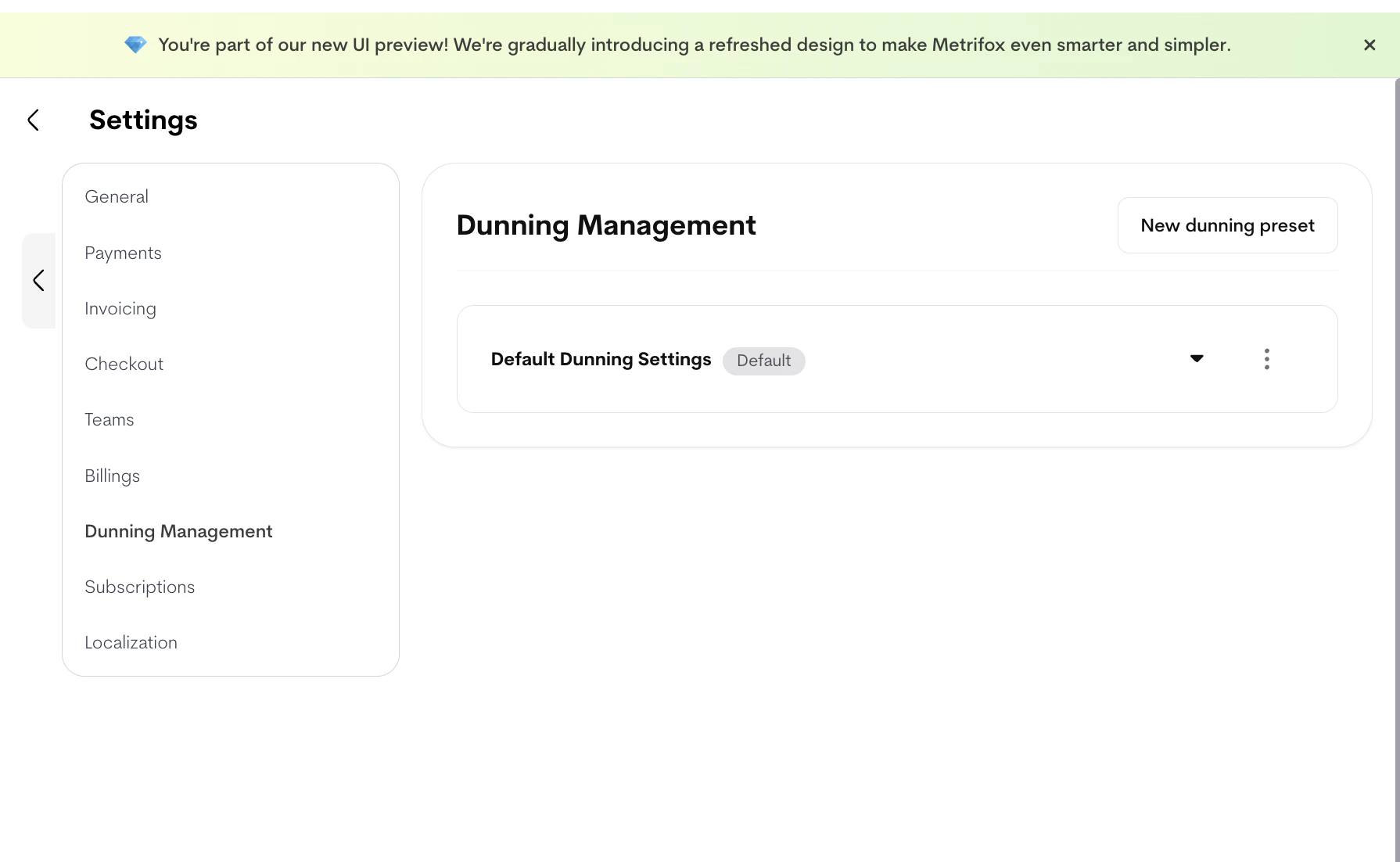 3. Configure the preset:
* **Name**: A clear, descriptive name (e.g., "Standard card retries").
* **Retry failed auto-collect payments**: When enabled, Metrifox will attempt to collect payment again if the initial attempt fails.
* **Enable Metrifox smart retries**: Metrifox uses a smart algorithm to optimize retry timing and increase collection success rates.\
Available when: **Retry failed auto-collect payments** is enabled.
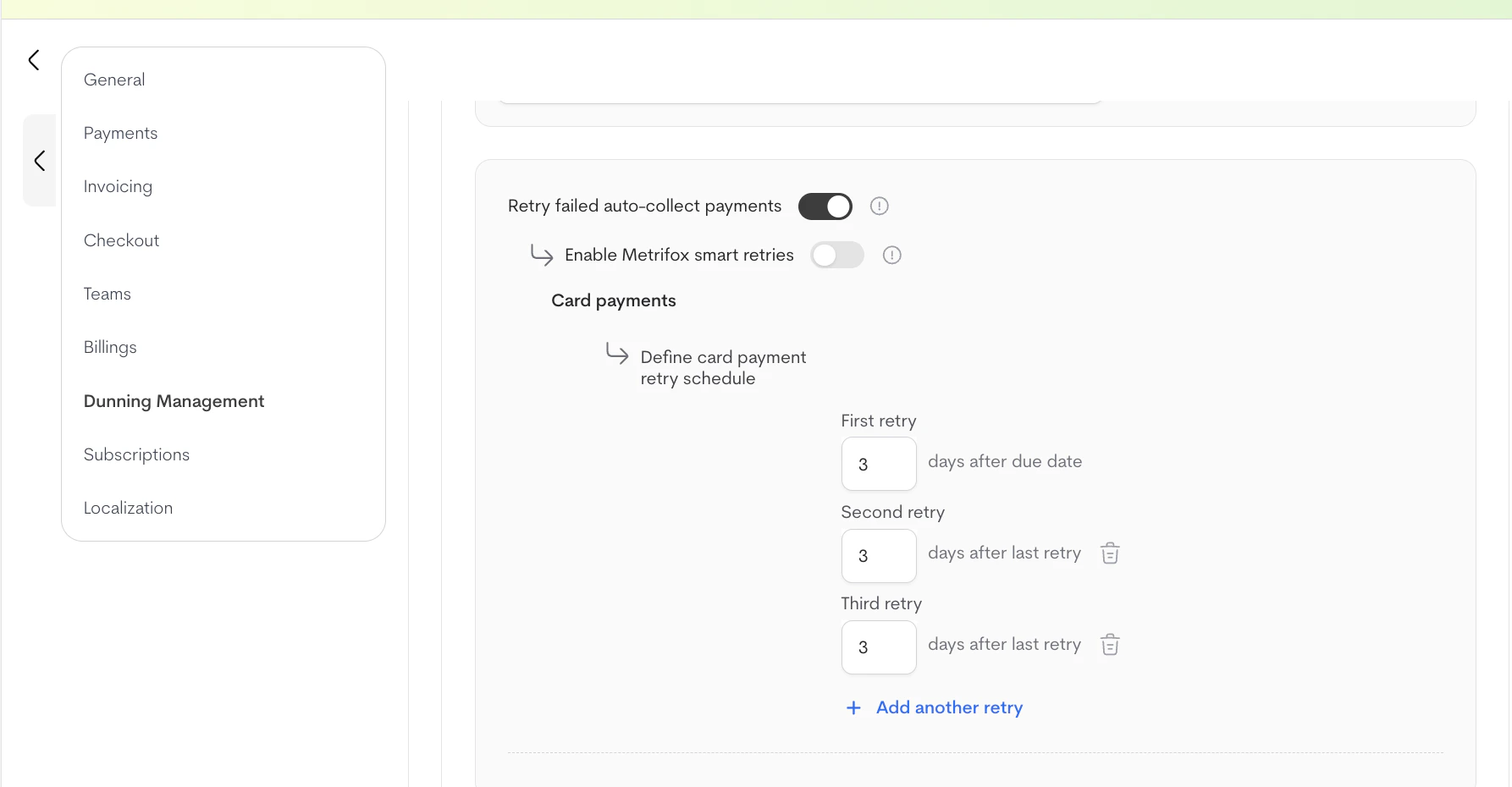
* **Define card payment retry schedule**: Manually configure how many days to wait between each retry, up to a maximum of **8 retries**.\
Available when: **Retry failed auto-collect payments** is enabled and **Smart retries** is disabled.
3. Configure the preset:
* **Name**: A clear, descriptive name (e.g., "Standard card retries").
* **Retry failed auto-collect payments**: When enabled, Metrifox will attempt to collect payment again if the initial attempt fails.
* **Enable Metrifox smart retries**: Metrifox uses a smart algorithm to optimize retry timing and increase collection success rates.\
Available when: **Retry failed auto-collect payments** is enabled.
* **Define card payment retry schedule**: Manually configure how many days to wait between each retry, up to a maximum of **8 retries**.\
Available when: **Retry failed auto-collect payments** is enabled and **Smart retries** is disabled.
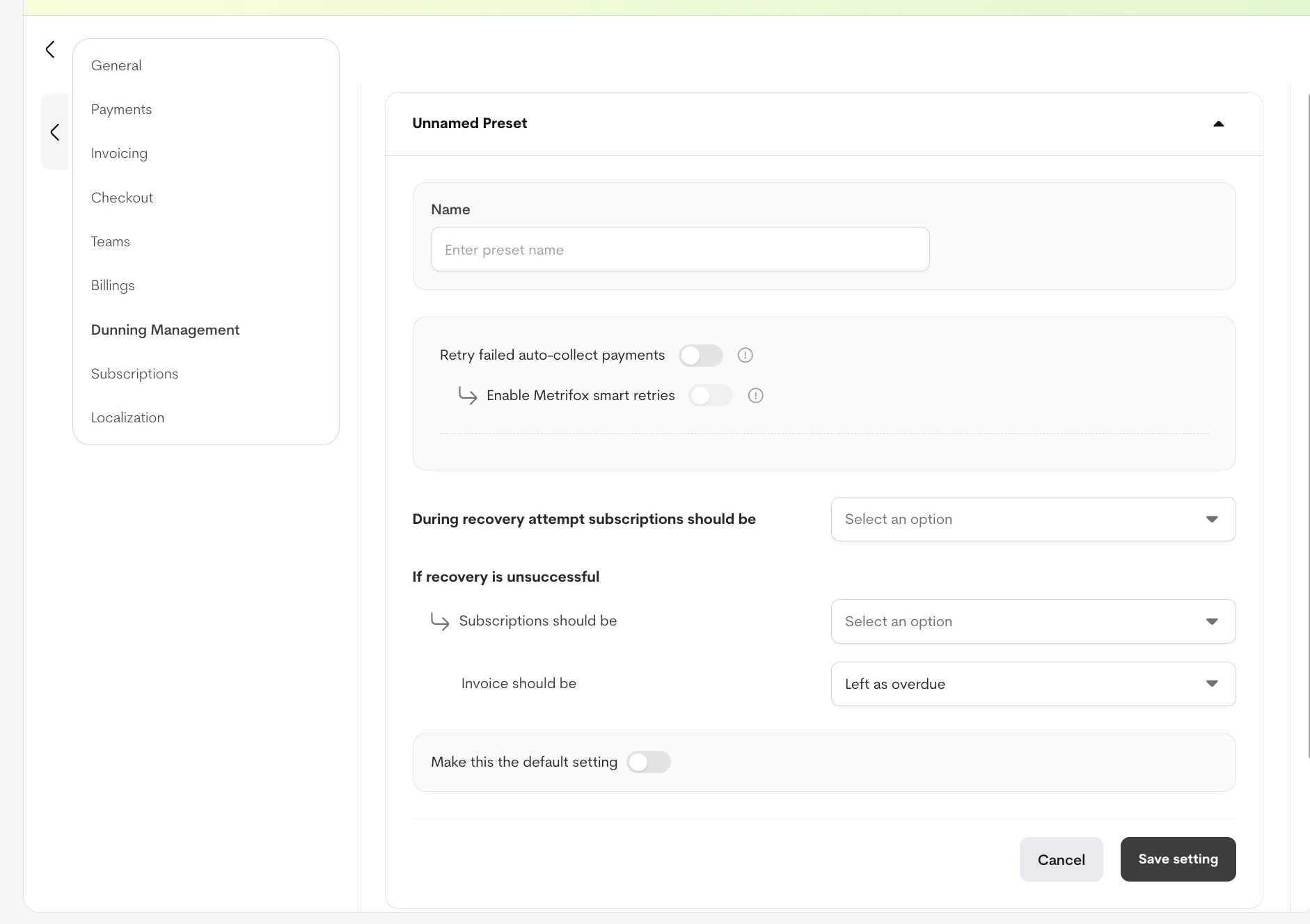
 4. Set what happens **during recovery attempts**:
* **Pause subscription** — the customer loses access until payment succeeds.
* **Keep active until manually cancelled** — the customer keeps access while retries run.
5. Set what happens **if recovery attempts fail**:
* **Subscription outcome**: choose one of
* **Cancel subscription**
* **Keep active after dunning**
* **Pause subscription after dunning fails**
* **Invoice outcome**: choose one of
* **Mark as written off**
* **Leave overdue**
* **Leave overdue for a specific number of days**
6. Click **Save** to store the preset.
7. (Optional) Click **Mark as default** to make this the default dunning preset for new products.
You can also **edit** or **archive** existing presets from the Dunning management list.
## **Applying Dunning to a Product**
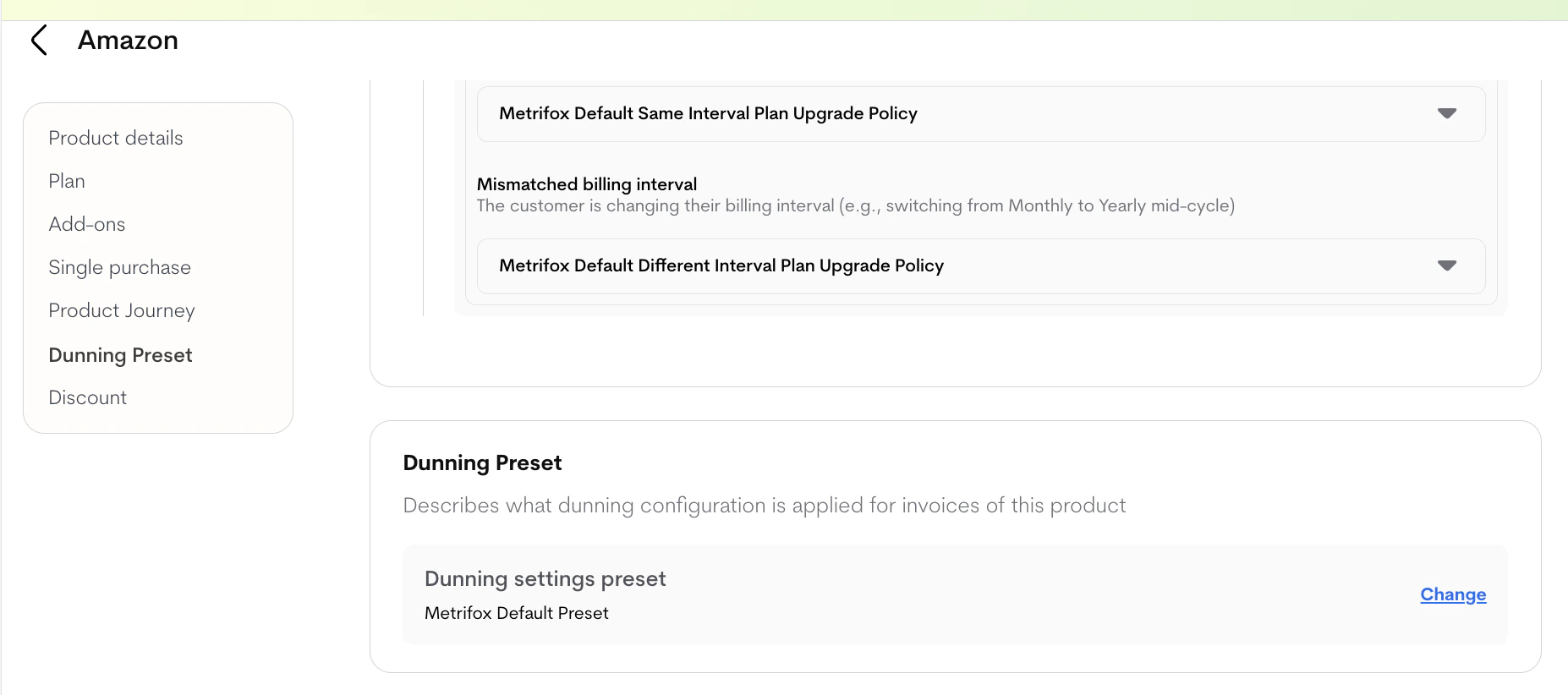
Each product uses the global default dunning preset unless you override it.
1. Open the product you want to configure.
2. Open the **Dunning** setting on the product.
3. Select any preset created under **Settings → Dunning management**. The default preset is selected automatically.
4. Set what happens **during recovery attempts**:
* **Pause subscription** — the customer loses access until payment succeeds.
* **Keep active until manually cancelled** — the customer keeps access while retries run.
5. Set what happens **if recovery attempts fail**:
* **Subscription outcome**: choose one of
* **Cancel subscription**
* **Keep active after dunning**
* **Pause subscription after dunning fails**
* **Invoice outcome**: choose one of
* **Mark as written off**
* **Leave overdue**
* **Leave overdue for a specific number of days**
6. Click **Save** to store the preset.
7. (Optional) Click **Mark as default** to make this the default dunning preset for new products.
You can also **edit** or **archive** existing presets from the Dunning management list.
## **Applying Dunning to a Product**
Each product uses the global default dunning preset unless you override it.
1. Open the product you want to configure.
2. Open the **Dunning** setting on the product.
3. Select any preset created under **Settings → Dunning management**. The default preset is selected automatically.
 **Important Notes**
* Smart retries and a custom retry schedule are mutually exclusive — only one can be active at a time.
* The maximum number of manual retries is **8**.
* Changing the default preset does not retroactively change products already using a different preset.
**Important Notes**
* Smart retries and a custom retry schedule are mutually exclusive — only one can be active at a time.
* The maximum number of manual retries is **8**.
* Changing the default preset does not retroactively change products already using a different preset.