> ## Documentation Index
> Fetch the complete documentation index at: https://docs.metrifox.com/llms.txt
> Use this file to discover all available pages before exploring further.
# Localization
## **Overview**
Price localization lets you display and charge different currencies and prices based on a customer's location. This improves conversion rates, supports regional pricing strategies, and helps with compliance (e.g., local currencies or tax display rules).
When enabled on a plan, Metrifox automatically shows the localized price in pricing tables and checkout based on the customer's billing country (detected from address or IP).
Localization is configured per plan. Localized prices override the plan's default currency/pricing for selected countries.
### **Enabling Price Localization**
Localization is disabled by default.
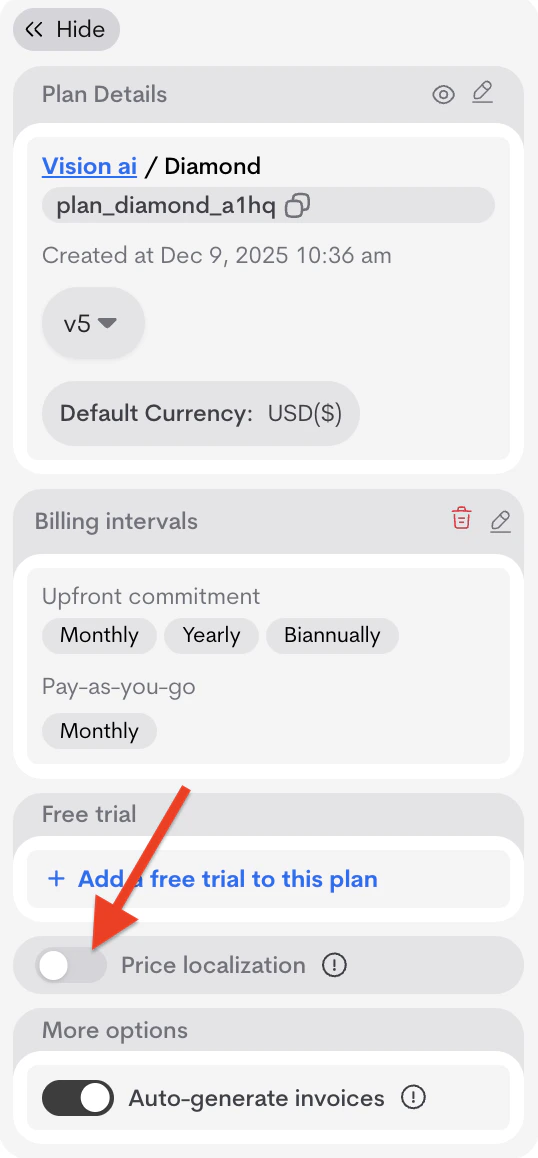
1. Open a plan (**Catalog → Products → \[Product] → Plans → \[Plan]**).
2. In the **Plan details** section, toggle **Price localization** on.
Once enabled, a **+ Add localized price** button appears.
 ### **Adding a Localized Price**
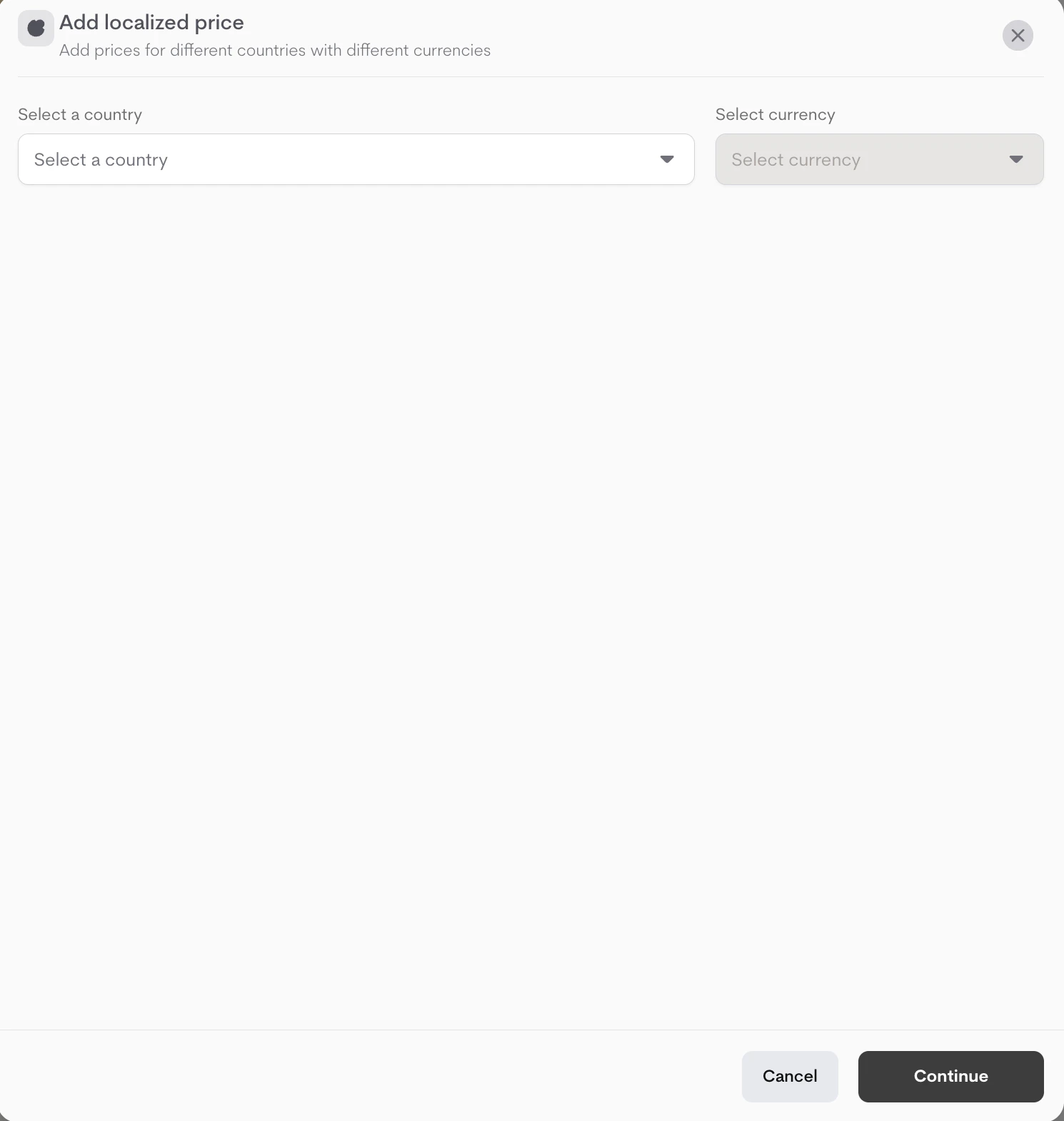
1. Click **+ Add localized price**.
2. In the first modal:
* Select a **Country** from the dropdown.
* Select the **Currency** for that country.
### **Adding a Localized Price**
1. Click **+ Add localized price**.
2. In the first modal:
* Select a **Country** from the dropdown.
* Select the **Currency** for that country.
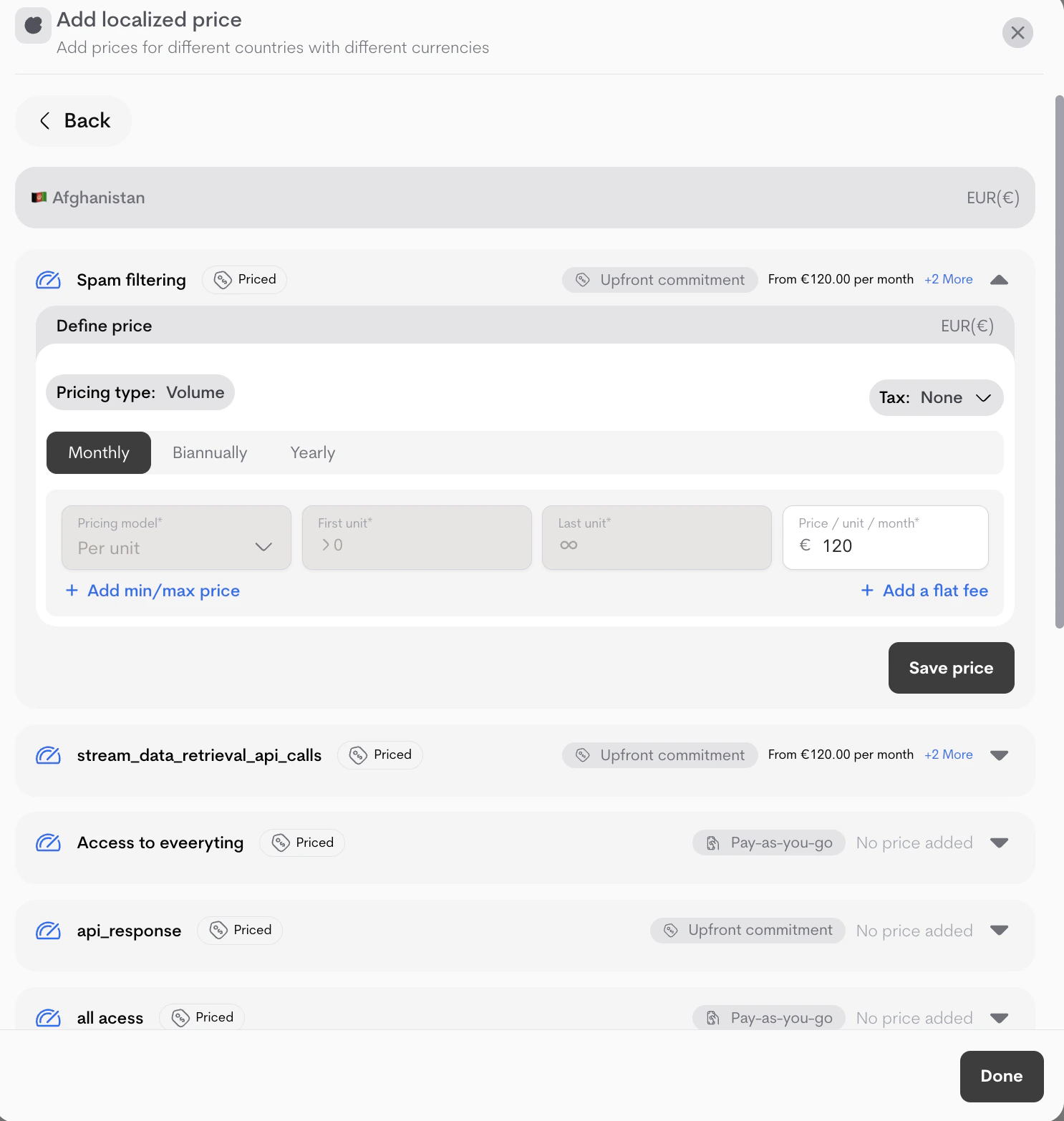
 3. A second modal opens to define pricing for this localization (similar to regular plan pricing):
* Define prices/tiers (Pricing type: Graduated/Volume, model: Per unit/Package/Flat/Percentage).
* (Optional) Add tax, min/max, flat fees.
* Enter the localized prices for the default billing intervals
* Click **Save price** after setting up localized price for each offering
* Click **Done** after saving all prices, you can also click it if you would like to come back to pricing later .
3. A second modal opens to define pricing for this localization (similar to regular plan pricing):
* Define prices/tiers (Pricing type: Graduated/Volume, model: Per unit/Package/Flat/Percentage).
* (Optional) Add tax, min/max, flat fees.
* Enter the localized prices for the default billing intervals
* Click **Save price** after setting up localized price for each offering
* Click **Done** after saving all prices, you can also click it if you would like to come back to pricing later .
 You can add multiple localizations (one per country/currency pair).
### **Managing Localizations**
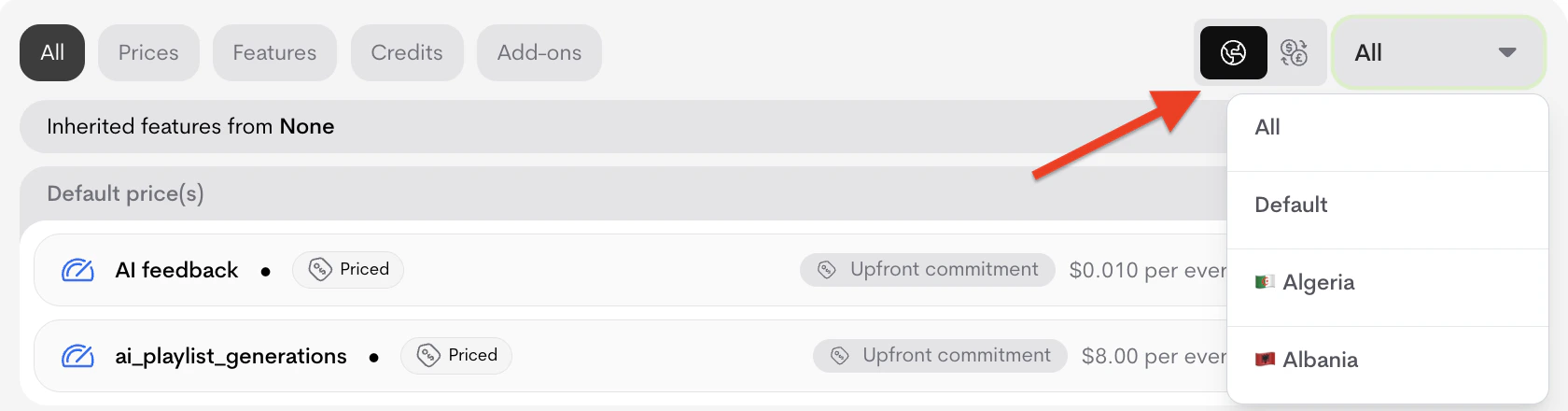
Localizations appear in a dedicated tab or section (alongside All, Prices, Features, etc.).
* **Filters**: Use the currency/country icons + dropdown to filter the view (e.g., show only USD or EU countries).
You can add multiple localizations (one per country/currency pair).
### **Managing Localizations**
Localizations appear in a dedicated tab or section (alongside All, Prices, Features, etc.).
* **Filters**: Use the currency/country icons + dropdown to filter the view (e.g., show only USD or EU countries).
 * **Incomplete setups**:
If a localization lacks prices, warnings appear:
* Individual: "Complete this localized price setup to make it available on checkout. Continue pricing."
You've created 6 localization(s). Missing price(s): 2
* Summary: "You've created X localizations. Y don't have price(s) yet. Resolve now."
**You've created 6 localizations. 1 of them don't have price(s) yet.**
* Click **Resolve now** or **Continue pricing** to open the modal for unfinished localizations (complete pricing or delete via trash icon).
* **Incomplete setups**:
If a localization lacks prices, warnings appear:
* Individual: "Complete this localized price setup to make it available on checkout. Continue pricing."
You've created 6 localization(s). Missing price(s): 2
* Summary: "You've created X localizations. Y don't have price(s) yet. Resolve now."
**You've created 6 localizations. 1 of them don't have price(s) yet.**
* Click **Resolve now** or **Continue pricing** to open the modal for unfinished localizations (complete pricing or delete via trash icon).
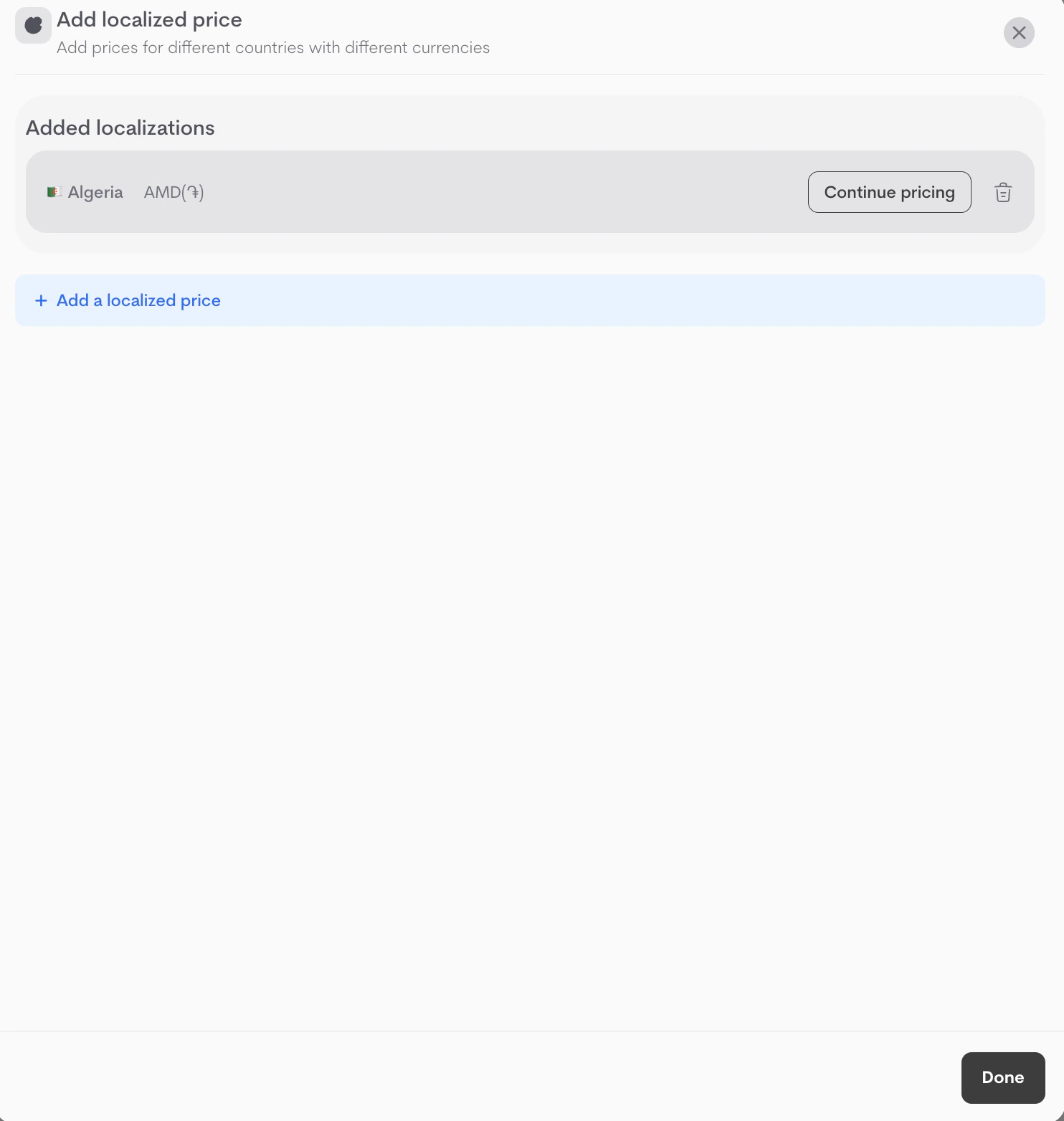 * Add more via **+ Add localized price**.
**Important Notes**
* Localizations can be created and configured on draft or launched plans but can only be activated on **launched** plans.
* Default (non-localized) prices apply as fallback for unsupported countries.
* Changes to localization after plan is launched creates a new plan version (existing customers unaffected).
* For advanced regional tax or compliance, combine with global **Taxes** [(see Taxes docs).](https://docs.metrifox.com/tax)
* Add more via **+ Add localized price**.
**Important Notes**
* Localizations can be created and configured on draft or launched plans but can only be activated on **launched** plans.
* Default (non-localized) prices apply as fallback for unsupported countries.
* Changes to localization after plan is launched creates a new plan version (existing customers unaffected).
* For advanced regional tax or compliance, combine with global **Taxes** [(see Taxes docs).](https://docs.metrifox.com/tax)