> ## Documentation Index
> Fetch the complete documentation index at: https://docs.metrifox.com/llms.txt
> Use this file to discover all available pages before exploring further.
# Promotional Credit
## **Overview**
Promotional credits are credits granted to customers as part of a promotion, allowing them to use eligible products, services, or features without incurring charges up to the value of the credit.
Unlike promotional entitlements (which grant direct feature/service access), promotional credits are **consumable**: the balance is reduced as the customer uses eligible resources.
## **Creating Promotional Credit**
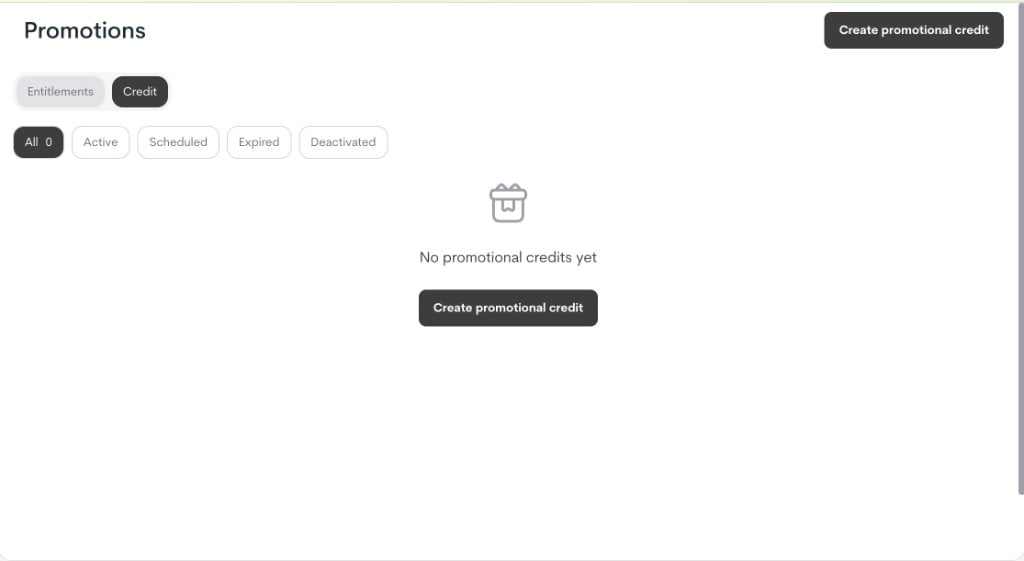
1. Go to **Offers → Promotions → Credit**.
2. Click **Create promotional credit**.
 3. In the modal, fill in the details:
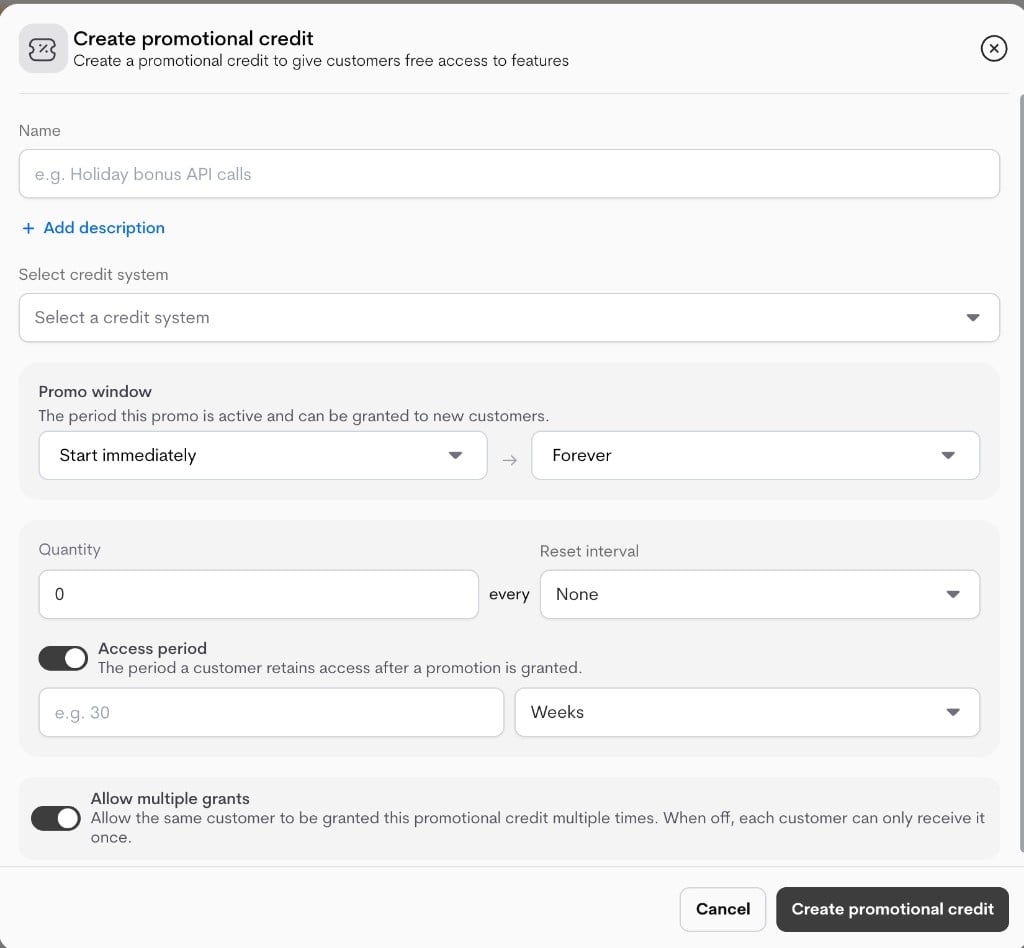
* **Name**: Internal campaign title.
* **Description (optional)**: Internal context for operators/support.
* **Select credit system**: Choose the credit ledger this promotion funds. Only active credit systems can be selected.
* **Promo window**: The period the promotion is active and can be granted to customers.
* Start immediately or set a start date.
* End forever or set an expiry date.
* **Quantity**: Number of credits granted per reset cycle.
* **Reset interval**: How often the quantity renews (or never).
* **Access period** : How long the granted credit remains valid for each customer.
* **Off / Forever**: no duration cap.
* **On**: set `duration_value` + `duration_unit` (for example, 3 months).
* **Allow multiple grants**: Whether this promotional credit can be granted multiple times to the same customer and coexist with other promotional credits.
3. In the modal, fill in the details:
* **Name**: Internal campaign title.
* **Description (optional)**: Internal context for operators/support.
* **Select credit system**: Choose the credit ledger this promotion funds. Only active credit systems can be selected.
* **Promo window**: The period the promotion is active and can be granted to customers.
* Start immediately or set a start date.
* End forever or set an expiry date.
* **Quantity**: Number of credits granted per reset cycle.
* **Reset interval**: How often the quantity renews (or never).
* **Access period** : How long the granted credit remains valid for each customer.
* **Off / Forever**: no duration cap.
* **On**: set `duration_value` + `duration_unit` (for example, 3 months).
* **Allow multiple grants**: Whether this promotional credit can be granted multiple times to the same customer and coexist with other promotional credits.
 4. Click **Create promotional credit** to save.
**Note:** This form only sets up the promotional credit policy. Customer assignment happens in a separate step.
### **Important lifecycle behavior**
* If a promotional credit has already been applied (`is_applied`), key policy fields are locked in edit mode.
* In that state, only safe metadata updates are typically allowed (for example, name/description).
* This prevents changing live credit economics after customers have already received promotional access.
## **Applying Promotional Credit**
* **Grant**: The customer is assigned to the promotional credit campaign and can receive the configured credit benefit (`quantity`, `reset_interval`, and duration rules) in the linked credit system.
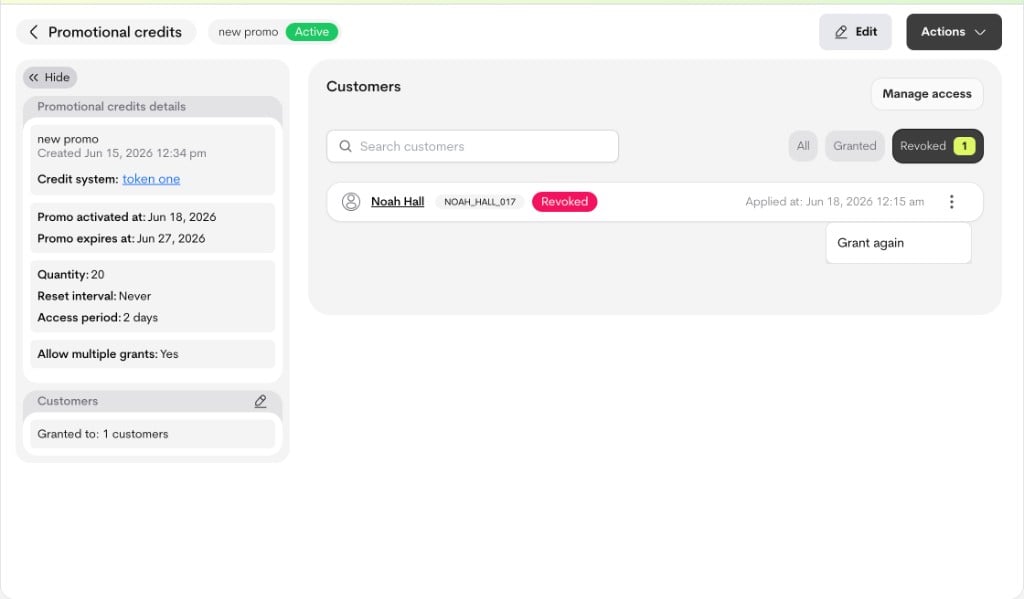
* **Revoke**: The customer is removed from active access for this promotion (`active=false`, `revoked_at` set), so they no longer receive new benefit from it.
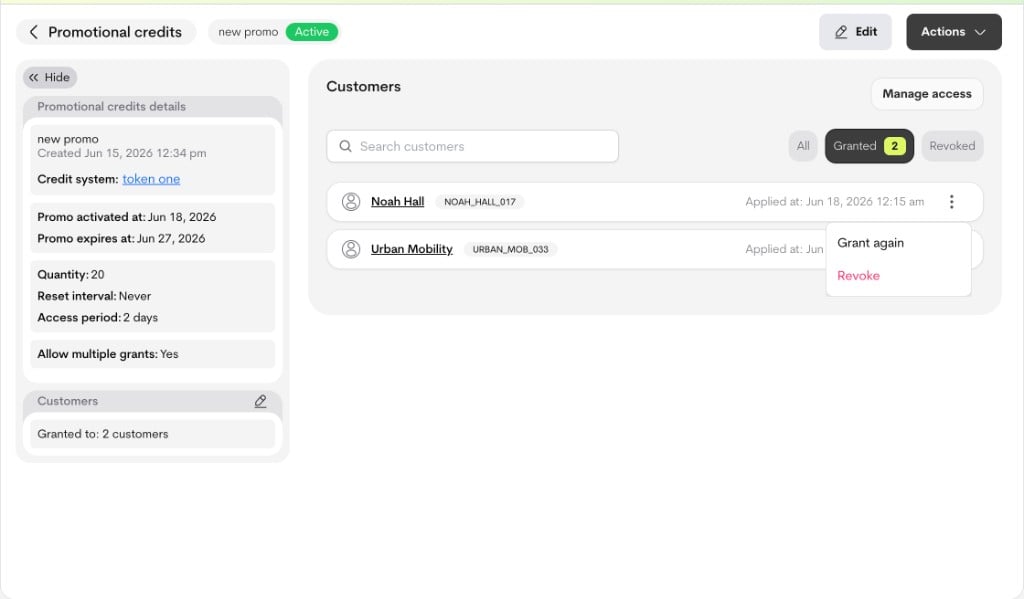
* **Re-grant**: A revoked customer can be assigned again. If **Allow multiple grants** is enabled, an already active customer can also receive **Grant again**.
In this rule set, eligibility is wallet-based. Only customers with a wallet can be selected.
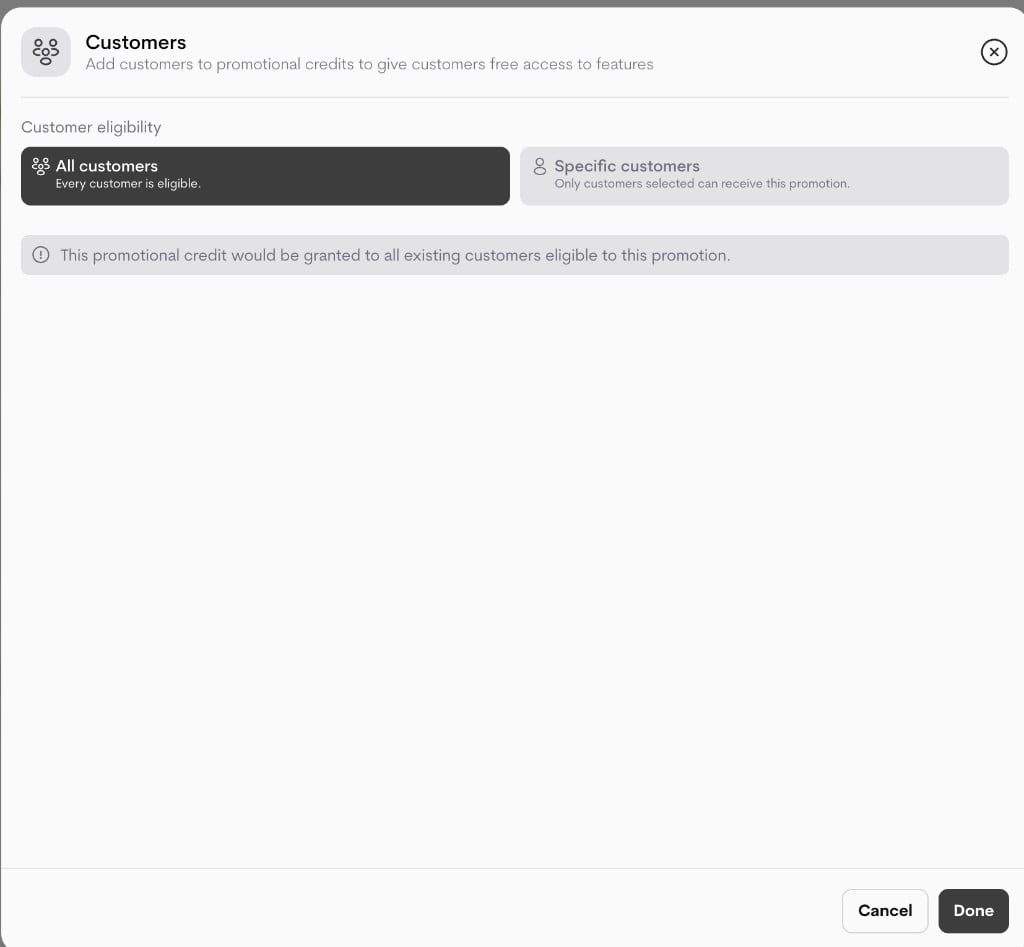
* **All customers**: all eligible existing customers (with wallets)
* **Specific customers**: only the selected eligible customers (with wallets)
### **Grant flow**
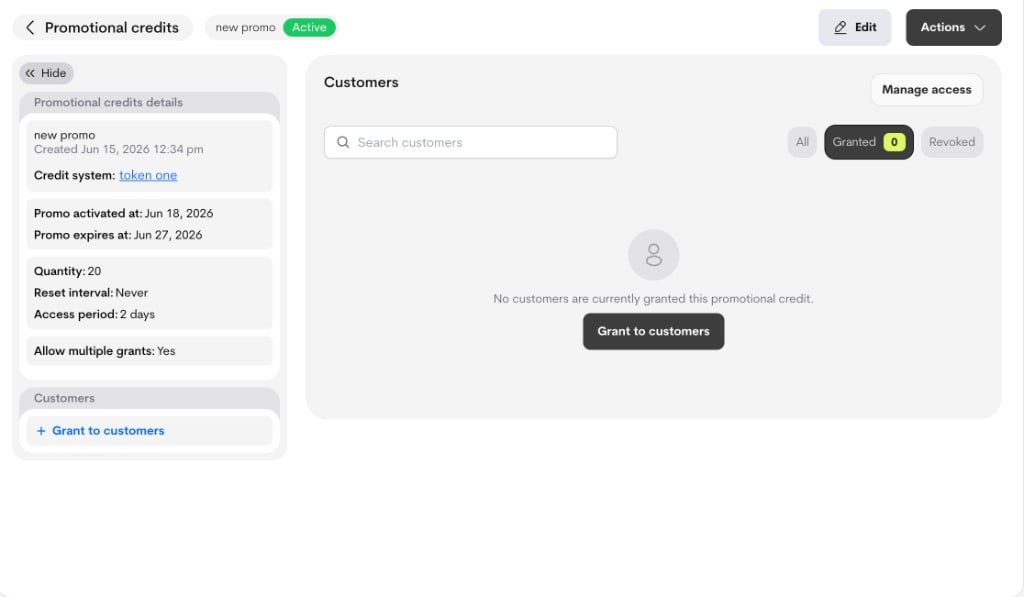
Entry points from the promotional credit details experience:
* Side panel: **Grant to customers** (or edit icon in customers card)
* Customers section empty state: **Grant to customers**
4. Click **Create promotional credit** to save.
**Note:** This form only sets up the promotional credit policy. Customer assignment happens in a separate step.
### **Important lifecycle behavior**
* If a promotional credit has already been applied (`is_applied`), key policy fields are locked in edit mode.
* In that state, only safe metadata updates are typically allowed (for example, name/description).
* This prevents changing live credit economics after customers have already received promotional access.
## **Applying Promotional Credit**
* **Grant**: The customer is assigned to the promotional credit campaign and can receive the configured credit benefit (`quantity`, `reset_interval`, and duration rules) in the linked credit system.
* **Revoke**: The customer is removed from active access for this promotion (`active=false`, `revoked_at` set), so they no longer receive new benefit from it.
* **Re-grant**: A revoked customer can be assigned again. If **Allow multiple grants** is enabled, an already active customer can also receive **Grant again**.
In this rule set, eligibility is wallet-based. Only customers with a wallet can be selected.
* **All customers**: all eligible existing customers (with wallets)
* **Specific customers**: only the selected eligible customers (with wallets)
### **Grant flow**
Entry points from the promotional credit details experience:
* Side panel: **Grant to customers** (or edit icon in customers card)
* Customers section empty state: **Grant to customers**
 In the **Customers** modal, choose:
* **All customers**, or
* **Specific customers**
Click **Done** to apply.
#### **Allow multiple grants behavior**
* **Allow multiple grants = Off**:
* An active customer cannot be granted again.
* Re-grant after revoke is allowed.
* **Allow multiple grants = On**:
* An active customer can be granted repeatedly (**Grant again**).
* Re-grant after revoke is also allowed.
In the **Customers** modal, choose:
* **All customers**, or
* **Specific customers**
Click **Done** to apply.
#### **Allow multiple grants behavior**
* **Allow multiple grants = Off**:
* An active customer cannot be granted again.
* Re-grant after revoke is allowed.
* **Allow multiple grants = On**:
* An active customer can be granted repeatedly (**Grant again**).
* Re-grant after revoke is also allowed.
 ### **Revoke and re-grant flow**
From the customer row actions in the details page:
* Active/granted customers show **Revoke**
* Revoked customers show **Grant again**
### **Revoke and re-grant flow**
From the customer row actions in the details page:
* Active/granted customers show **Revoke**
* Revoked customers show **Grant again**
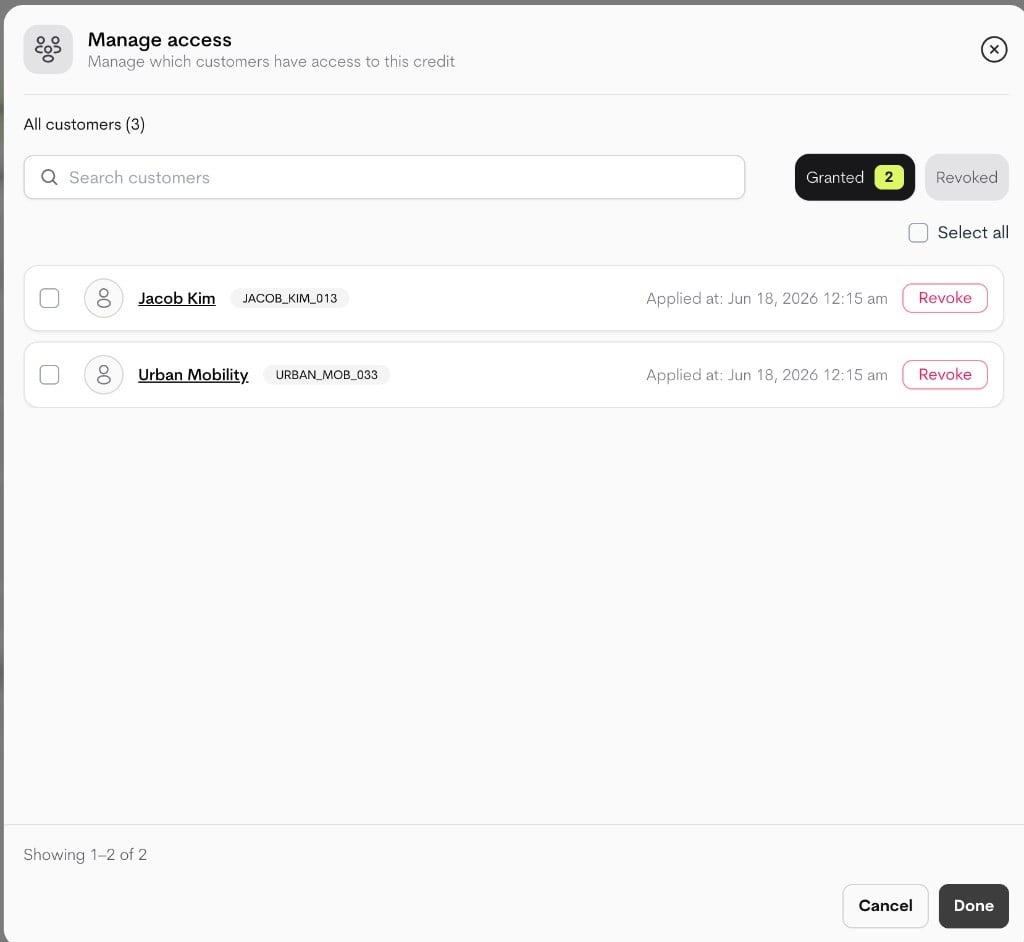
 ### **Manage Access (bulk operations)**
Use **Manage access** for batch operations:
* Filter by **Granted** or **Revoked**
* Search customers
* Select multiple rows
* Bulk revoke (from Granted filter)
* Bulk re-grant (from Revoked filter)
### **Manage Access (bulk operations)**
Use **Manage access** for batch operations:
* Filter by **Granted** or **Revoked**
* Search customers
* Select multiple rows
* Bulk revoke (from Granted filter)
* Bulk re-grant (from Revoked filter)