

Skip to main contentOverview
One-time fees allow you to charge customers for singular or recurring actions or events that fall outside the scope of a standard recurring subscription. These are ideal for setup fees, implementation costs, shipping, reactivation fees, or any other non-recurring charge.
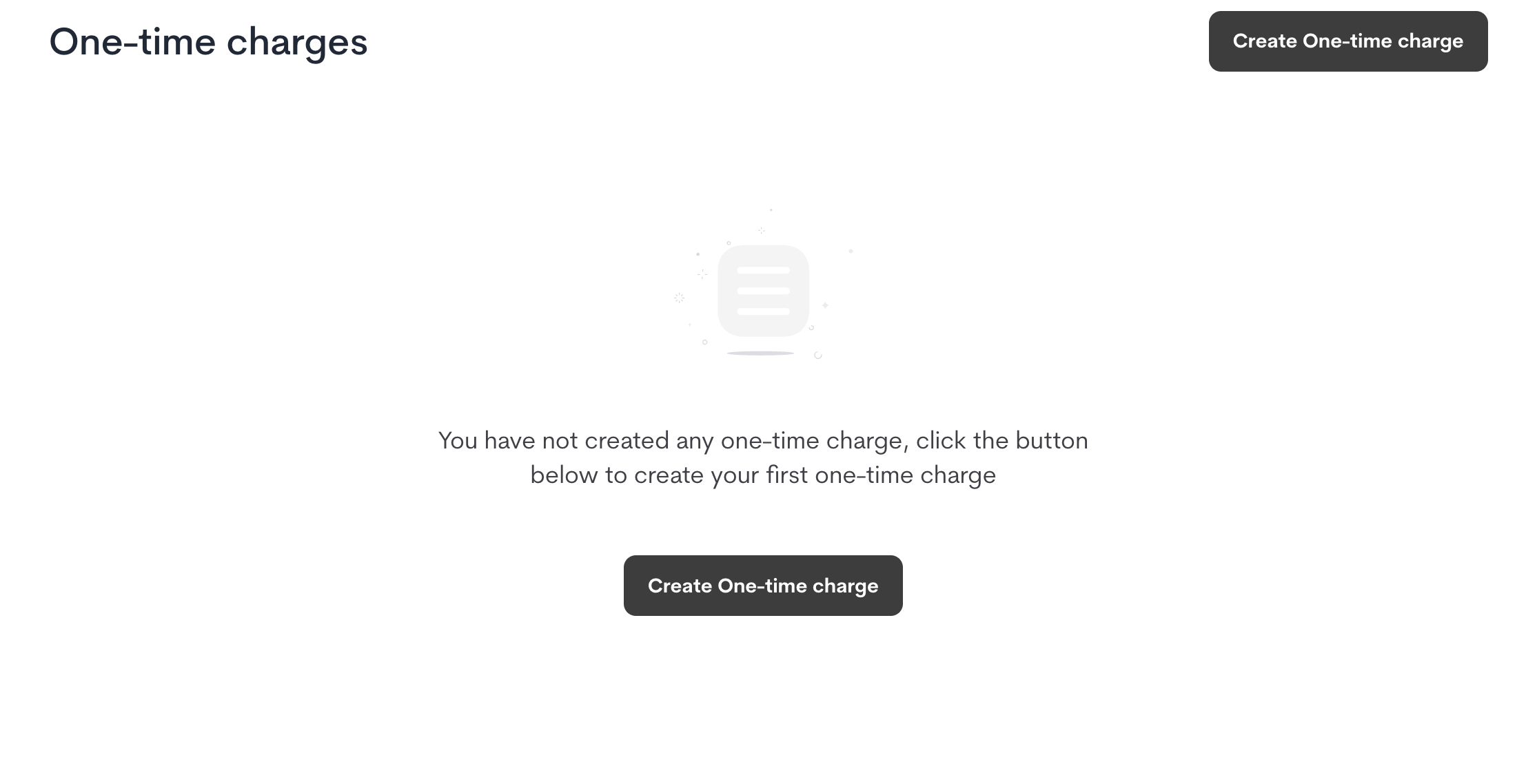
Create a One-Time Fee
- Navigate to Product Catalog > One-Time Fees.
- Click Create One-Time Fee.
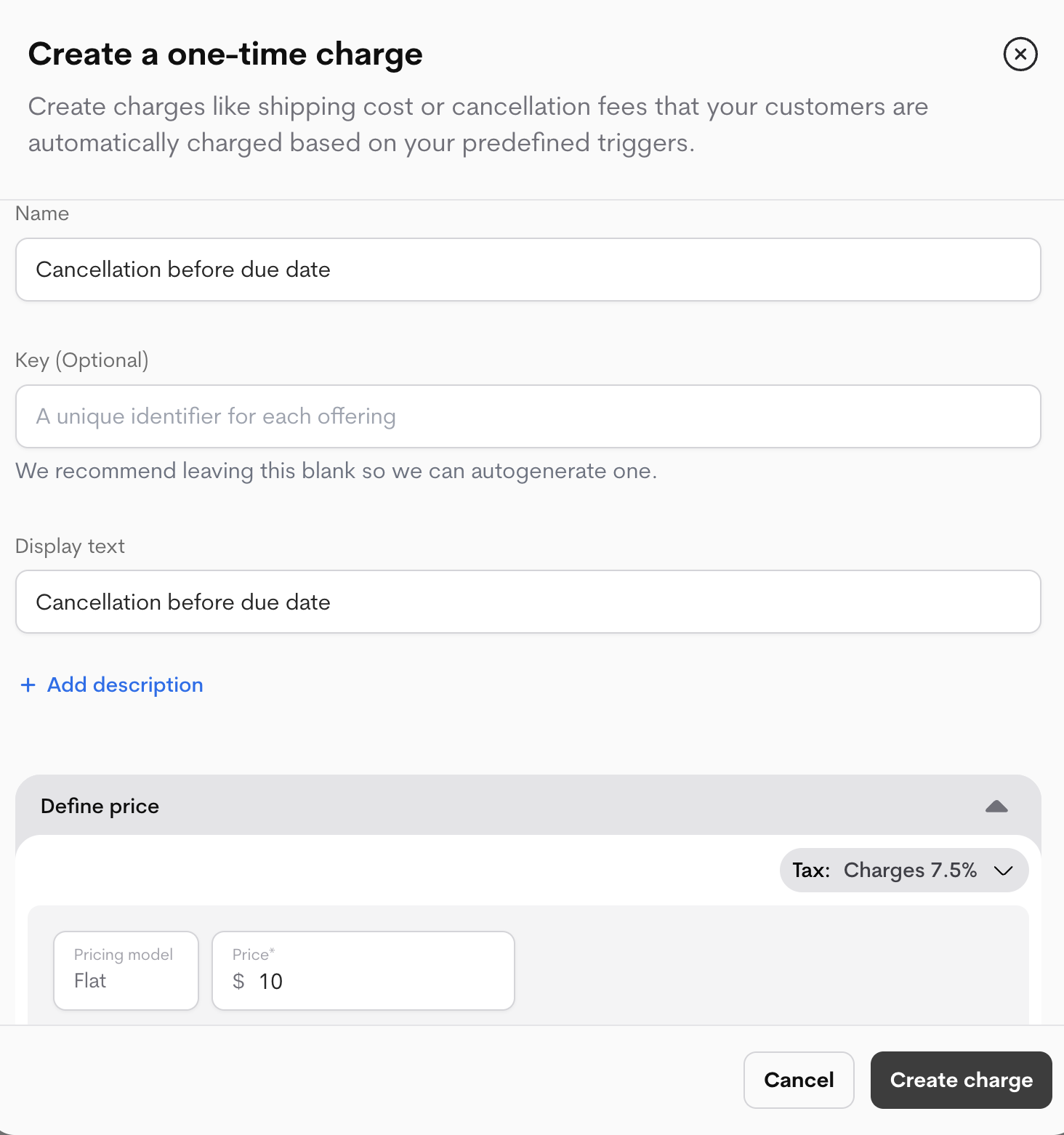
- Configure the fee:
- Name: An internal name for your reference (e.g., “Implementation Fee”).
- Display Text: The name that will appear on the customer’s invoice.
- Description (Optional): A internal description for context.
- External Key (Optional): Your own unique identifier. We recommend leaving this blank to have Metrifox auto-generate a unique key.
- Click Create.
Set a Price
One-time fees support a simple, one-off flat price.
- From your newly created fee’s page, navigate to the Prices section.
- Click Add Price.
- Enter the flat fee amount.
- Click Complete Setup.
Your one-time fee is now active and ready to be attached to offerings.
Attach to an Offering & Set Triggers
Attaching a fee to a plan or add-on tells Metrifox when to apply the charge.
- Navigate to the Plan or Add-on you want to attach the fee to.
- Find the Attached Fees section and click Attach One-Time Fee.
- Select the fee you created from the list.
- Configure the Trigger: This defines when the charge is applied.
- Upon First Purchase: The fee is charged only the first time a customer checks out with this offering. Ideal for one-time setup fees.
- Example: A $50 setup fee is charged on the initial signup. If the customer cancels and resubscribes later, they are not charged again.
- On Every Purchase: The fee is charged every time a customer checks out with this offering. Ideal for fees like shipping or handling.
- Example: A $10 shipping fee is charged every time a customer purchases a physical add-on.
- Save the attachment.
If the same one-time fee is attached to multiple offerings (e.g., a Plan and an Add-on) and a customer purchases both in the same transaction, the fee will be applied for each offering.
- Example: A “$50 Setup Fee” is attached to both the “Pro Plan” and the “Support Add-on.”
- Result: If a customer buys both in one cart, they will be charged $100 ($50 for the plan + $50 for the add-on).
To avoid this, create separate, uniquely named fees for different offerings (e.g., “Plan Setup Fee” and “Support Setup Fee”).