

Overview
Price localization lets you display and charge different currencies and prices based on a customer’s location. This improves conversion rates, supports regional pricing strategies, and helps with compliance (e.g., local currencies or tax display rules). When enabled on a plan, Metrifox automatically shows the localized price in pricing tables and checkout based on the customer’s billing country (detected from address or IP). Localization is configured per plan. Localized prices override the plan’s default currency/pricing for selected countries.Enabling Price Localization
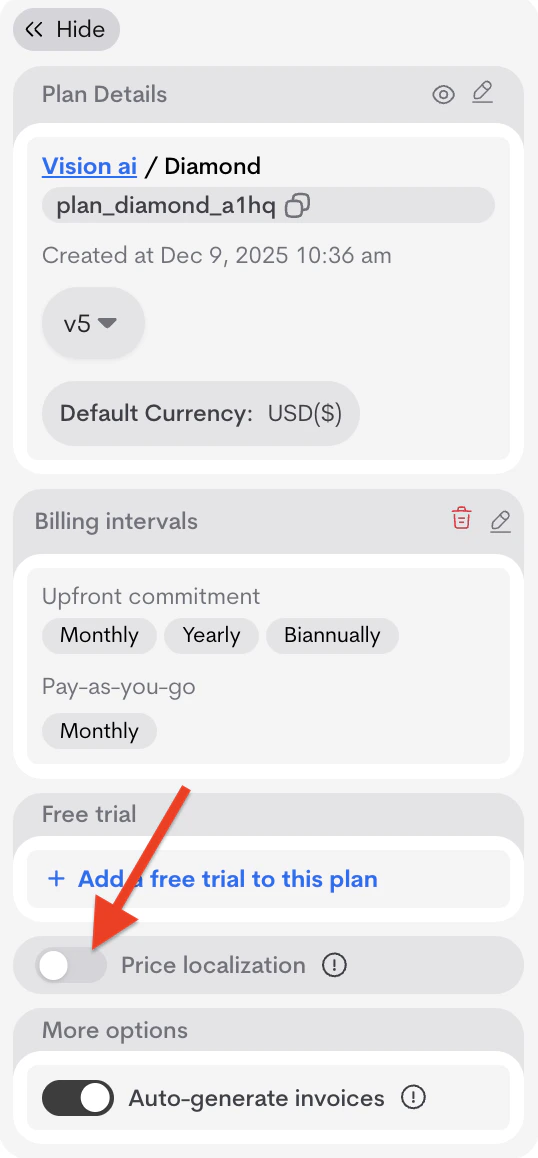
Localization is disabled by default.- Open a plan (Catalog → Products → [Product] → Plans → [Plan]).
- In the Plan details section, toggle Price localization on.
Adding a Localized Price
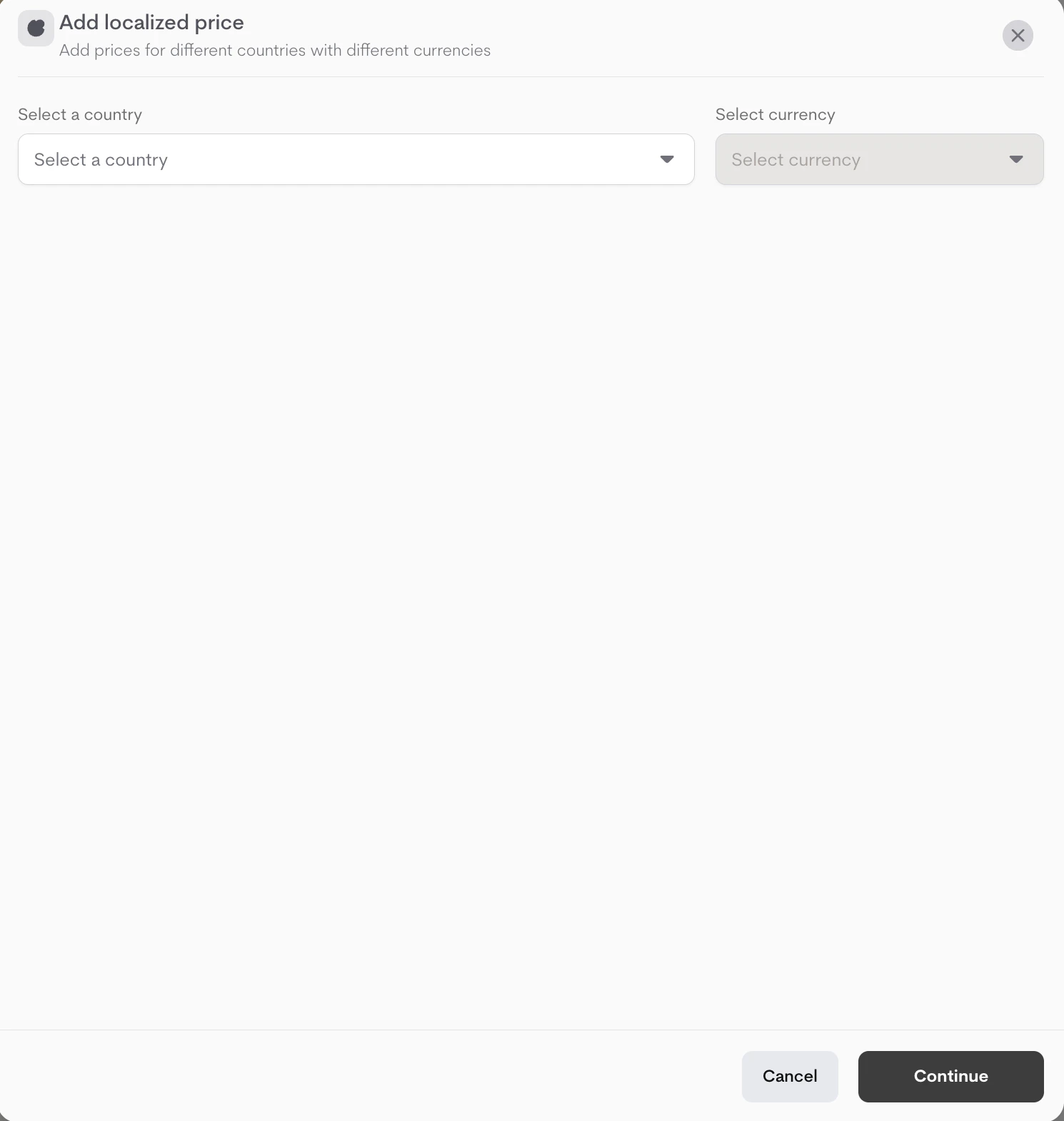
- Click + Add localized price.
- In the first modal:
- Select a Country from the dropdown.
-
Select the Currency for that country.
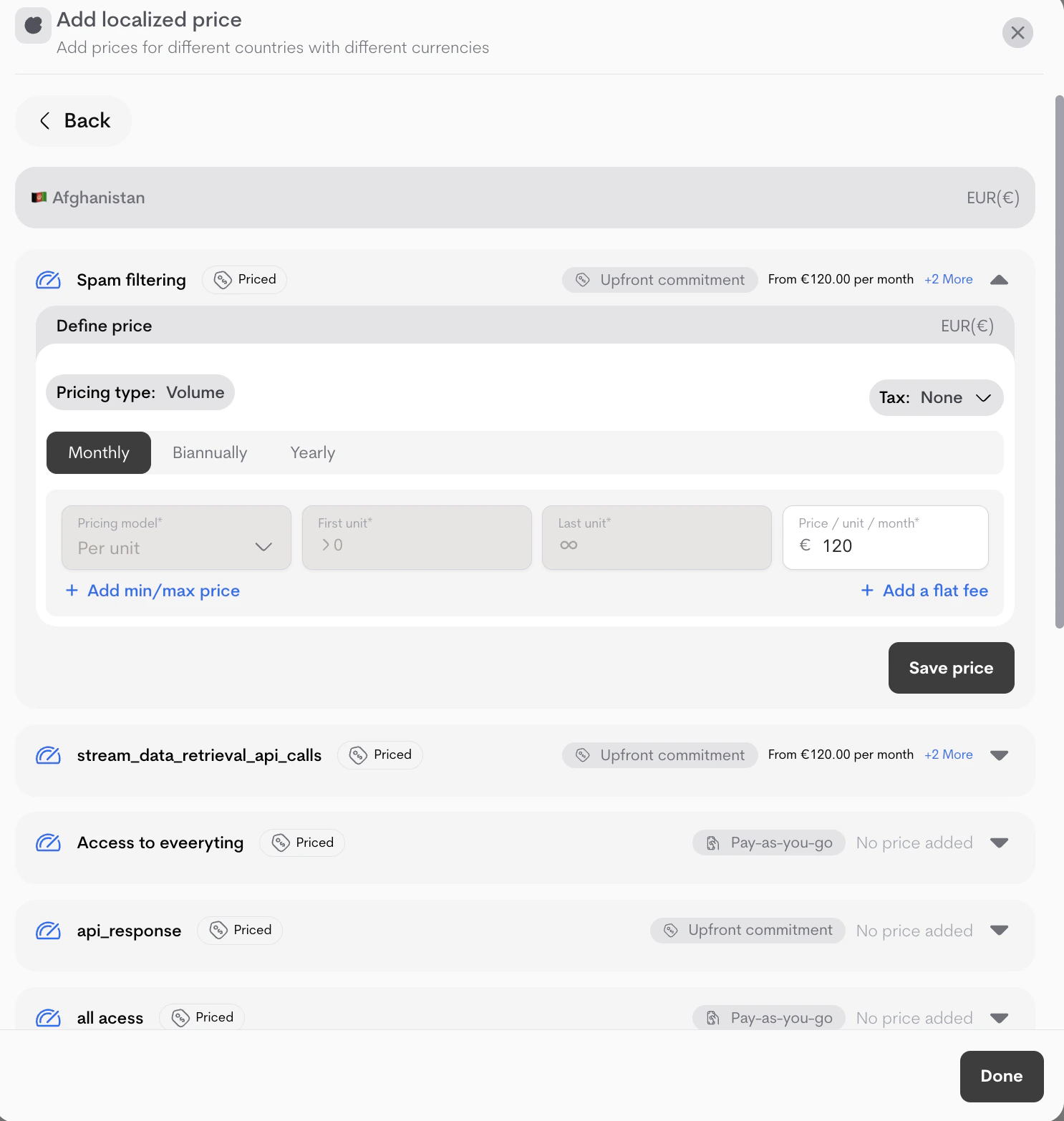
- A second modal opens to define pricing for this localization (similar to regular plan pricing):
- Define prices/tiers (Pricing type: Graduated/Volume, model: Per unit/Package/Flat/Percentage).
- (Optional) Add tax, min/max, flat fees.
- Enter the localized prices for the default billing intervals
- Click Save price after setting up localized price for each offering
-
Click Done after saving all prices, you can also click it if you would like to come back to pricing later .
Managing Localizations
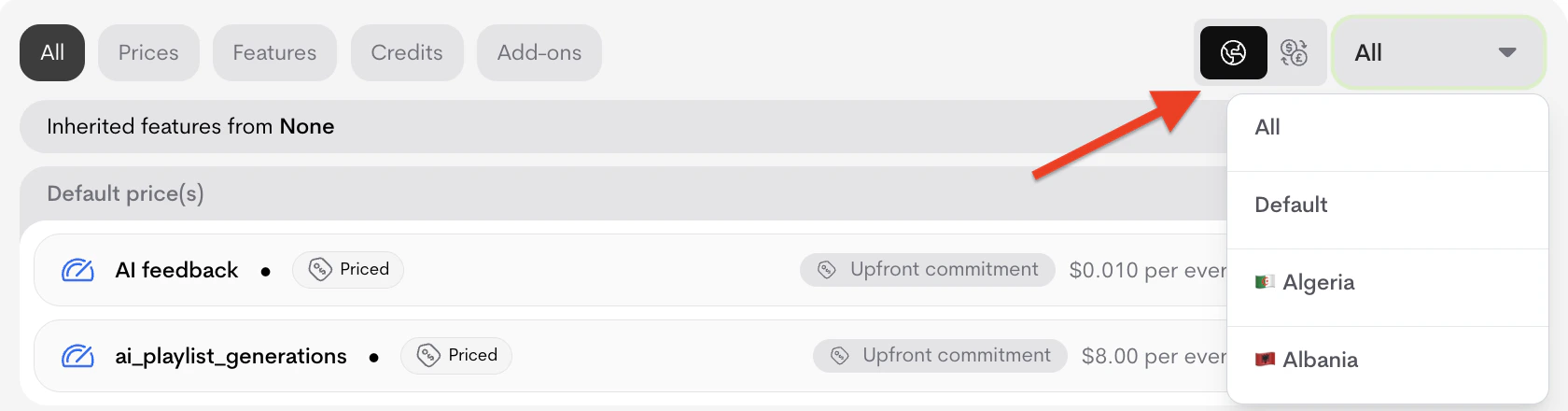
Localizations appear in a dedicated tab or section (alongside All, Prices, Features, etc.).-
Filters: Use the currency/country icons + dropdown to filter the view (e.g., show only USD or EU countries).
-
Incomplete setups:
If a localization lacks prices, warnings appear:
-
Individual: “Complete this localized price setup to make it available on checkout. Continue pricing.”
You’ve created 6 localization(s). Missing price(s): 2
-
Summary: “You’ve created X localizations. Y don’t have price(s) yet. Resolve now.”
You’ve created 6 localizations. 1 of them don’t have price(s) yet.
-
Individual: “Complete this localized price setup to make it available on checkout. Continue pricing.”
-
Click Resolve now or Continue pricing to open the modal for unfinished localizations (complete pricing or delete via trash icon).
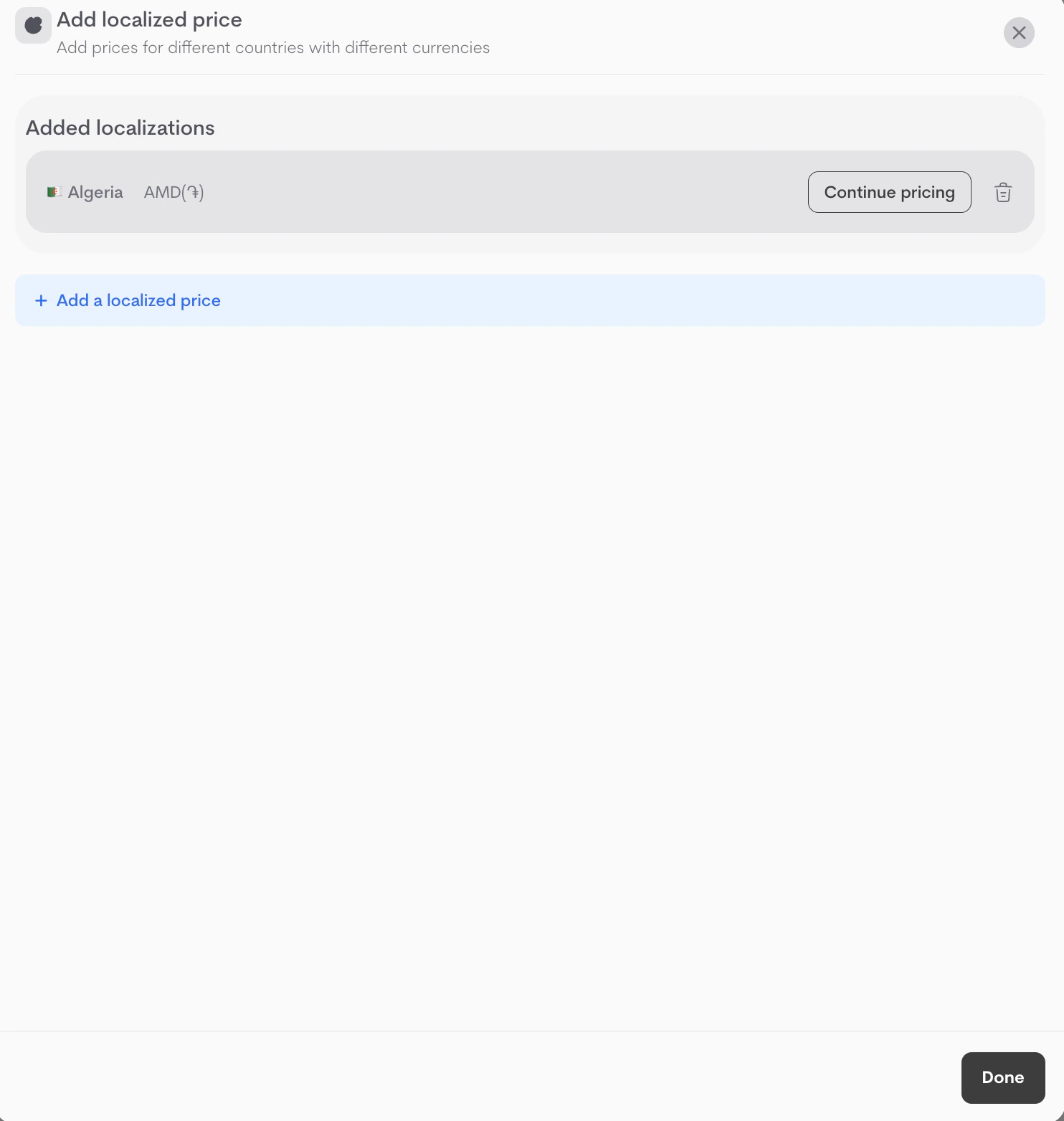
- Add more via + Add localized price.
- Localizations can be created and configured on draft or launched plans but can only be activated on launched plans.
- Default (non-localized) prices apply as fallback for unsupported countries.
- Changes to localization after plan is launched creates a new plan version (existing customers unaffected).
- For advanced regional tax or compliance, combine with global Taxes (see Taxes docs).