

Overview
Manual subscriptions let you create and manage subscriptions directly in the dashboard, without requiring customers to go through self-serve checkout. Use cases:- Sales-led or enterprise deals: Create subscriptions for customers with negotiated/custom pricing, terms, or bundles that aren’t available in self-serve checkout.
- Free or promotional access: Quickly grant complimentary subscriptions for partners, beta testers, influencers, or marketing campaigns.
- Internal testing/demos: Set up test subscriptions for your team or product demos without real payments.
- Support resolutions: Fix or adjust subscriptions directly (e.g., extend access).Manual subscriptions support recurring billing, add-ons, credits, custom pricing overrides, and invoice generation, just like self-serve ones.
Creating a Manual Subscription
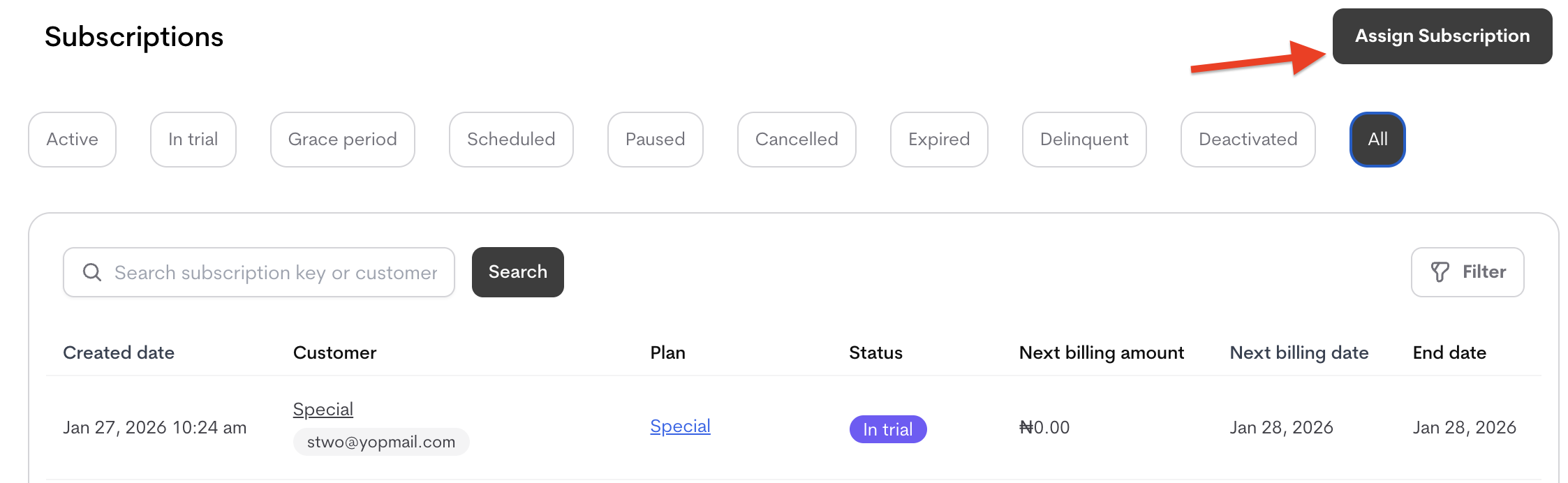
Manual subscriptions are created from the Subscriptions tab .- Navigate to Subscriptions (main navigation).
-
Click Assign Subscription.
-
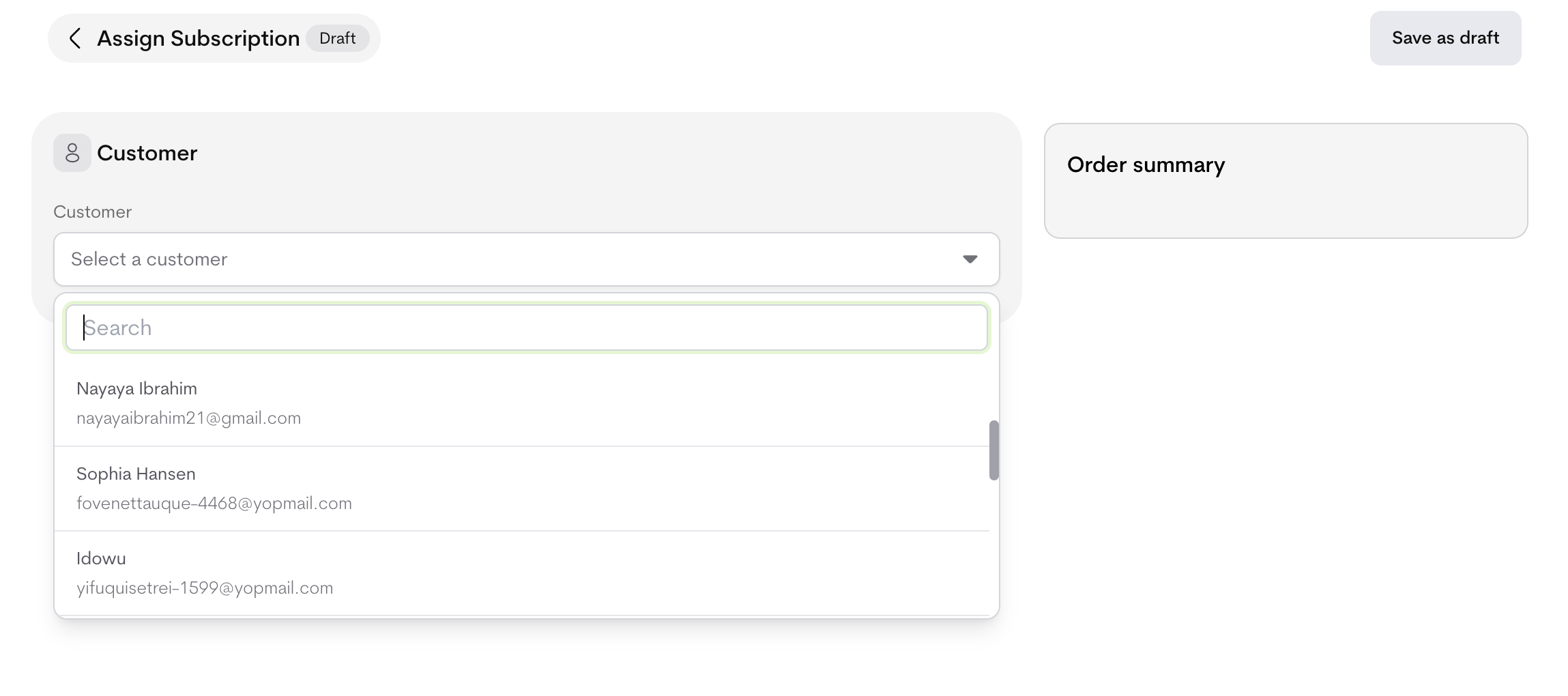
Select a customer
- Search or choose from the dropdown.
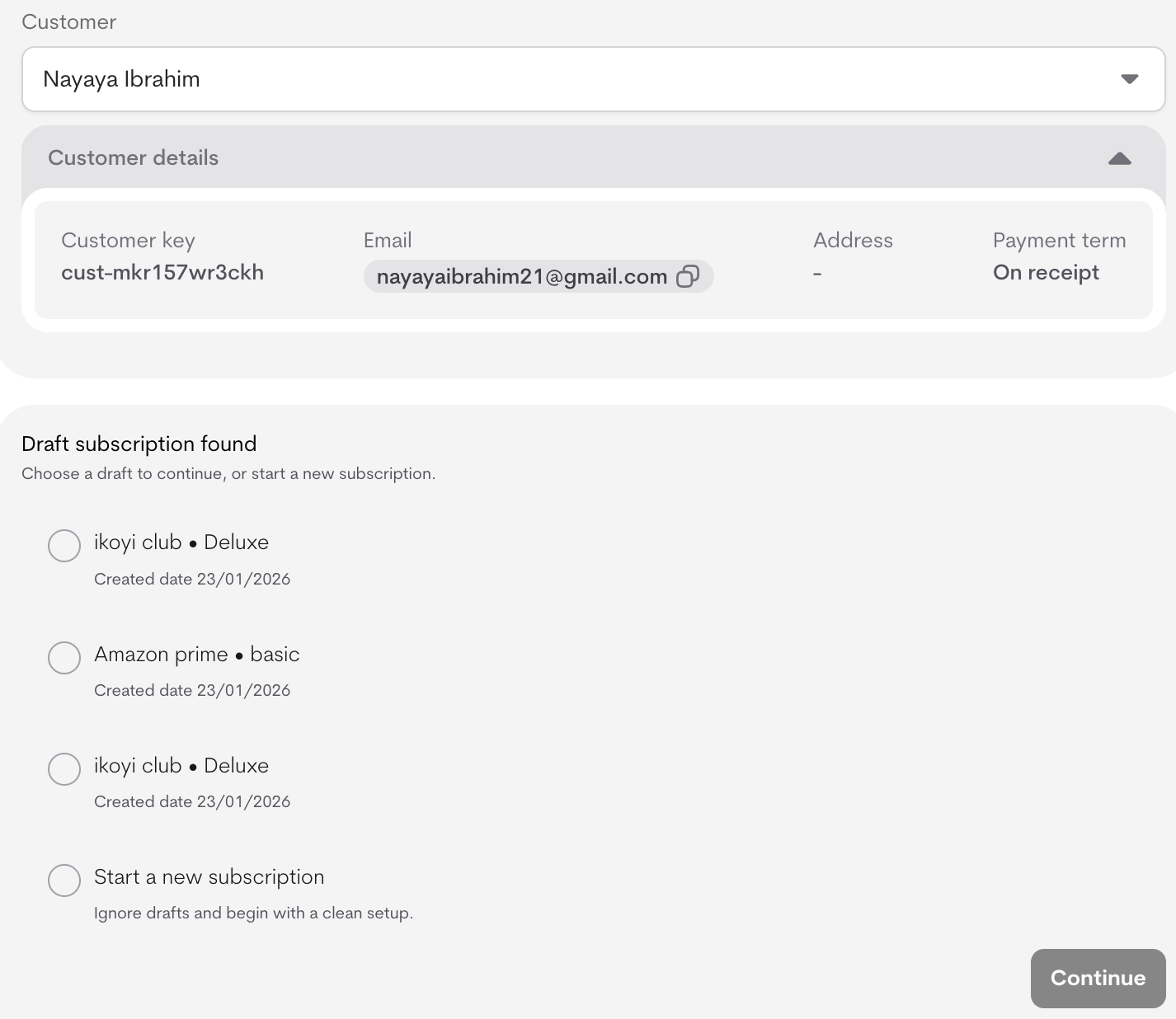
- Customer details (key, email, address and payment term) appear after the customer has been selected.
-
If drafts exist for this customer:
- You’ll see a list of saved drafts (e.g., “ikoyi club • Deluxe – Created 23/01/2026”).
-
Choose Continue on a draft to resume editing, or Start a new subscription to ignore drafts and begin fresh.
-
Configure the subscription:
- Product: Select from dropdown.
- Plan: Select from product’s plans (loads after product).
- Add subscription key (optional custom ID).
These options control when the subscription begins and how long it runs. Available choices depend on the Collection Mode for In-Advance Plans (set under Billing & Collection in subscription settings) and whether the customer has a saved payment method. Subscription Start- Checkout completion: Subscription starts once the customer completes payment.
Available when: Collection mode is prepaid. - Auto-charge & start subscription: Automatically charges the customer and activates the subscription on the start date.
Available when: Collection mode is prepaid and the customer has a saved payment method; if no payment method is saved, this option is grayed out and disabled. - Start immediately without charge: Activates the subscription right away; the customer is invoiced later.
Available when: Collection mode is postpaid. - Custom start date: Activates the subscription on a date you choose.
Available: Always. If collection mode is prepaid, payment must be completed before the subscription starts.
- Forever: No end date (ongoing until canceled).
Available for all terms. - Duration: Fixed length (e.g., 12 months).
Available depending on term. - Custom end date: Specific end date.
Available depending on term.
- Click Assign Subscription to create (active immediately) or Save as draft for later.
Managing Manual Subscriptions
From the customer’s profile or global Subscriptions list:- View all subscriptions (filter by status: Active, In trial, Grace period, Paused, Cancelled, etc.).
- Click on the subscription you want to manage
- Click the action button at the top right and cancel subscription
- Manual subscriptions count toward usage/entitlements exactly like self-serve.