

Overview
Webhooks allow you to receive real-time notifications about events in your Metrifox account. When specific events occur (such as a customer being created, a subscription being cancelled, or an invoice being generated), Metrifox will send an HTTPS POST request to your configured webhook URL with the event details. This enables you to:- Automate workflows based on Metrifox events
- Keep your systems in sync with Metrifox data
- Trigger actions in your application when important events occur
- Monitor and log all webhook deliveries
How Webhooks Work
- Configure a webhook in your Metrifox dashboard by providing a URL endpoint and selecting which events you want to receive
- Metrifox sends HTTPS POST requests to your URL whenever the selected events occur
- Your server processes the webhook and performs any necessary actions
- Delivery logs track all webhook attempts, allowing you to monitor success and failures
Setting Up Webhooks
Webhook configuration is managed entirely through the Metrifox dashboard UI.Accessing Webhook Settings
Navigate to your Metrifox dashboard and access the webhook configuration page. This is typically found in the Developers section.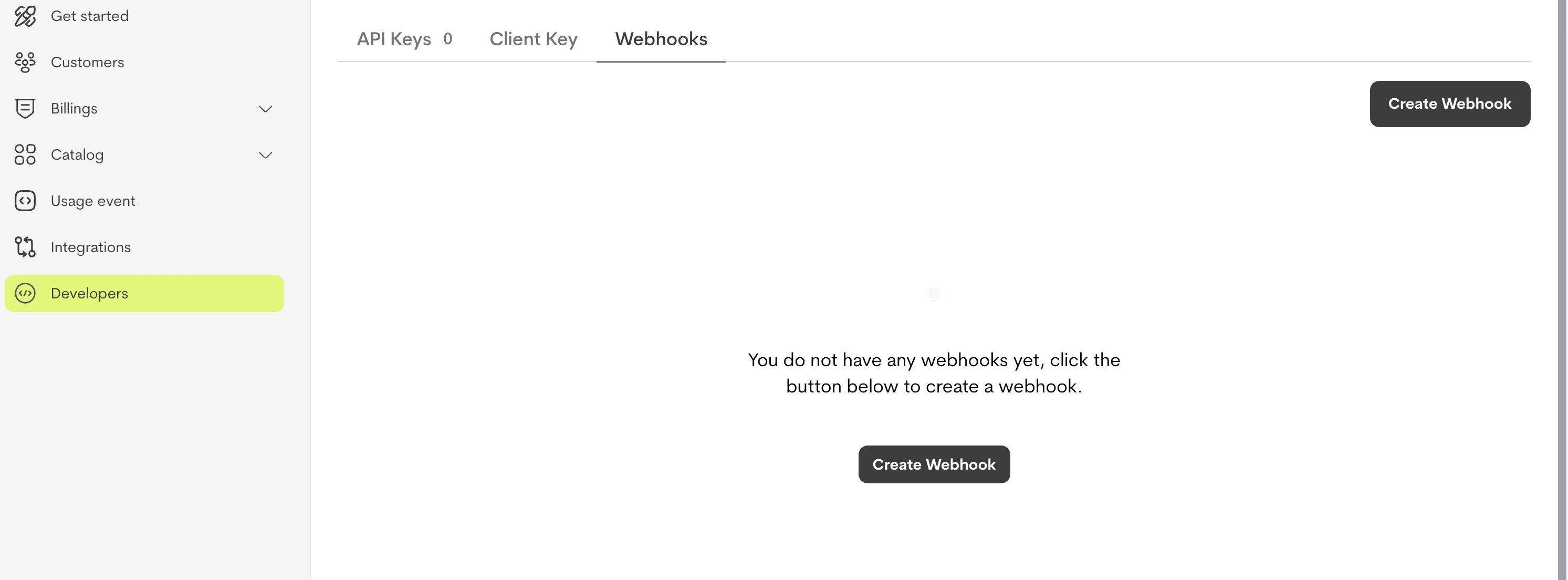
Creating a Webhook Configuration
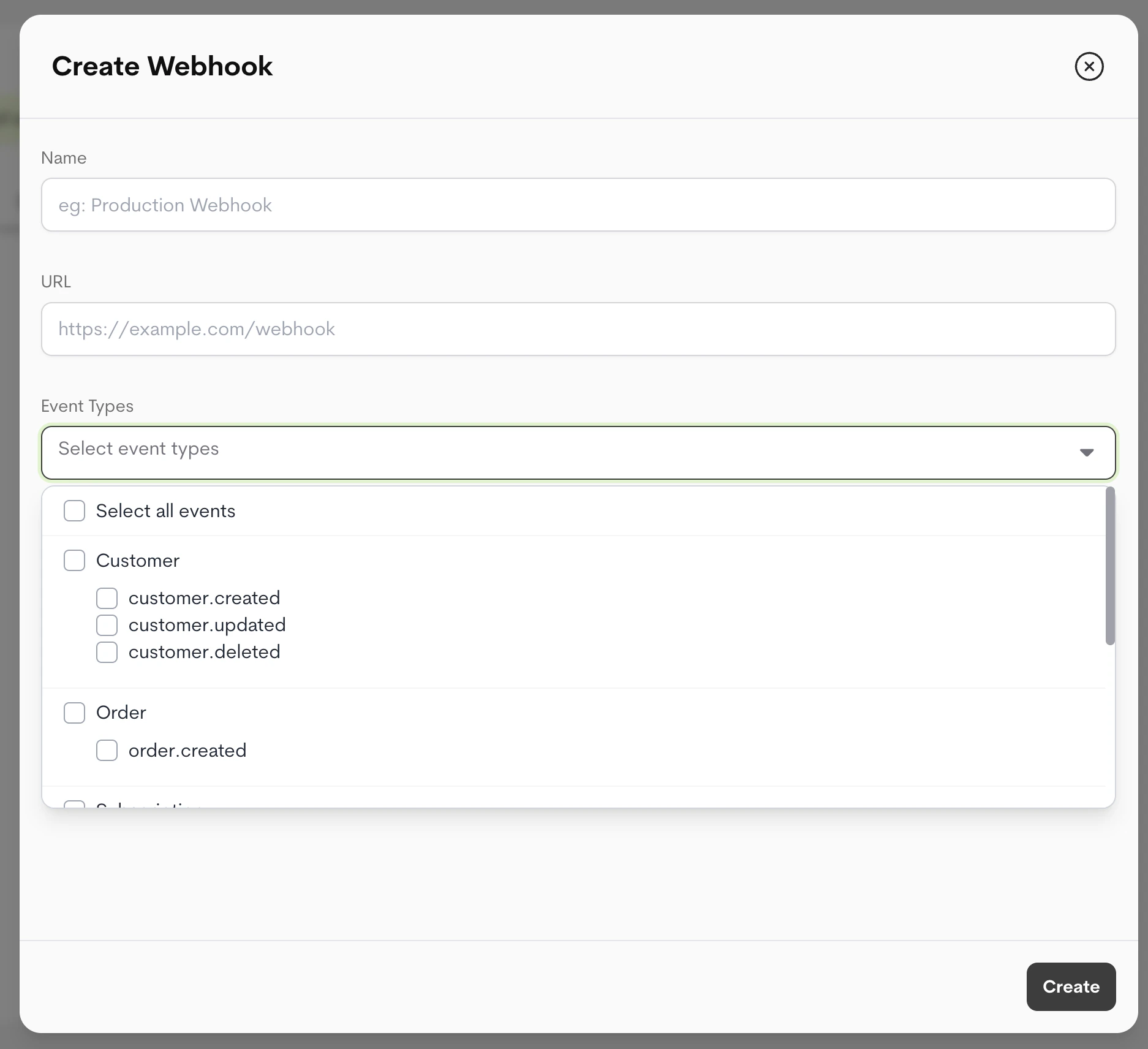
To create a new webhook:- Click Create Webhook
- Enter a name for your webhook (e.g., “Production Webhook” or “Customer Events”)
- Enter your webhook URL - must be a valid HTTPS endpoint
- Select the event types you want to receive notifications for
- Click Create
Important: Your webhook URL must use HTTPS. HTTP URLs are not supported for security reasons.
Selecting Event Types
You can select one or more event types when creating a webhook. The available event types are organized by category:- Customer Events:
customer.created,customer.updated,customer.deleted - Order Events:
order.created - Subscription Events:
subscription.created,subscription.cancelled,subscription.cancel_scheduled - Invoice Events:
invoice.created - Credit Events:
credit.purchased
Multiple Webhooks for Same Event: If you create multiple webhooks and subscribe to the same event type in those webhooks, Metrifox will only send the webhook to the most recently created webhook configuration for that event. This ensures each event is delivered to a single endpoint to avoid duplicate processing.
Webhook Secret
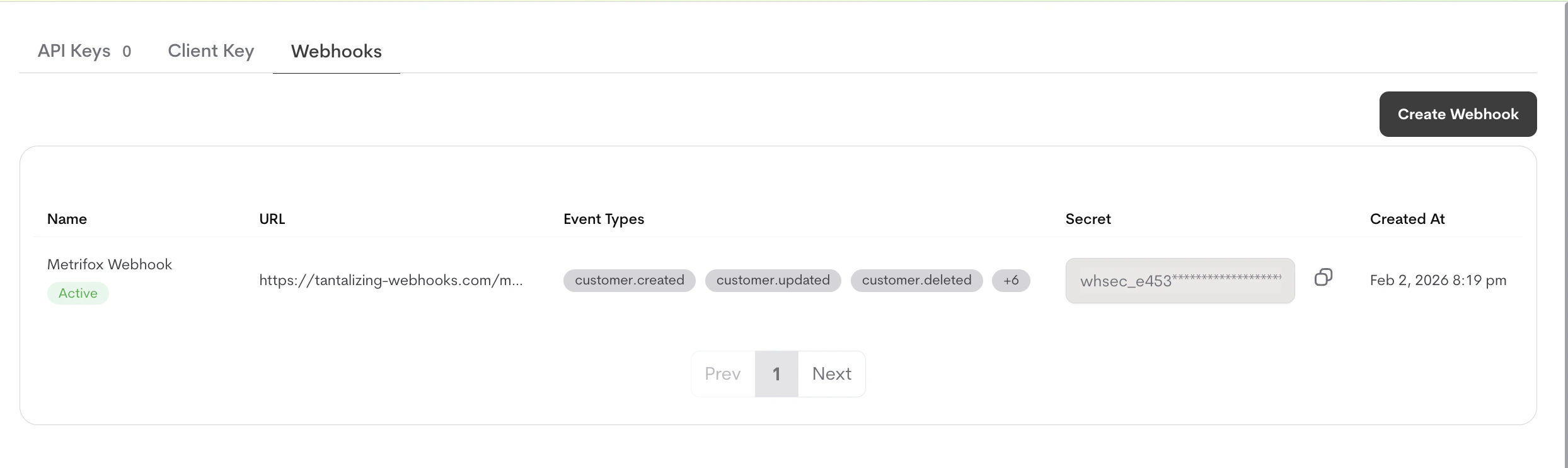
When you create a webhook, Metrifox automatically generates a unique webhook secret (starting withwhsec_). This secret is used to verify that webhook requests are actually coming from Metrifox.
You can always find your webhook secret on your dashboard.
Testing Webhooks
Before relying on webhooks in production, you should test your webhook endpoint to ensure it’s working correctly.What the Test Does
The Test button sends a single, fixed-shape request to your webhook URL so you can verify that:- Your endpoint is publicly reachable over HTTPS
- It responds with a 2xx status code within the timeout
- Your signature verification works against the
X-Webhook-Signatureheader
type: "webhook.test". To see the shape of real event payloads, refer to the Webhook Events Reference.
Testing Your Webhook
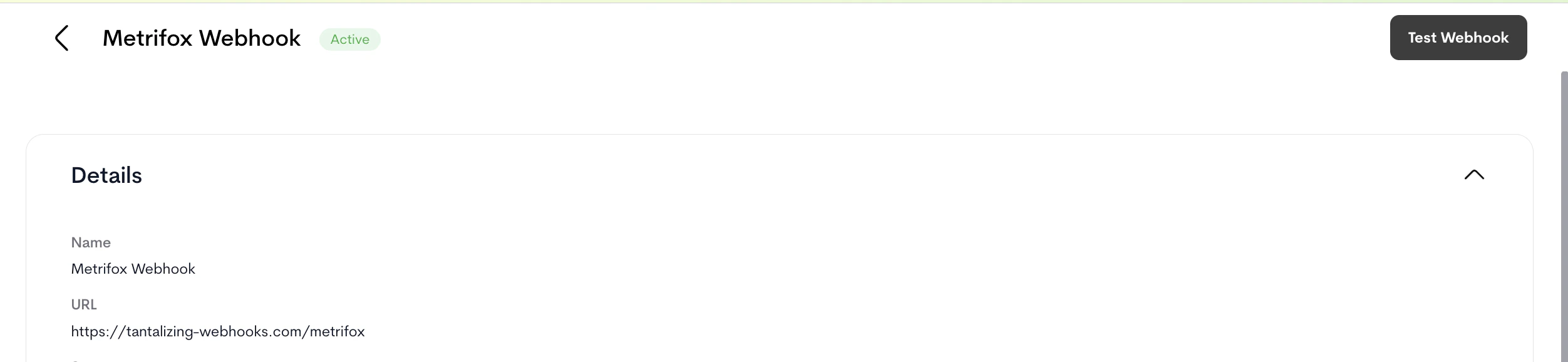
- Navigate to your webhook configuration in the dashboard
- Click the Test button
- Metrifox sends a test webhook to your URL with the payload shown below
- Check your server logs to verify the webhook was received
- Review the delivery log to see the test attempt status
webhook.test and include the X-Webhook-Test: true header, so you can distinguish them from real events. Test deliveries are not retried on failure.
Test Payload
Viewing Delivery Logs
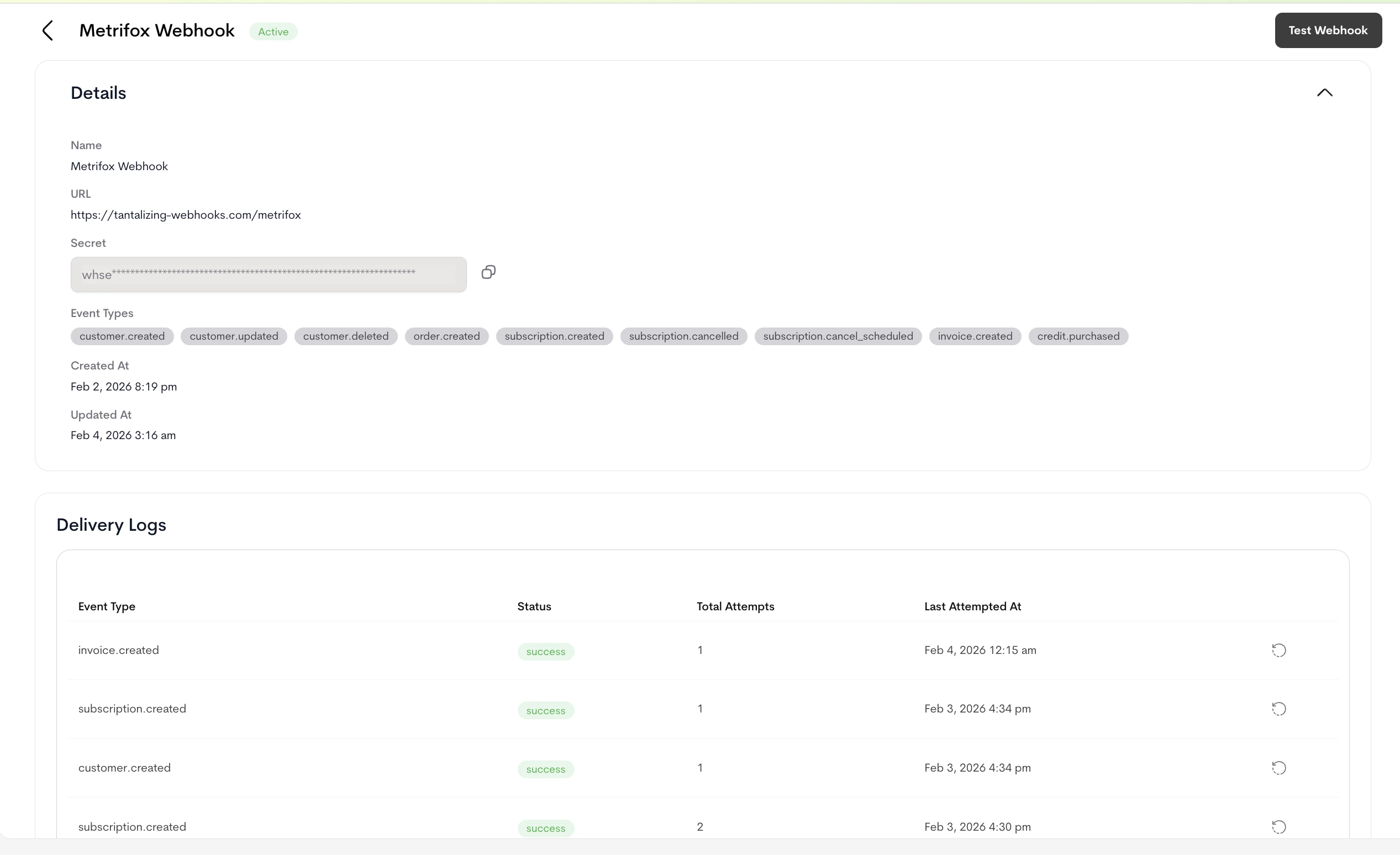
All webhook delivery attempts are logged and can be viewed in the dashboard.Accessing Delivery Logs
- Navigate to your webhook configuration
- Click on the delivery log whose history you intend to view
- You’ll see a list of all webhook delivery attempts with:
- Event type
- Delivery status (success, failed, pending)
- Number of attempts
- Timestamp of last attempt
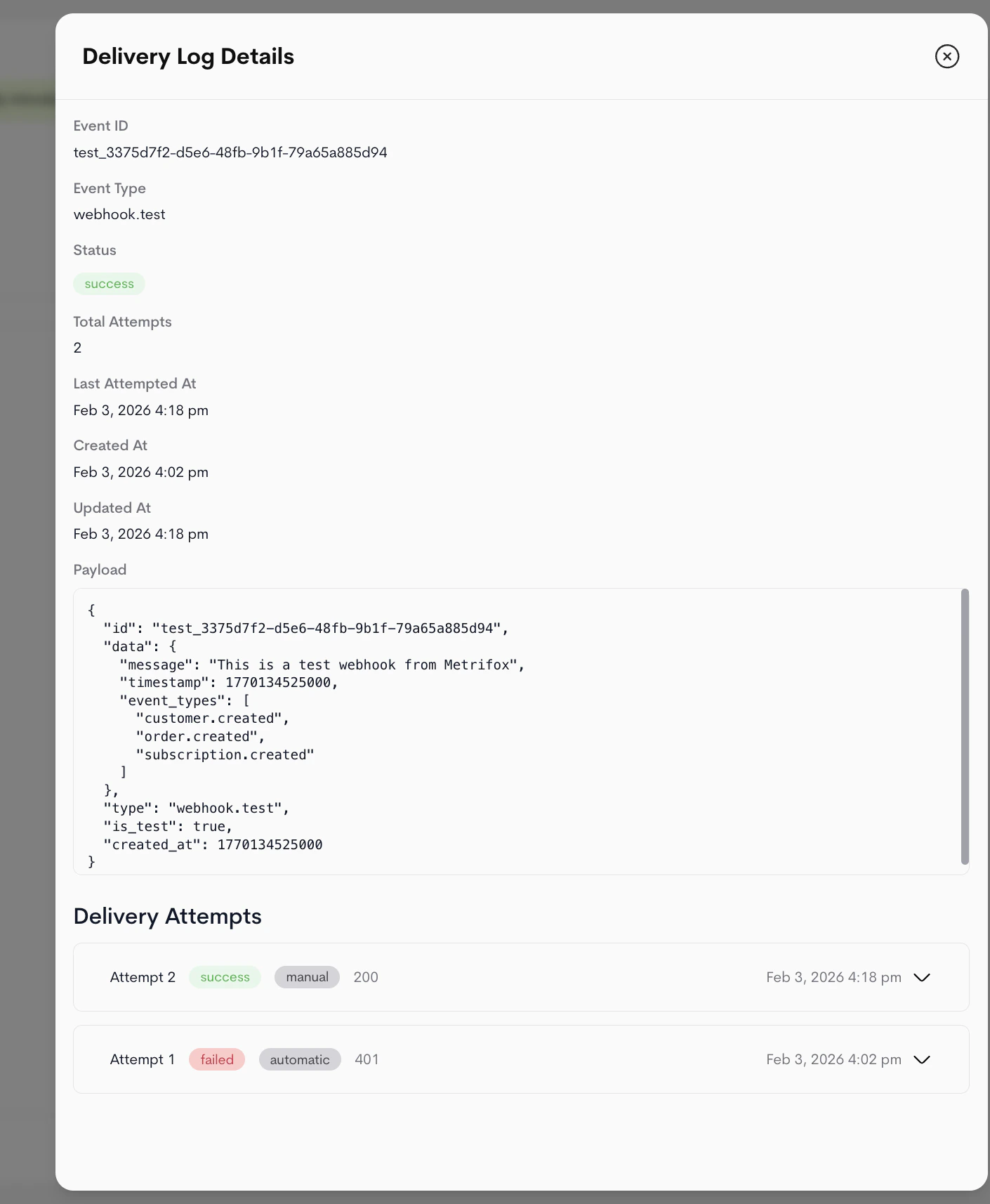
Delivery Log Details
Clicking on a specific delivery log shows:- Full webhook payload that was sent
- Response status code and body from your server
- All delivery attempts with timestamps
- Error messages if delivery failed
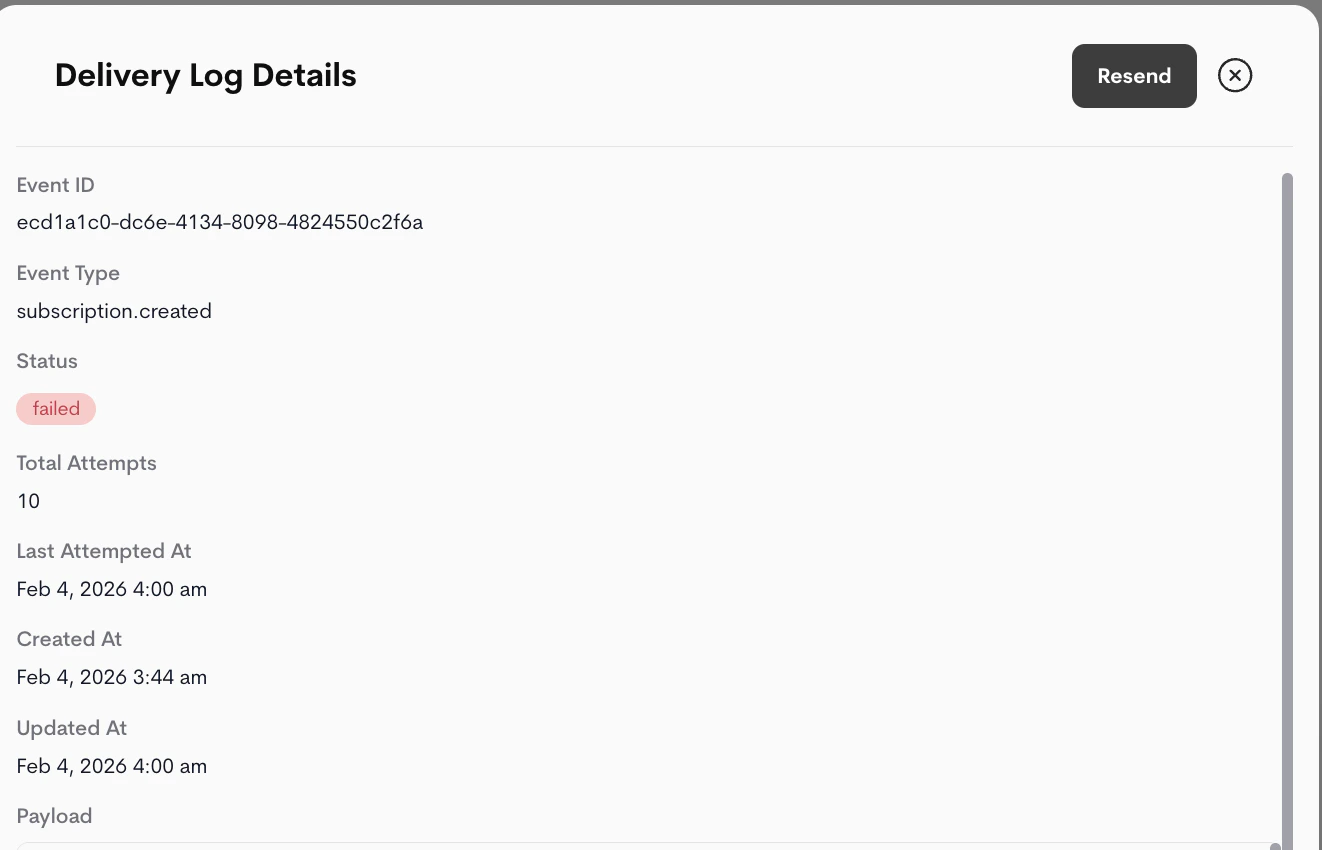
Resending Failed Webhooks
If a webhook delivery fails, you can manually resend it:- Open the delivery log for the failed webhook
- Click Resend
- Metrifox will attempt to deliver the webhook again
Failed webhooks are automatically retried by Metrifox with exponential backoff. Manual resend is useful if you want to retry immediately or after fixing an issue with your endpoint.
Webhook Payload Structure
All webhooks follow a consistent structure:Payload Fields
- id: Unique identifier for this event (UUID)
- type: The event type (e.g.,
customer.created,subscription.cancelled) - created_at: Unix timestamp in milliseconds when the event occurred
- data: Event-specific data object containing the details of what happened
Webhook Headers
Metrifox includes the following headers with each webhook request:Content-Type: application/json- The request body is JSONX-Webhook-Signature: <signature>- HMAC SHA256 signature for verificationX-Webhook-Test: true- Present only for test webhooksUser-Agent: Metrifox-Webhooks/1.0- Identifies the request as coming from Metrifox
Signature Verification
To ensure webhooks are actually coming from Metrifox, you should verify the signature on each request.How to Verify
- Get the
X-Webhook-Signatureheader value - Compute HMAC SHA256 of the request body using your webhook secret
- Compare the computed signature with the header value
Example Verification Code
JavaScript/Node.js:json.dumps(request.json) produces different bytes than Metrifox signed (whitespace, key ordering, etc.) and the signature check will fail.
Delivery and Retry Logic
Metrifox automatically retries failed webhook deliveries with exponential backoff.Retry Schedule
- Attempt 1: Immediate
- Attempt 2: ~15 seconds later
- Attempt 3: ~30 seconds later
- Attempt 4: ~1 minute later
- Attempt 5: ~5 minutes later
- Attempt 6: ~10 minutes later
- Attempt 7: ~20 minutes later
- Attempt 8: ~40 minutes later
- Attempt 9: ~70 minutes later
- Attempt 10: ~2 hours later (final attempt)
Success Criteria
A webhook delivery is considered successful if your server returns any HTTP status code in the 2XX range (200-299). Any other status code (including 1XX, 3XX, 4XX, 5XX) or network/timeout errors will be considered a failure and will trigger a retry.Timeouts
Metrifox webhook requests have a 10-second timeout. If your server doesn’t respond within this time, the request will be retried.Failure Notifications
You don’t have to watch the delivery logs to catch a broken endpoint — Metrifox emails your account when a webhook keeps failing. Notifications are sent to your account’s contact email (or your oldest active admin if no contact email is set).- Early warning: after a delivery fails 3 times in a row, Metrifox sends a heads-up email so you can fix the problem early. It tells you how many retry attempts remain and roughly when the final attempt will be made. Many failures are transient and recover on their own, but if your endpoint is down this gives you time to act.
- Final notice: if all 10 attempts are exhausted, a final email confirms the delivery has failed and that Metrifox has stopped retrying it.
Early-warning and final emails apply to live event deliveries. Manual Test Webhook sends are not retried, so they don’t trigger this flow.
Best Practices
1. Use HTTPS Endpoints
Always use HTTPS for your webhook endpoints. HTTP is not supported and will be rejected.2. Verify Signatures
Always verify webhook signatures to ensure requests are authentic. This prevents unauthorized access to your systems.3. Respond Quickly and Process Asynchronously
Your webhook handler should respond with a 200 status code immediately without processing the webhook synchronously. This is a best practice that prevents timeouts and ensures reliable delivery. Recommended approach:- Verify the webhook signature
- Validate the payload structure
- Return 200 OK immediately
- Enqueue a background job to process the webhook asynchronously
4. Handle Duplicates
Webhooks may be delivered multiple times due to retries. Make your webhook handlers idempotent by checking if you’ve already processed an event (using the eventid).