Overview
Promotional credits are credits granted to customers as part of a promotion, allowing them to use eligible products, services, or features without incurring charges up to the value of the credit. Unlike promotional entitlements (which grant direct feature/service access), promotional credits are consumable: the balance is reduced as the customer uses eligible resources.Creating Promotional Credit
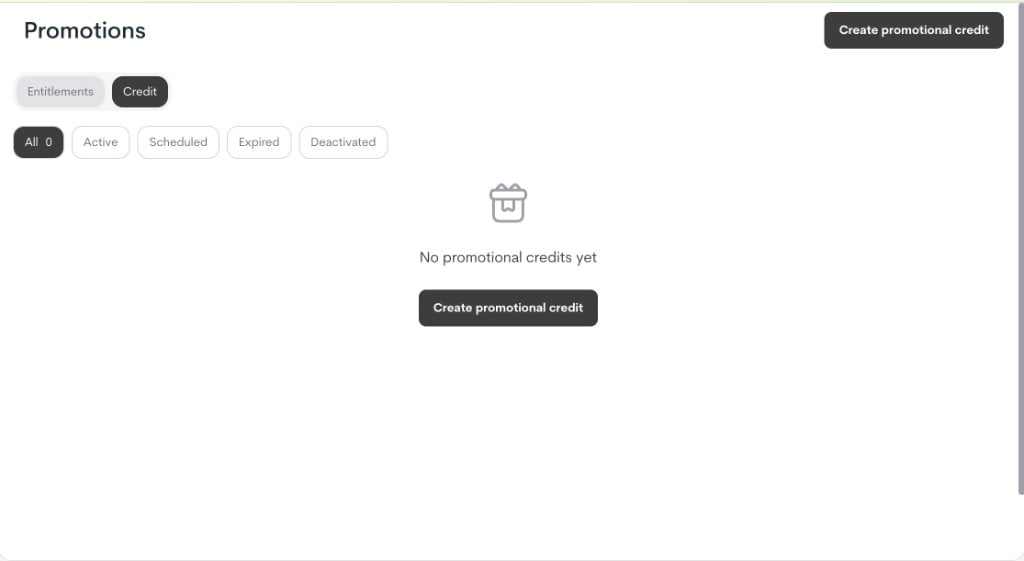
- Go to Offers → Promotions → Credit.
-
Click Create promotional credit.
-
In the modal, fill in the details:
- Name: Internal campaign title.
- Description (optional): Internal context for operators/support.
- Select credit system: Choose the credit ledger this promotion funds. Only active credit systems can be selected.
- Promo window: The period the promotion is active and can be granted to customers.
- Start immediately or set a start date.
- End forever or set an expiry date.
- Quantity: Number of credits granted per reset cycle.
- Reset interval: How often the quantity renews (or never).
- Access period : How long the granted credit remains valid for each customer.
- Off / Forever: no duration cap.
- On: set
duration_value+duration_unit(for example, 3 months).
- Allow multiple grants: Whether this promotional credit can be granted multiple times to the same customer and coexist with other promotional credits.
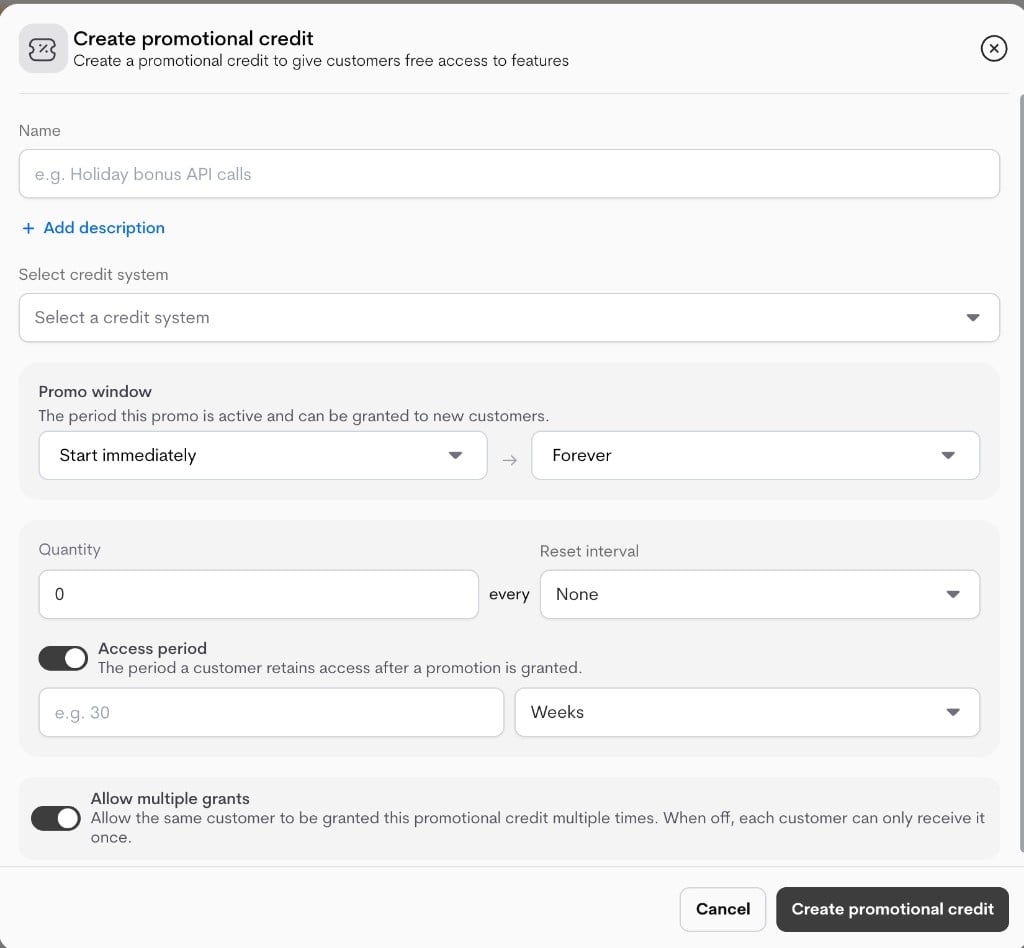
- Click Create promotional credit to save. Note: This form only sets up the promotional credit policy. Customer assignment happens in a separate step.
Important lifecycle behavior
- If a promotional credit has already been applied (
is_applied), key policy fields are locked in edit mode. - In that state, only safe metadata updates are typically allowed (for example, name/description).
- This prevents changing live credit economics after customers have already received promotional access.
Applying Promotional Credit
- Grant: The customer is assigned to the promotional credit campaign and can receive the configured credit benefit (
quantity,reset_interval, and duration rules) in the linked credit system. - Revoke: The customer is removed from active access for this promotion (
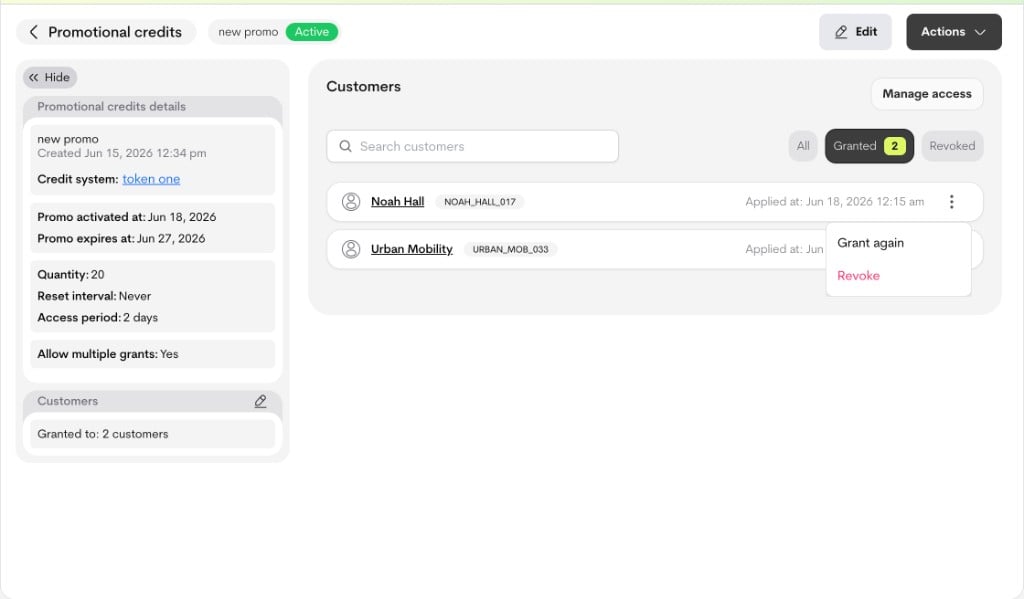
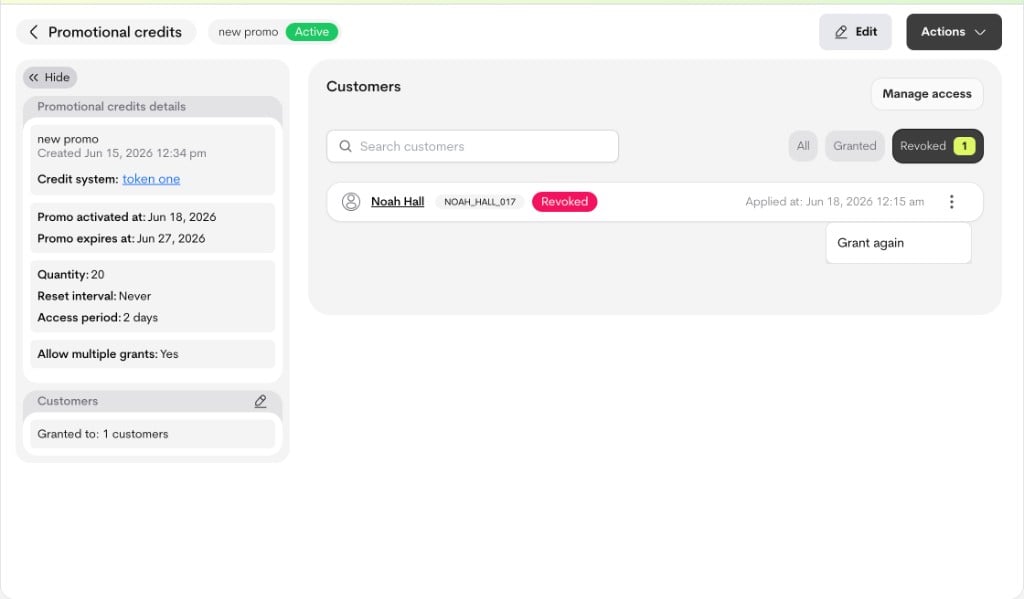
active=false,revoked_atset), so they no longer receive new benefit from it. - Re-grant: A revoked customer can be assigned again. If Allow multiple grants is enabled, an already active customer can also receive Grant again.
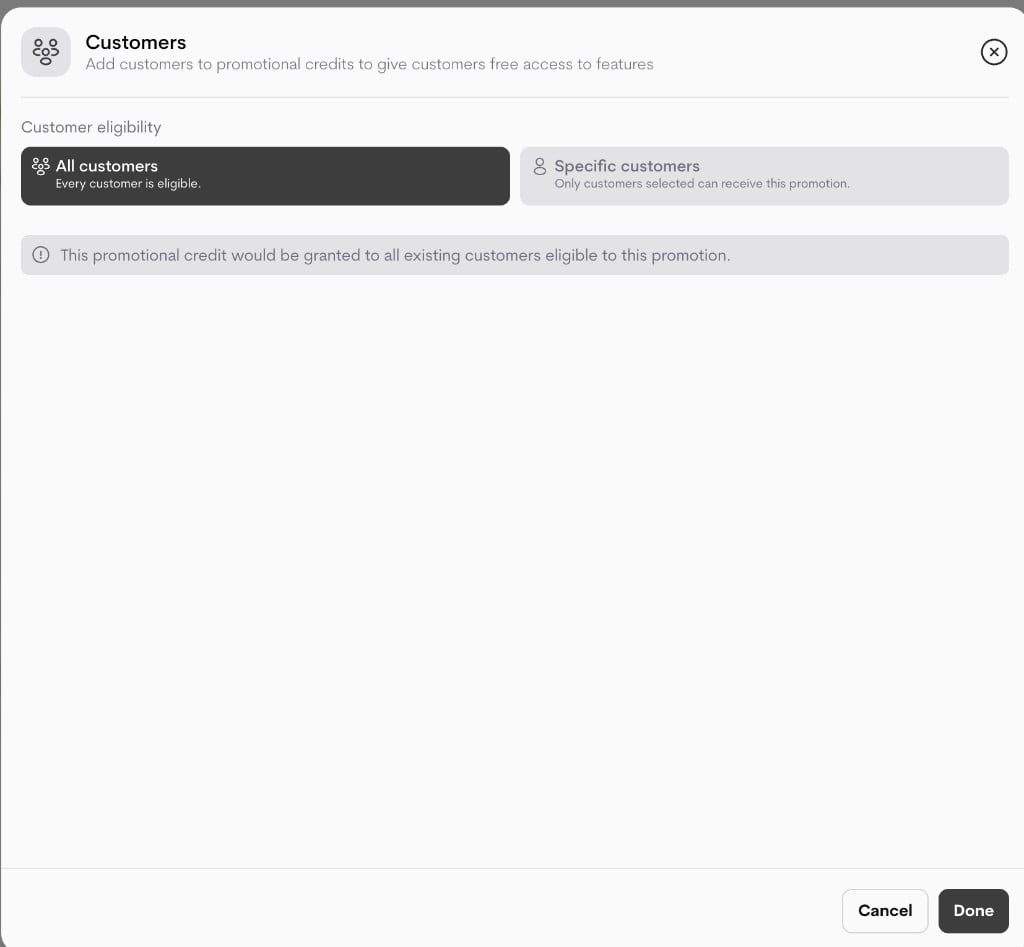
- All customers: all eligible existing customers (with wallets)
- Specific customers: only the selected eligible customers (with wallets)
Grant flow
Entry points from the promotional credit details experience:- Side panel: Grant to customers (or edit icon in customers card)
- Customers section empty state: Grant to customers
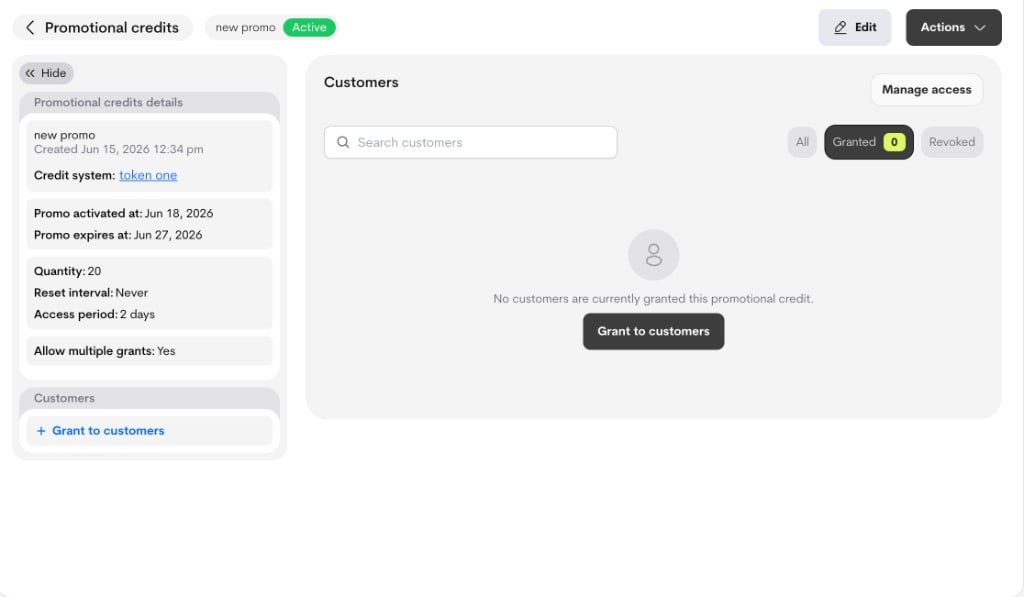
- All customers, or
- Specific customers
Allow multiple grants behavior
- Allow multiple grants = Off:
- An active customer cannot be granted again.
- Re-grant after revoke is allowed.
- Allow multiple grants = On:
- An active customer can be granted repeatedly (Grant again).
- Re-grant after revoke is also allowed.
Revoke and re-grant flow
From the customer row actions in the details page:- Active/granted customers show Revoke
- Revoked customers show Grant again
Manage Access (bulk operations)
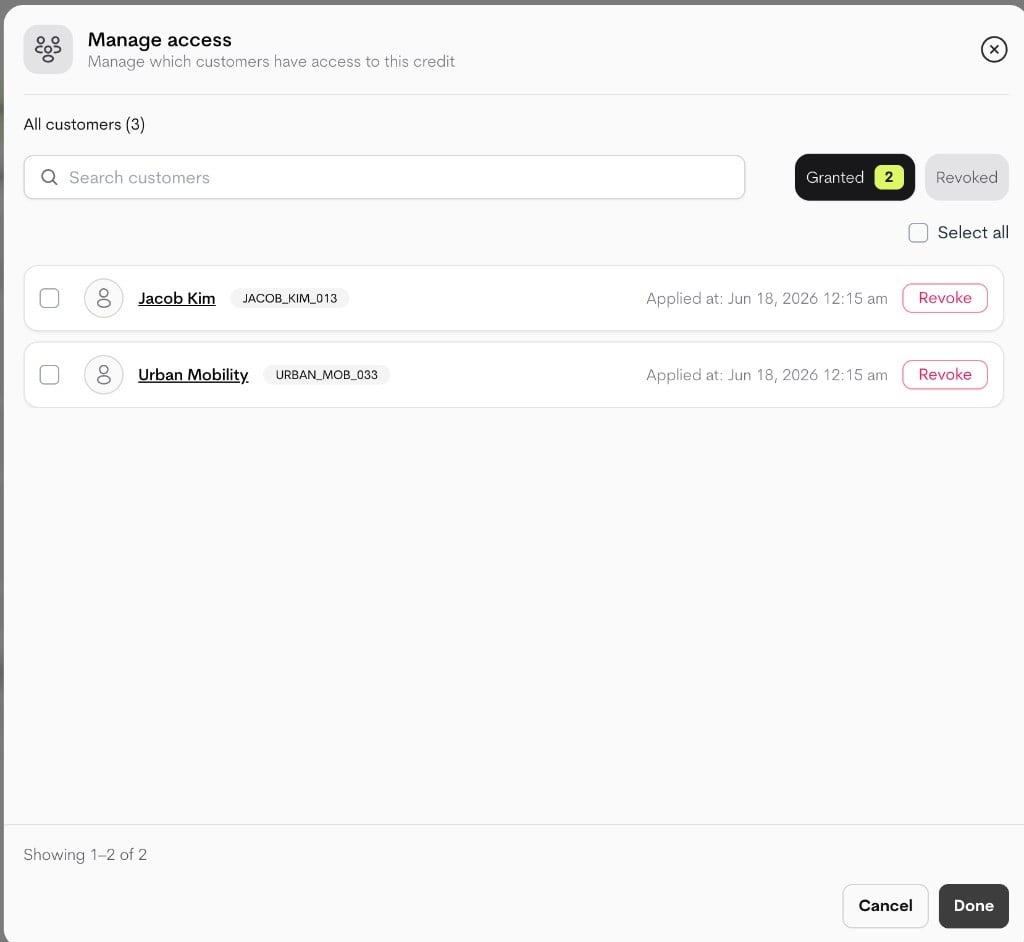
Use Manage access for batch operations:- Filter by Granted or Revoked
- Search customers
- Select multiple rows
- Bulk revoke (from Granted filter)
- Bulk re-grant (from Revoked filter)