

Overview
A promotional entitlement gives customers temporary or permanent access to specific features at no cost as part of a promotion. Unlike discounts (which reduce billing amounts), promotional entitlements grant direct access to predefined functionality. A promotional entitlement can be configured with eligibility rules, availability periods, and access durations. Once granted, the customer keeps access to the associated entitlement for the configured duration. Promotional entitlements help drive adoption and engagement by giving customers valuable feature access without requiring an immediate purchase.Creating Promotional Entitlement
-
Go to Offers → Promotions → Entitlements.
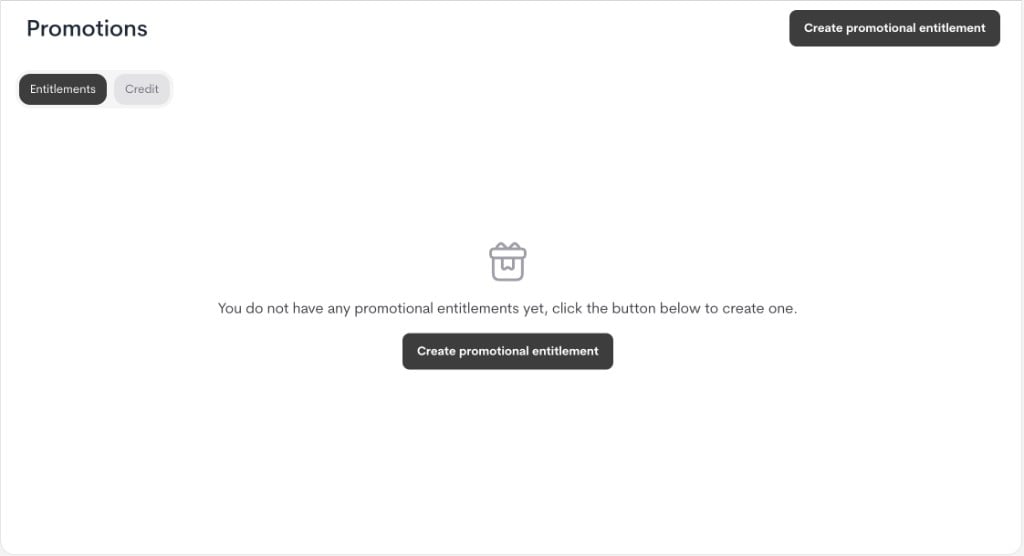
- Click Create promotional entitlement.
-
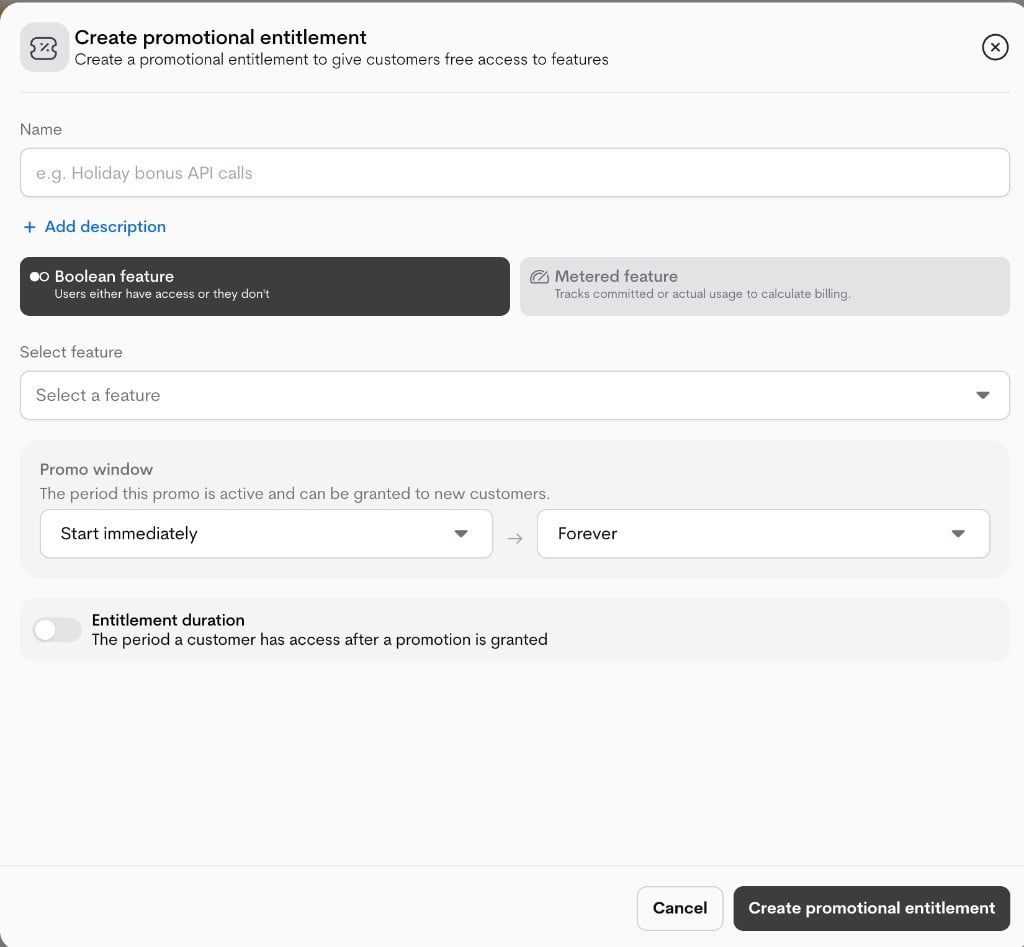
In the modal, fill in the details:
- Name: Internal campaign name.
- Description (optional): Internal context for operators/support.
-
Feature type:
- Boolean feature
- Metered feature
- Select feature: Choose the exact feature this promotion applies to.
-
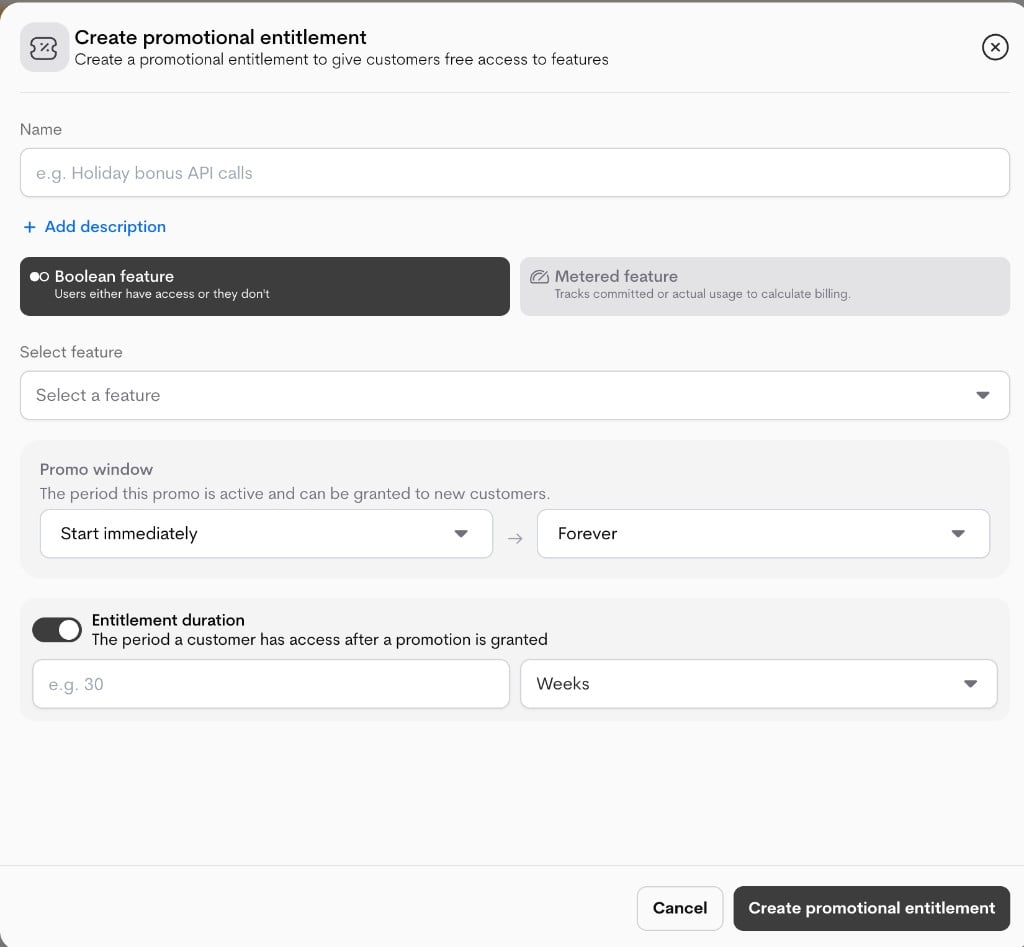
Promo window: The period the promotional entitlement is active and can be granted to customers.
- Start immediately or select a start date.
- Forever or select an expiry date.
- Entitlement duration (optional): The period for which the granted entitlement remains active for each customer.
- Off / Forever
- On: set
duration_value+duration_unit(e.g., 3 weeks).
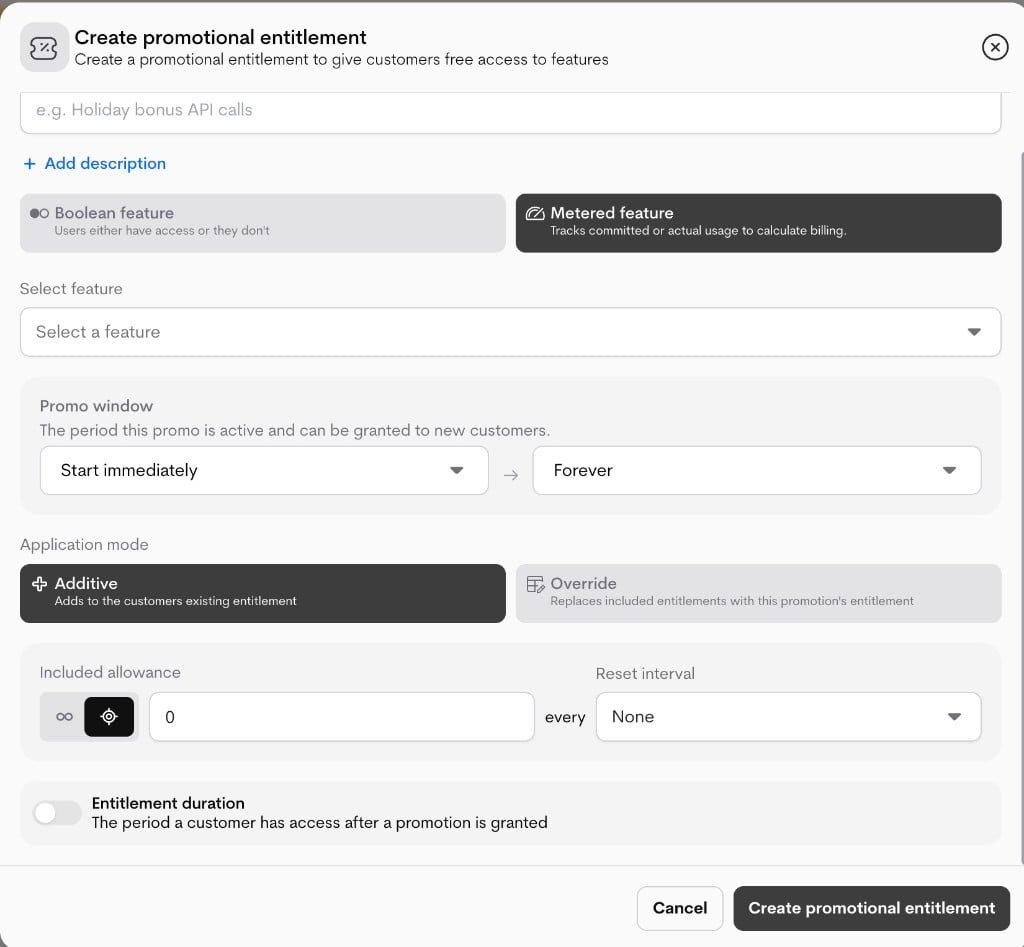
- Metered feature options (only when Metered feature is selected):
- Application mode: How the granted entitlement is applied to the customer’s current entitlement.
- Additive: adds promotional benefit on top of existing entitlement.
- Override: replaces baseline entitlement behavior for the feature.
- Included allowance: Amount of entitlement granted.
- Reset interval: How often the allowance resets.
- Application mode: How the granted entitlement is applied to the customer’s current entitlement.
- This form creates the promotion policy only. Customer assignment (all or specific customers) happens in a separate apply flow.
- Click Create promotional entitlement to save the policy.
Important behavior
- If a promotional entitlement is already applied (
is_applied), strategic fields are restricted in edit mode. - Typically, only safe metadata (for example, name/description) remains editable after it is applied.
- This protects live promotions from breaking customer experience during rollout.
Applying Promotional Entitlements
Granting access
From the details page, users can start granting from:- The side panel (Grant to customers when none is assigned, or the edit icon in the customer summary)
- The Customers section empty state (Grant to customers)
- All customers, or
- Specific customers
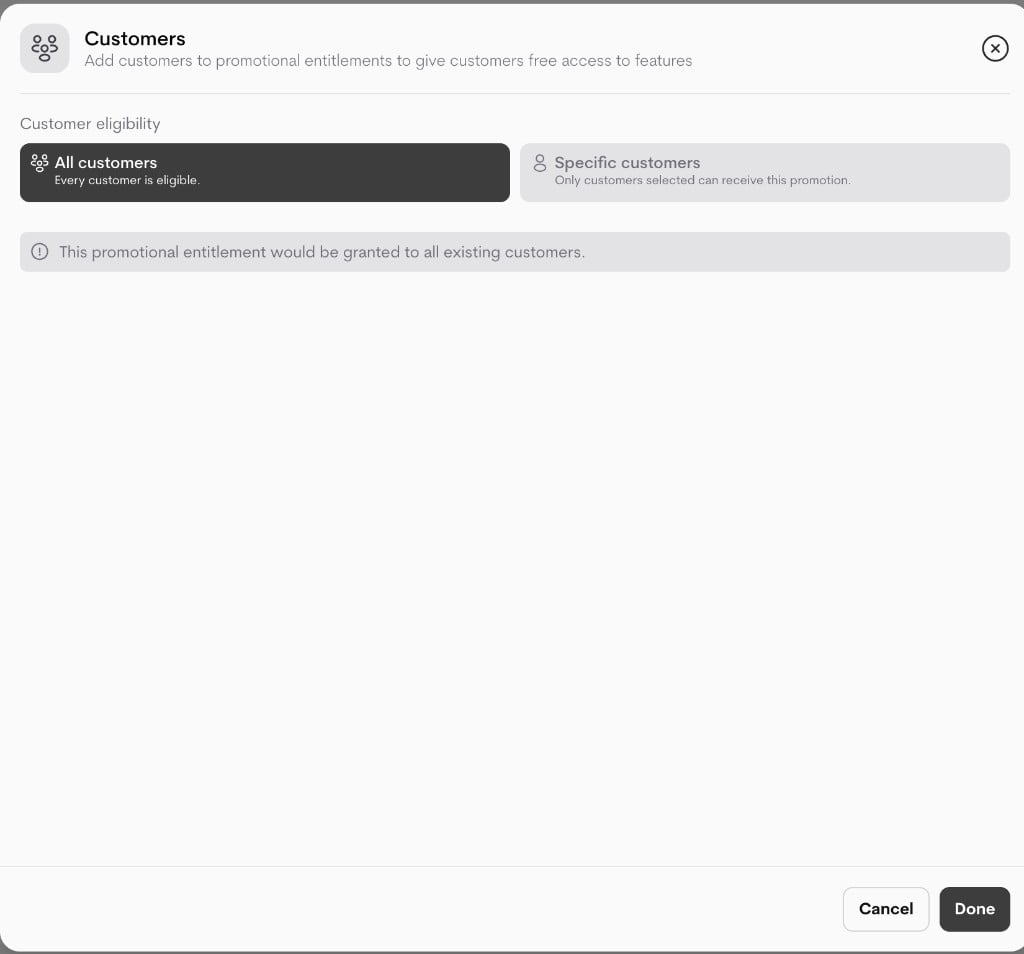
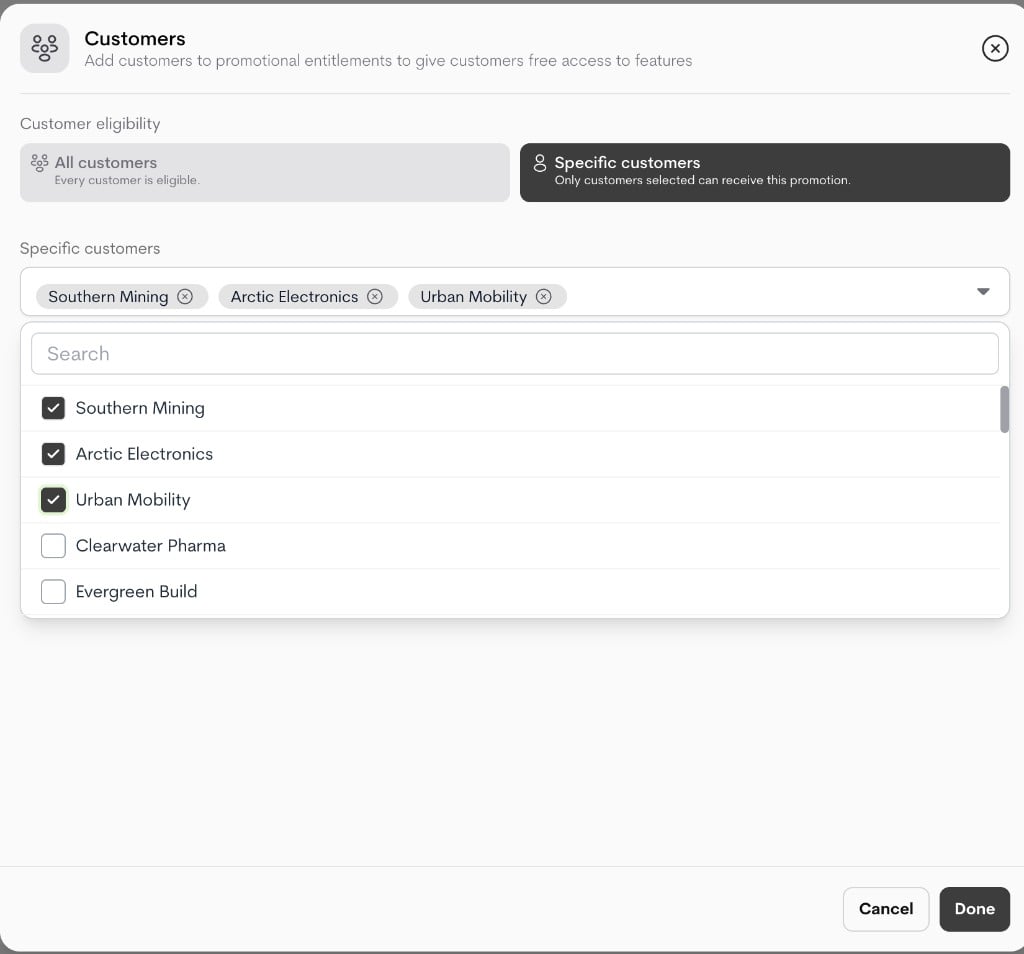
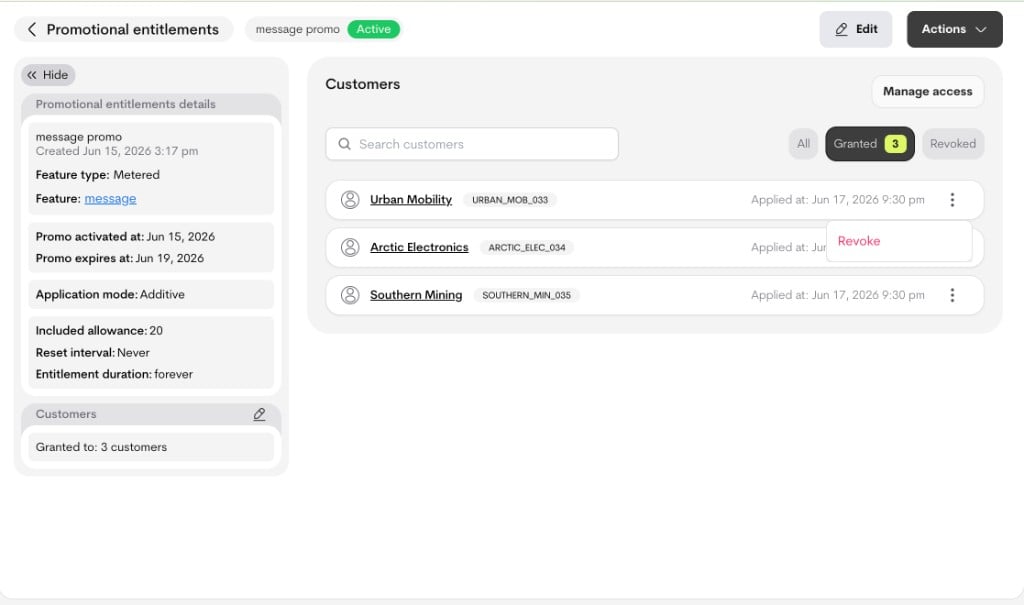
Revoking and re-granting
In the Customers section on the details page:- For granted customers, the row action shows Revoke.
- For revoked customers, the row action shows Grant (re-grants access).
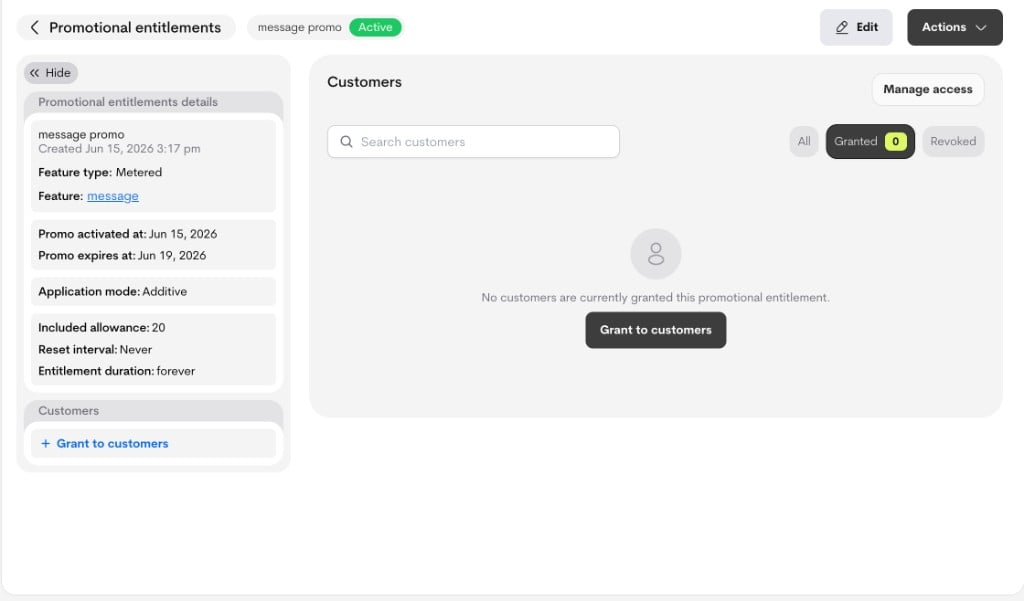
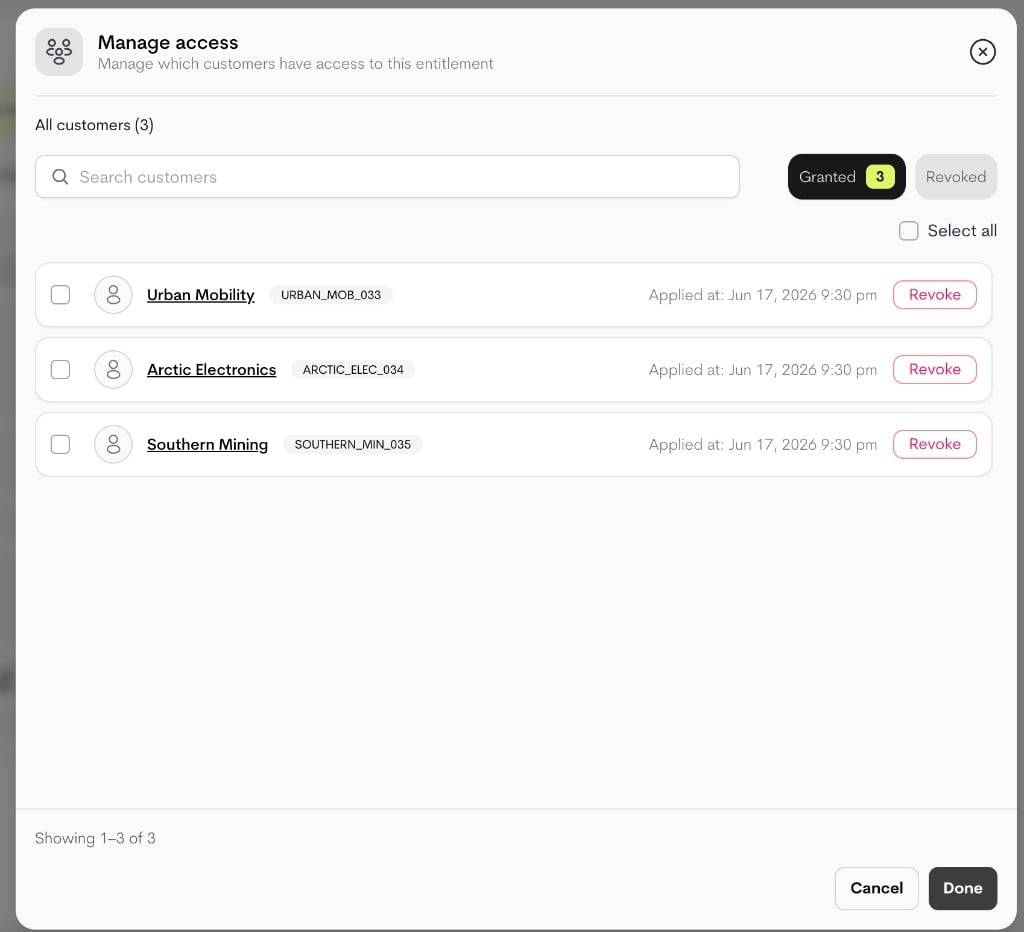
Manage Access (bulk operations)
Use Manage access for campaign-scale maintenance. In this modal, you can:- Filter by Granted or Revoked
- Search customers
- Select multiple customers
- Bulk revoke (from Granted view) or bulk re-grant (from Revoked view)
State semantics
- Granted: Customer currently has promotional entitlement access.
- Revoked: Customer was previously assigned, but access is intentionally disabled.
- If the entitlement itself is deactivated, granted customers lose access and move to revoked state.