

Overview
Metrifox generates an invoice for each billing cycle and for one-time purchases. You can review invoices, resend them, record payments made outside Metrifox, apply credit notes, and write off invoices you don’t expect to collect. To see your invoices, navigate to Charge customers → Invoices. The page opens with a summary of Total outstanding, Total paid, Total revenue and Total late, followed by the invoice list. You can search by invoice number, and use the ⋮ menu on any row for invoice operations.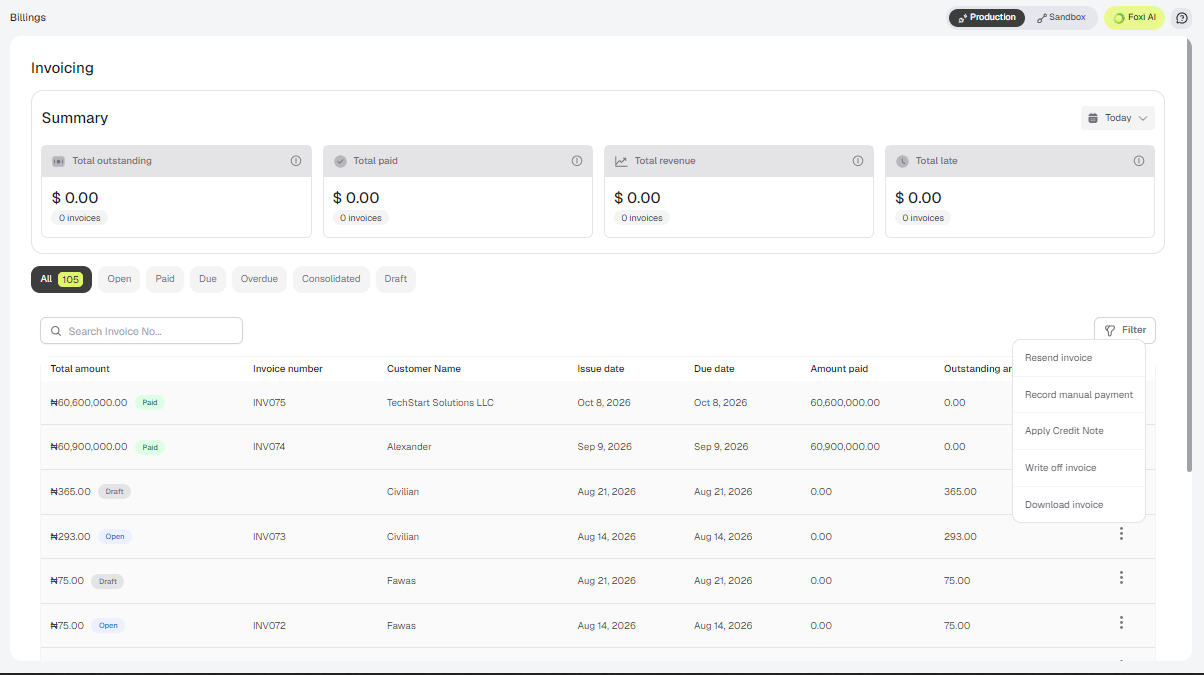
Invoice Operations
Open an invoice and use the Actions menu at the top right.Record a manual payment
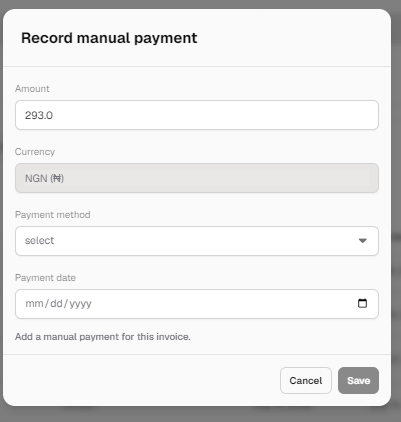
Use this when a customer pays by cash, bank transfer or check, outside of your connected payment provider.- Open the invoice and select Actions → Record manual payment.
- Enter the Amount, choose the Payment method, and set the Payment date.
-
Click Save.
Write off an invoice
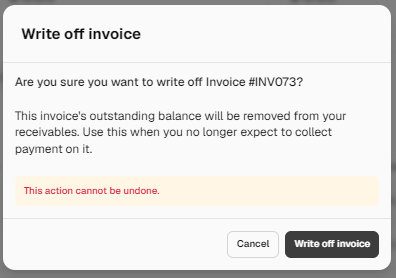
Write off an invoice when you no longer expect to collect payment on it. The invoice’s outstanding balance is removed from your receivables.- Open the invoice and select Actions → Write off invoice.
-
Confirm.
Invoicing Settings
Configure how invoices look and behave under Settings → Invoicing.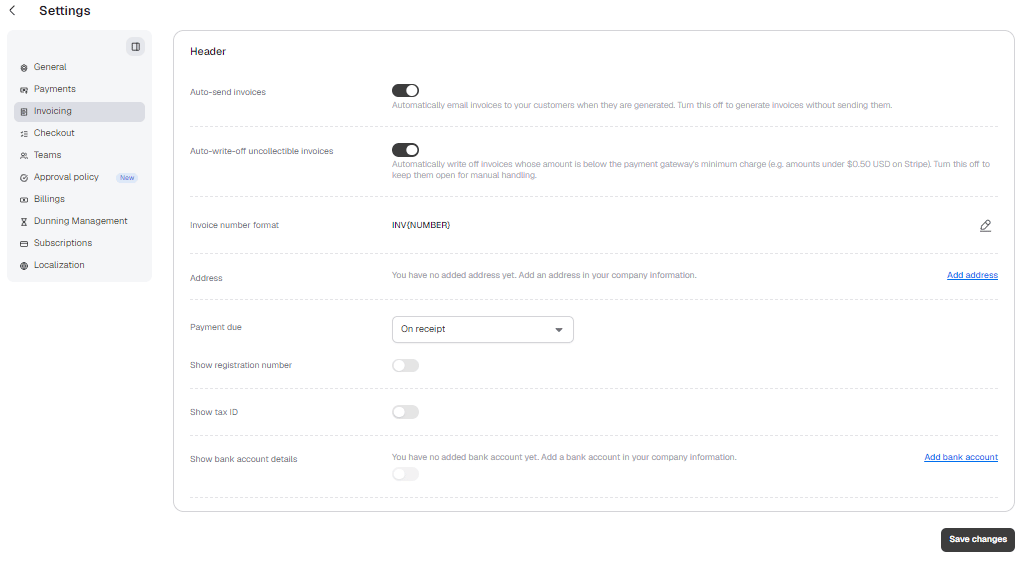
The address, tax ID and bank account shown on invoices come from Settings → General → Company information.