Connect NRS
- Navigate to Integrations → E-invoicing providers.
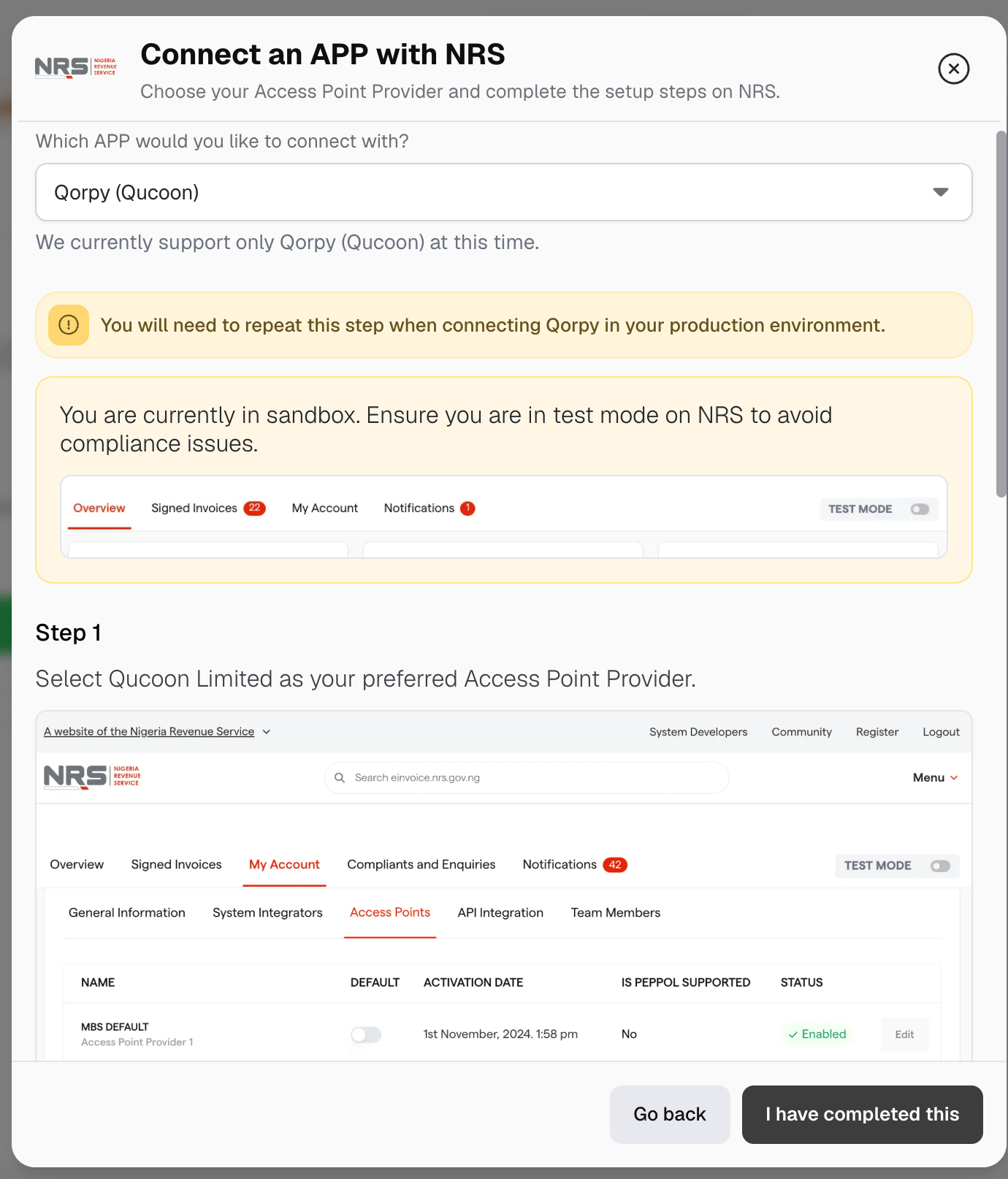
- Find NRS and click Connect.
- Confirm whether your business is registered with NRS. If it is not, complete registration through the NRS e-invoicing portal, then return to Metrifox.
- In the NRS dashboard, navigate to My Account → Access Points. Select Qucoon Limited and make it your default APP.
- Navigate to My Account → API Integration and copy your FIRS Entity ID and FIRS Business ID.
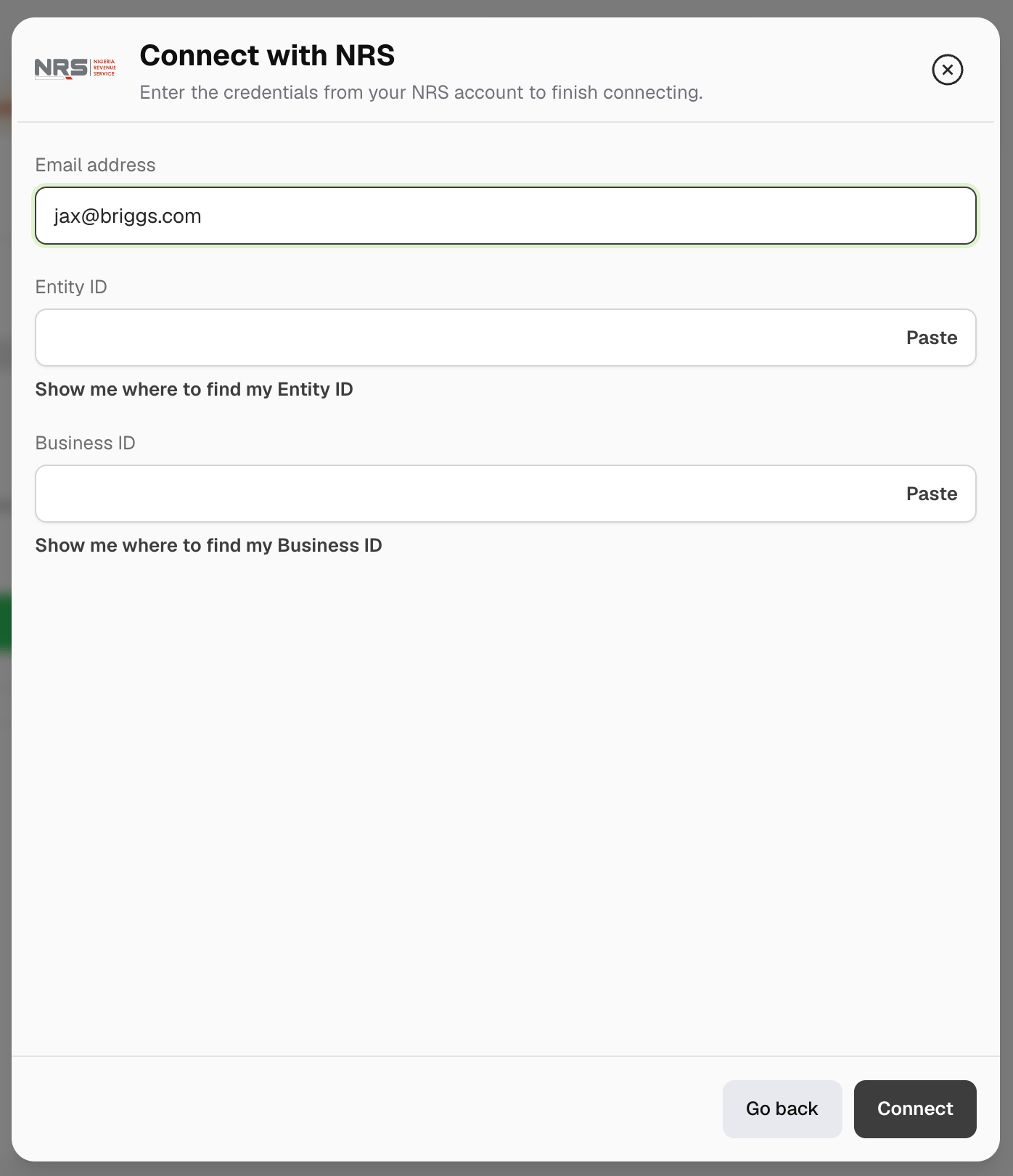
- Return to Metrifox and enter your email address, Entity ID, and Business ID.
- Click Connect.
Enable compliance
Open the connected NRS integration, click Manage, and turn on Enable e-invoicing compliance. If your workspace is not ready, Metrifox shows what you need to complete.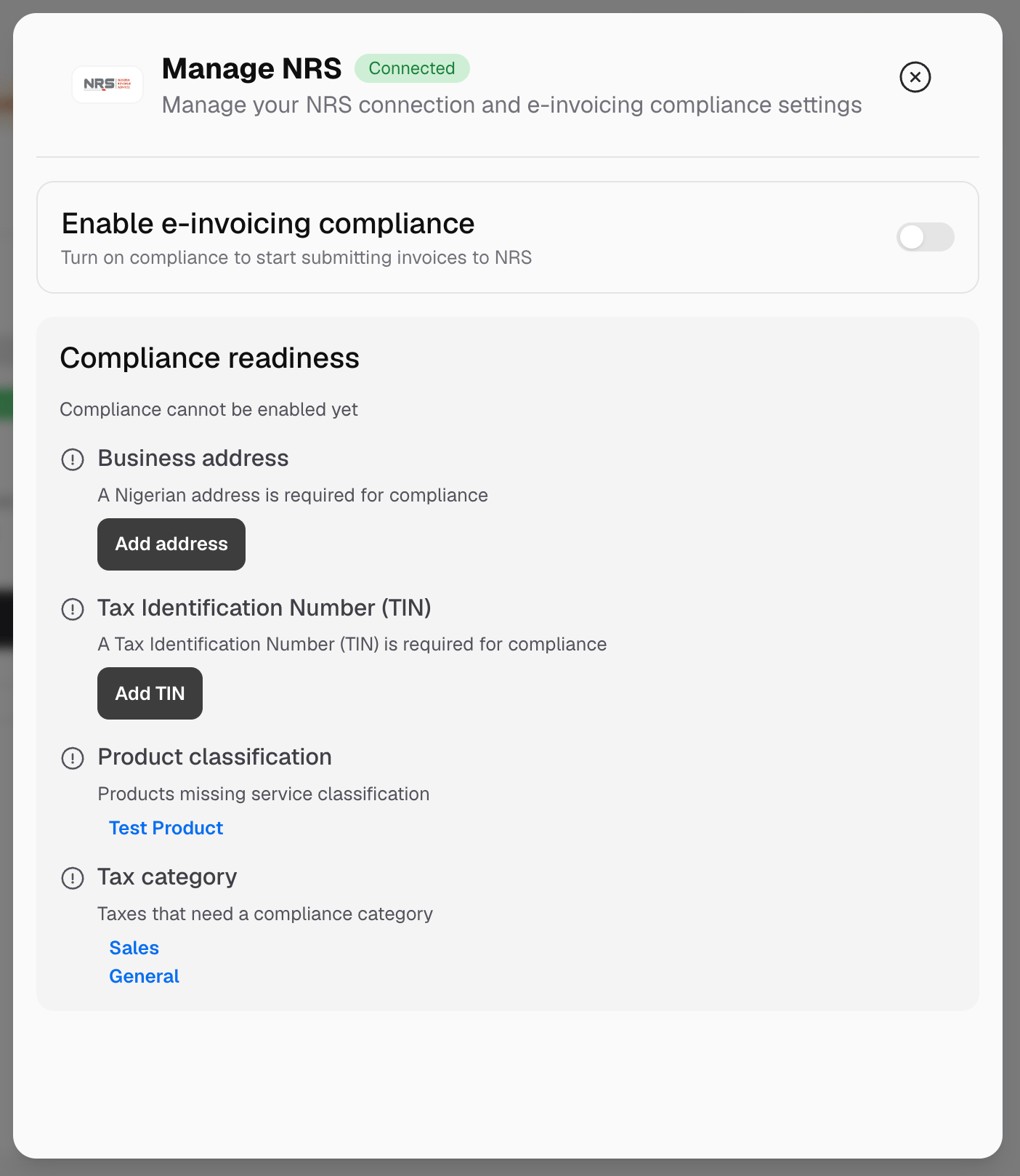
While compliance is enabled, you cannot delete your only Nigerian business address. Add another Nigerian address or disable compliance first.
Add compliant customer details
When compliance is enabled, business customers need a company name, email address, complete billing address, and tax identification. A Nigerian business address must also include an LGA. These details are requested during self-serve checkout. When assigning a subscription or creating an order manually, Metrifox asks you to update a business customer whose details are incomplete. Use Check e-invoicing compliance to confirm whether a Nigerian business customer’s TIN is registered for NRS e-invoicing. Individual customers follow the normal personal account flow. They do not need a company name, business TIN, or NRS business registration check.Understand fiscalization timing
Payment can be completed online or recorded manually in Metrifox. When an invoice reaches the required stage, Metrifox submits it automatically.
A Nigerian business customer that does not pass the registration check can still continue. Metrifox waits until the invoice is paid before submitting it.
Verify a fiscalized invoice
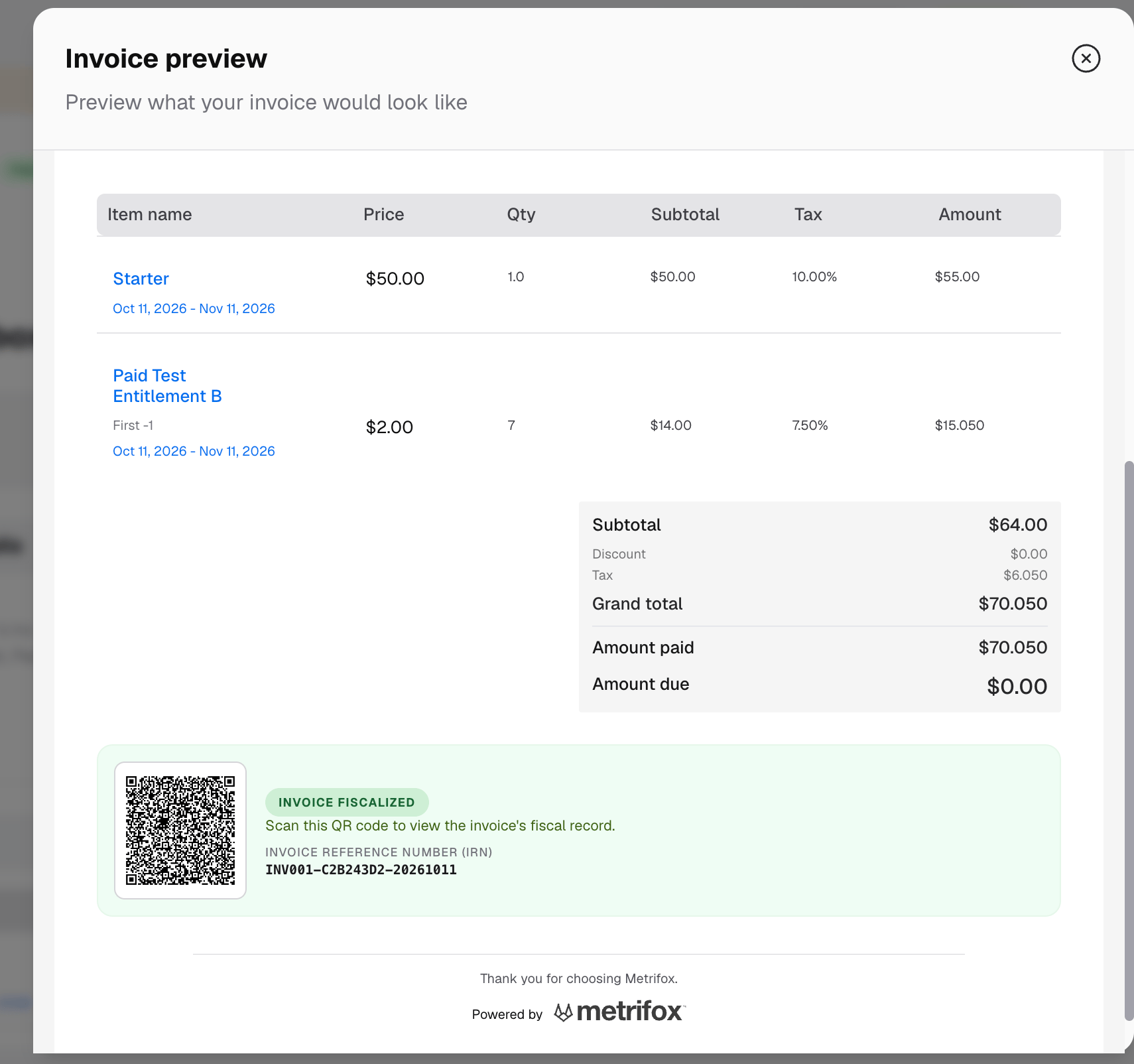
A fiscalized invoice shows an Invoice fiscalized status, an Invoice Reference Number (IRN), and a QR code.